PDF generation in Hono depends less on Hono and more on the runtime you deploy it to. On Node.js or Bun you can run headless Chromium with Playwright or Puppeteer for full HTML and CSS fidelity. On Cloudflare Workers you cannot launch a browser process, so you use pdf-lib (pure JavaScript), the Cloudflare Browser Rendering binding, or a hosted API that renders server-side. Hono itself is only the routing layer: it returns the bytes.
Hono is a small web framework built on the Fetch API standard, which is why the same route code runs on Node.js, Bun, Deno, Cloudflare Workers, Vercel, and AWS Lambda. That portability is the whole story for PDFs: the approach that works in one runtime may be impossible in another. This guide maps every option to the runtime where it actually runs.
Which PDF approach works in Hono, and on which runtime?
The runtime decides what is possible, so start there. Chromium-based rendering needs a runtime that can spawn a process and touch a filesystem, which rules it out on Cloudflare Workers. Pure-JavaScript libraries and hosted APIs run everywhere Hono runs.
| Approach | Node.js / Bun | Deno | Cloudflare Workers | Output fidelity |
|---|---|---|---|---|
| Playwright / Puppeteer | Yes | Yes | No (no process) | Chromium-grade HTML + CSS |
| Cloudflare Browser Rendering | No | No | Yes (paid binding) | Chromium-grade HTML + CSS |
| pdf-lib | Yes | Yes | Yes | Vector drawing, no HTML |
| @react-pdf/renderer | Yes | Yes | Yes | Flexbox subset, no full CSS |
| PDF4.dev (hosted API) | Yes | Yes | Yes | Chromium-grade HTML + CSS |
The pattern is clear: if you want HTML to PDF and you deploy to Cloudflare Workers, you either use Cloudflare's own browser service, or you offload rendering to a hosted API. If you deploy Hono to a Node.js or Bun server, running Chromium yourself is on the table.
Not sure which runtime constraints you are under? If your Hono app already ships to Cloudflare Workers, assume no local Chromium and design around pdf-lib or a hosted API from day one. Retrofitting later means rewriting the render path.
How do you return a PDF from a Hono handler?
Return the PDF bytes with the right headers using c.body() or a plain Response. Hono is built on Web-standard Request and Response, so one handler works identically on Node.js, Bun, Deno, and Cloudflare Workers. Set Content-Type: application/pdf and a Content-Disposition that chooses download versus preview.
import { Hono } from "hono"

const app = new Hono()

app.get("/invoice/:id", async (c) => {
  const pdf = await renderInvoice(c.req.param("id")) // any approach below

  return c.body(pdf, 200, {
    "Content-Type": "application/pdf",
    "Content-Disposition": `attachment; filename="invoice-${c.req.param("id")}.pdf"`,
  })
})

export default app
Use inline instead of attachment to open the PDF in a browser tab instead of downloading it. c.body() accepts a Uint8Array, an ArrayBuffer, a string, or a ReadableStream, which is why the same return path fits every renderer. For very large files, pass a ReadableStream so the runtime sends chunks instead of buffering the whole document.
Which runtime are you deploying Hono to?
This is the question that gates every other decision, so answer it before choosing a library. Hono runs on multiple runtimes with the same code, but PDF rendering is where they diverge sharply.
- Node.js or Bun server: you can launch headless Chromium. Playwright or Puppeteer give the best HTML and CSS fidelity. This is the same setup covered in the PDF generation in Bun guide.
- Deno: pure-JS libraries and hosted APIs work directly. Chromium automation is possible through the Astral library but is less common than on Node. See the Deno PDF guide for the browser path.
- Cloudflare Workers: no process, no filesystem, a 128 MB memory ceiling per Worker. No local Chromium. Use pdf-lib, the Browser Rendering binding, or a hosted API. The Cloudflare Workers PDF guide covers this runtime in depth.
Everything below is organized by these runtimes. Read the section that matches your deploy target.
How do you generate an HTML to PDF in Hono on Node.js or Bun?
Run Playwright or Puppeteer, launch Chromium once, and reuse it across requests. When Hono runs on a Node.js or Bun server, you have a real process and filesystem, so headless Chromium works exactly as it does in any Node app. Launch the browser at startup, keep it in a module-level singleton, and open a fresh page per request.
import { Hono } from "hono"
import { chromium, type Browser } from "playwright"

let browser: Browser | null = null

// Singleton: one Chromium for the whole process, launched once.
async function getBrowser() {
  if (!browser) browser = await chromium.launch()
  return browser
}

const app = new Hono()

app.post("/render", async (c) => {
  const { html } = await c.req.json()
  const ctx = await (await getBrowser()).newContext()
  const page = await ctx.newPage()
  try {
    await page.setContent(html, { waitUntil: "load" })
    await page.emulateMedia({ media: "print" }) // apply @media print rules
    const pdf = await page.pdf({ format: "A4", printBackground: true })
    return c.body(pdf, 200, { "Content-Type": "application/pdf" })
  } finally {
    await ctx.close() // close the page context, keep the browser warm
  }
})

export default app
The emulateMedia({ media: "print" }) call makes @media print CSS apply, and printBackground: true keeps CSS backgrounds from dropping out. Launching Chromium costs roughly 300 to 800 ms, so the warm singleton removes that from every response. On a slim Docker image you must install fonts yourself, covered below. This path does not run on Cloudflare Workers.
How do you generate a PDF in Hono on Cloudflare Workers?
You have three routes on Workers, and none of them launch a local browser. A Worker cannot spawn a Chromium process, so the choices are Cloudflare's own headless-browser service, a pure-JavaScript library, or a hosted rendering API.
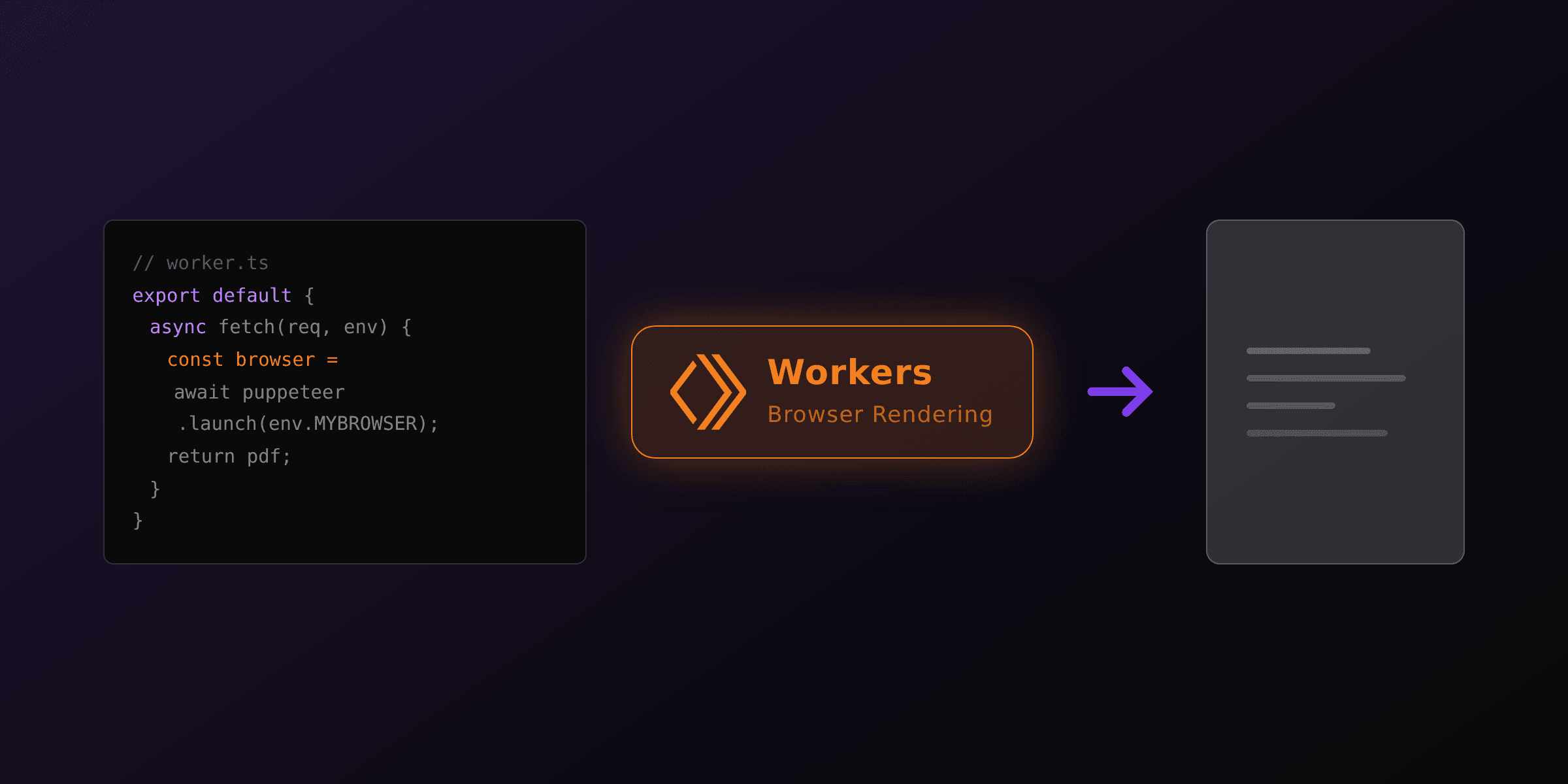
The Cloudflare Browser Rendering binding runs Chromium in Cloudflare's infrastructure and you drive it with @cloudflare/puppeteer. It needs a Workers Paid plan and a browser binding in wrangler.toml.
import { Hono } from "hono"
import puppeteer from "@cloudflare/puppeteer"

type Bindings = { MYBROWSER: Fetcher }

const app = new Hono<{ Bindings: Bindings }>()

app.post("/render", async (c) => {
  const { html } = await c.req.json()
  const browser = await puppeteer.launch(c.env.MYBROWSER)
  try {
    const page = await browser.newPage()
    await page.setContent(html, { waitUntil: "load" })
    const pdf = await page.pdf({ printBackground: true })
    return c.body(pdf, 200, { "Content-Type": "application/pdf" })
  } finally {
    await browser.close()
  }
})

export default app
Browser Rendering fits when you want Chromium fidelity and stay entirely inside Cloudflare. If you do not want the paid binding or the per-session limits, the other two Workers options are pdf-lib (next section) and a hosted API (the section after). All three keep your Hono routes unchanged; only the render function differs.
How do you draw a PDF with pdf-lib in any Hono runtime?
Use pdf-lib when you want a PDF with no browser and no native binary. pdf-lib is pure JavaScript, so it runs on Node.js, Bun, Deno, and Cloudflare Workers without changes. It builds PDFs from drawing calls, which suits fixed layouts like labels, badges, and certificates where you place every element by coordinate.
import { Hono } from "hono"
import { PDFDocument, StandardFonts, rgb } from "pdf-lib"

const app = new Hono()

app.get("/label/:id", async (c) => {
  const doc = await PDFDocument.create()
  const page = doc.addPage([297, 420]) // A6 in points
  const font = await doc.embedFont(StandardFonts.Helvetica)

  page.drawText("SHIP TO", { x: 24, y: 380, size: 18, font })
  page.drawText(`Order ${c.req.param("id")}`, { x: 24, y: 350, size: 12, font })
  page.drawRectangle({ x: 24, y: 180, width: 240, height: 120, borderColor: rgb(0, 0, 0), borderWidth: 1 })

  const bytes = await doc.save() // Uint8Array, works in every runtime
  return c.body(bytes, 200, { "Content-Type": "application/pdf" })
})

export default app
The trade-off is real: pdf-lib has no CSS and no automatic text flow, so a layout a designer edits in seconds of CSS becomes a code change. That is the deliberate cost of a dependency that never launches a browser and runs on the edge. For a deeper comparison of the pure-JS libraries, see pdf-lib vs jsPDF vs PDFKit.
How do you generate a PDF in Hono without managing a browser?
Call a hosted API: POST your HTML or a stored template id to one endpoint and get a PDF back. This is the option that fits every Hono runtime equally, because your Worker or server only makes a fetch call. There is no Chromium to install, no Browser Rendering binding to pay for, and no warm-pool code to maintain. PDF4.dev renders headless Chromium server-side and supports Handlebars {{variables}} so you store a template once and pass data per request.
import { Hono } from "hono"

type Bindings = { PDF4_KEY: string }

const app = new Hono<{ Bindings: Bindings }>()

app.get("/invoice/:id", async (c) => {
  const r = await fetch("https://pdf4.dev/api/v1/render", {
    method: "POST",
    headers: {
      Authorization: `Bearer ${c.env.PDF4_KEY}`,
      "Content-Type": "application/json",
    },
    body: JSON.stringify({
      template_id: "invoice",
      data: { invoice_number: c.req.param("id"), total: "$1,500.00" },
      delivery: "url",
    }),
  })

  const { url } = await r.json()
  return c.redirect(url) // hand the client a signed URL, no binary in the Worker
})

export default app
On Cloudflare Workers this pattern matters more than elsewhere: delivery: "url" returns JSON { url, expires_at, size_bytes } and the URL serves the PDF for 24 hours, so a multi-megabyte binary never has to pass through the Worker's 128 MB memory. On a Node.js server you can instead use delivery: "base64", decode the buffer, and stream it yourself. The trade-off is honest: you depend on a network hop and an external service, and in exchange you delete the browser dependency, the fonts setup, and the runtime-specific render code.
Want to see the output before writing any code? Paste markup into the free HTML to PDF toolTry it free, or convert a live page with Webpage to PDFTry it free. Both use the same Chromium engine as the API.
Why do fonts render as boxes in a Hono PDF?
Chromium renders only the fonts available to the renderer, and edge runtimes and slim server images ship almost none. On Cloudflare Browser Rendering or a bare Docker base, non-Latin text and emoji appear as tofu boxes because the font simply is not there. Make fonts explicit instead of trusting the host.
Two reliable fixes:
- Embed fonts in the HTML. Use
@font-facewith a base64 data URI or awoff2URL so the renderer never depends on system fonts. This works identically on every runtime, including Workers, which is why it is the most portable option. - Install fonts in the image (Node.js only). On a Debian-based Dockerfile, add the families you need plus a color emoji font with an
apt-get installoffonts-noto-coreandfonts-noto-color-emoji.
A hosted renderer installs a standard font set server-side, which removes this class of bug regardless of where your Hono app runs.
Which option should you choose?
Choose by runtime first, then by content:
- Hono on Node.js or Bun, content is HTML/CSS: Playwright or Puppeteer with a warm browser singleton. Best fidelity, you reuse your markup.
- Hono on Cloudflare Workers, content is HTML/CSS: Cloudflare Browser Rendering if you want Chromium inside Cloudflare, or the PDF4.dev API if you want zero browser and a signed URL.
- Any runtime, fixed-coordinate layouts (labels, badges, tickets): pdf-lib, drawn in pure JavaScript with no browser.
- Any runtime, you want HTML-grade output with no browser and no scaling work: the hosted PDF4.dev API, called with a single
fetch.
For most Hono apps the decision reduces to one axis: run Chromium yourself where the runtime allows it, or offload rendering so the same code ships to every runtime unchanged. Both render the same engine. The only question is whether you want to operate the browser, the fonts, and the memory limits, or send a POST and move on.
Next steps: read the Cloudflare Workers PDF guide for the edge specifics, the Bun PDF guide for a server runtime, or the complete HTML to PDF guide for the cross-framework picture.
Free tools mentioned:
Frequently asked questions
- How do you return a PDF from a Hono handler?
- Return the PDF bytes with c.body(bytes, 200, headers) or a plain Response object, setting Content-Type to application/pdf and Content-Disposition to attachment or inline. Hono is built on the Web-standard Response, so the same code works on Node.js, Bun, Deno, and Cloudflare Workers.
- Can you run Puppeteer or Playwright in Hono on Cloudflare Workers?
- No. The default Puppeteer and Playwright packages launch a Chromium process, and Cloudflare Workers cannot spawn processes or access a filesystem. On Workers you use the Cloudflare Browser Rendering binding (@cloudflare/puppeteer), a pure-JavaScript library like pdf-lib, or a hosted rendering API. Full Puppeteer and Playwright only run when Hono is on Node.js, Bun, or Deno.
- Which PDF approach works on every Hono runtime?
- pdf-lib and @react-pdf/renderer are pure JavaScript with no browser or native binary, so they run on Node.js, Bun, Deno, and Cloudflare Workers unchanged. A hosted API such as PDF4.dev also works everywhere because you only make a fetch call. Chromium-based rendering is limited to server runtimes that can launch a process.
- How do you generate an HTML to PDF in Hono on Node.js or Bun?
- Launch headless Chromium once with Playwright or Puppeteer, store the instance in a module-level singleton, open a fresh page per request, call page.pdf(), and return the buffer. Reusing the browser avoids the 300 to 800 ms launch cost on every request.
- What is Cloudflare Browser Rendering and does it work with Hono?
- Cloudflare Browser Rendering is a headless-Chromium service you call from a Worker through a browser binding using @cloudflare/puppeteer. It works with Hono on Workers because the browser runs in Cloudflare's infrastructure, not inside the Worker itself. It requires a Workers Paid plan and a configured browser binding in wrangler.toml.
- Why do my fonts render as boxes in a Hono PDF?
- Chromium renders only fonts available to the renderer, and edge or slim server environments ship almost none. Embed fonts with @font-face and a base64 data URI, or install font packages in your Docker image on Node.js. A hosted renderer installs a standard font set server-side, which removes the problem.
- Is Hono a good fit for PDF generation at all?
- Hono is a routing and request layer, not a PDF engine, so it fits any approach. The real constraint is the runtime you deploy Hono to. On Node.js or Bun you have the full range including Chromium. On Cloudflare Workers you are limited to pure-JS libraries, the Browser Rendering binding, or a hosted API.
- How do you send a large PDF from Hono without holding it in memory?
- Return a Response whose body is a ReadableStream so the runtime sends chunks as they are produced. For a Chromium render you usually get a full buffer, so for very large output request a URL from a hosted API and redirect, or store the file and stream it back.
- Do you need a browser to generate a PDF in Hono?
- No. pdf-lib and @react-pdf/renderer draw PDFs in pure JavaScript with no browser, and a hosted API renders server-side so your Hono app only makes an HTTP call. You need a browser only when you want Chromium-grade HTML and CSS fidelity and choose to run the engine yourself.
Start generating PDFs
Build PDF templates with a visual editor. Render them via API from any language in ~300ms.