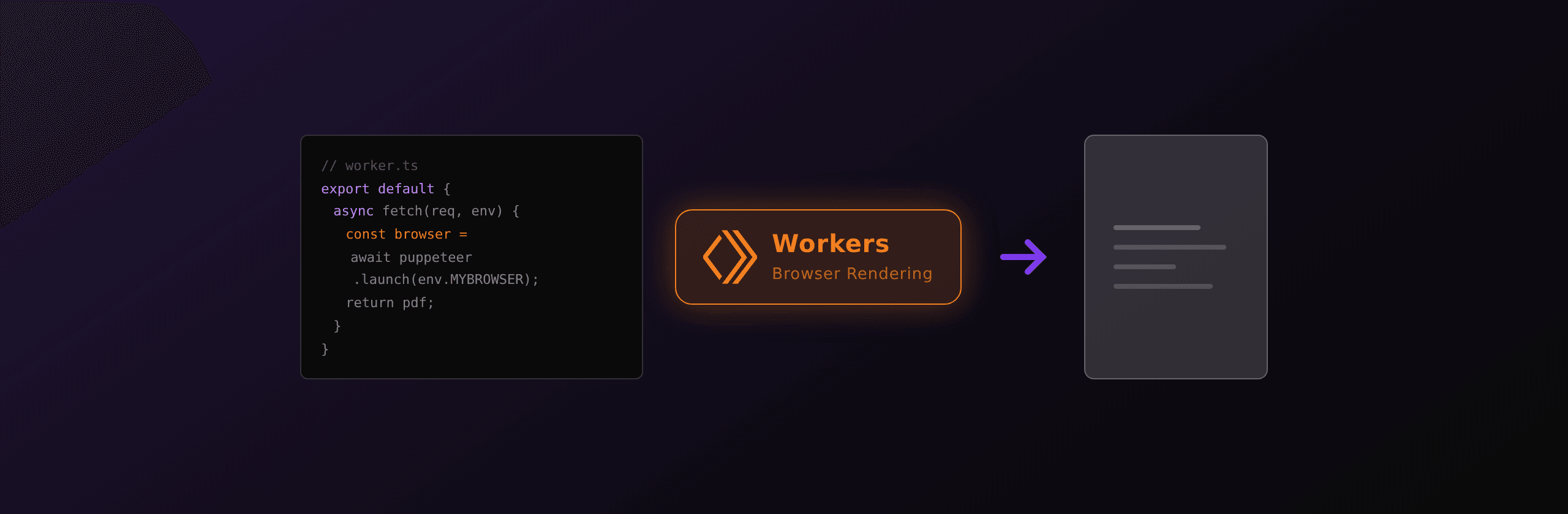
Cloudflare Workers gives you three real paths to a PDF in 2026: the Browser Run binding when you need full Chromium and CSS fidelity, pdf-lib when your document is structured data and you want zero infra, or an external HTML-to-PDF API called over fetch() when you want managed Chromium without the Browser Run bill. Rule of thumb: Browser Run when you control the template, external API when you want zero-ops.
Updated 22 September 2026. Cloudflare renamed Browser Rendering to Browser Run on 15 April 2026 (changelog, blog post). The API, the endpoints and the browser binding are unchanged, so existing Workers keep running, but the docs moved to developers.cloudflare.com/browser-run/ and the published limits changed. Every number below was re-checked against the current docs on that date.
This guide walks through every option, what workerd's runtime constraints actually mean for PDFs, and a working Worker for each path.
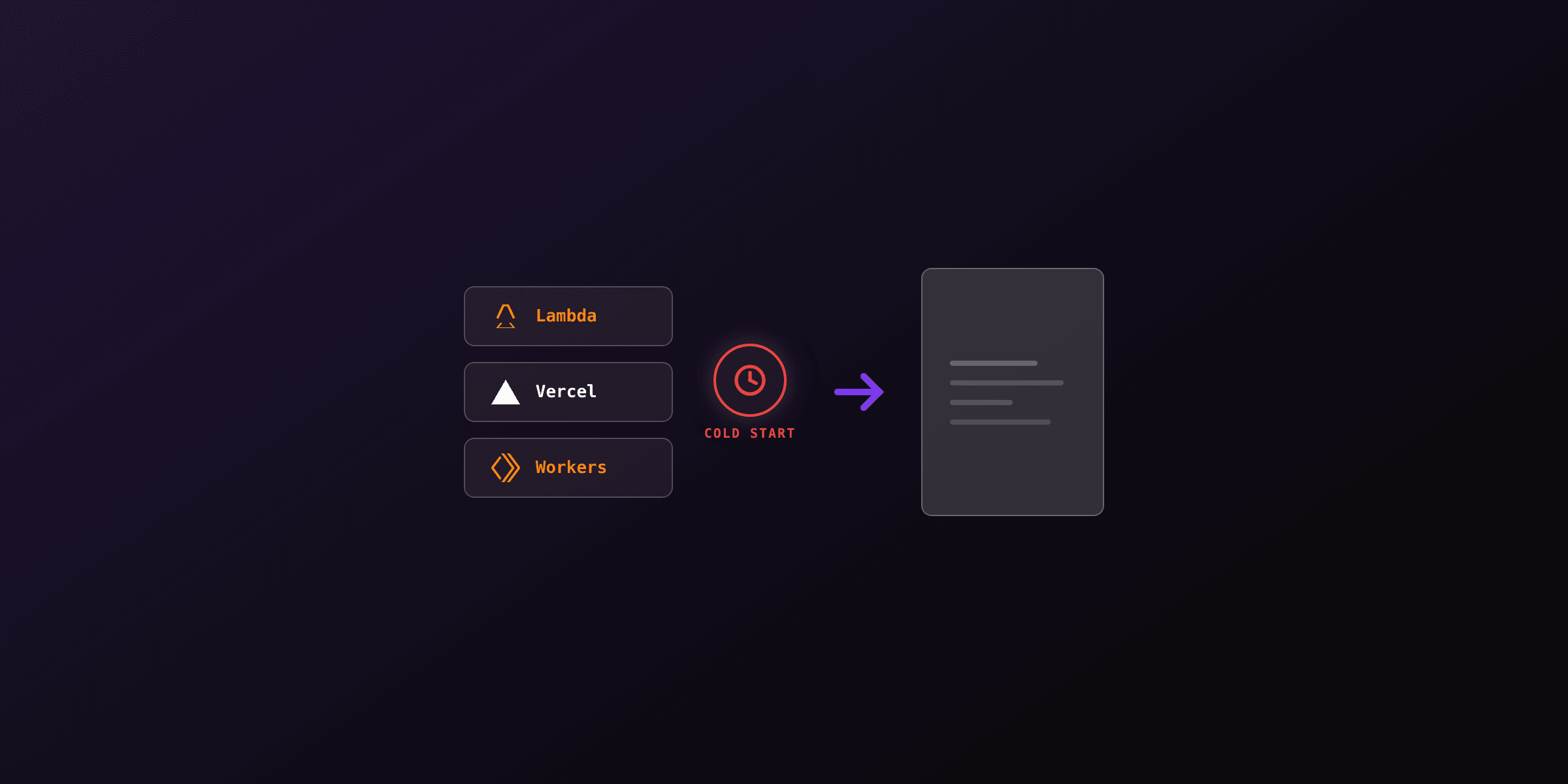
Why classic Playwright and Puppeteer do not work on Workers
The Cloudflare Workers runtime is workerd, a V8 isolate host designed for short-lived, sandboxed, stateless requests. workerd's constraints are the reason a stock npm install puppeteer does not run on the edge: no native binaries, no process spawning, no shared libraries, no filesystem, no large heap.
A Worker isolate can consume up to 128 MB of memory, gets 30 seconds of CPU per request by default on the paid plan, and boots in single-digit milliseconds. Chromium needs the opposite of every one of those: hundreds of MB of memory at idle, a multi-second startup, and a fork into a multi-process tree.
On the free plan the gap is wider still: a Worker gets 10 ms of CPU per request. That is not a rounding error you can optimize around, it is two orders of magnitude below what any PDF library needs.
The first thing a tutorial that says "just run Puppeteer on Workers" hides is that workerd refuses to spawn a child process. There is no child_process, no fs.spawn, no dlopen. The call fails on import or on first launch with puppeteer.launch is not a function or Cannot find module 'child_process'. The workerd source code is public; the missing primitives are missing on purpose.
The constraints in one table:
| Workerd capability | Available? | Implication for PDF generation |
|---|---|---|
| Native binaries (Chromium, fonts) | No | Cannot bundle a browser |
| Spawn child process | No | Cannot launch a renderer |
| Filesystem | No | Cannot unpack Chromium |
| Shared memory / IPC | No | Cannot drive a separate Chromium |
| Memory per isolate | 128 MB | pdf-lib works; large embeds choke |
| CPU time, Workers Free | 10 ms per request | Rules out local PDF work entirely |
| CPU time, Workers Paid | 30s default, up to 5 min | Enough for most renders |
| Wall-clock time, HTTP | No limit while the client is connected | Long renders are not cut off mid-stream |
| Wall-clock time, Cron and Queues | 15 min | OK for queued batches |
| Worker size | 64 MiB uncompressed, both plans | pdf-lib fits, browsers do not |
The Cloudflare Workers limits page documents these caps in detail at developers.cloudflare.com/workers/platform/limits. Two of them moved since this article first ran: the bundle limit is now a single 64 MiB uncompressed ceiling on both plans (there is no compressed limit any more), and the paid CPU cap is configurable up to 5 minutes rather than fixed at 30 seconds. They are not bugs to work around; they are the price of the boot time and the global edge presence.
The practical consequence: three viable PDF paths, none of which involve running a browser inside the isolate.
Option 1: the Cloudflare Browser Run binding
Browser Run is Cloudflare's managed browser fleet, the product that shipped as Browser Rendering until 15 April 2026. Workers do not run the browser; they call into a pool of remote browser instances exposed as a browser binding. Two client libraries are supported:
| Library | Package | Version | Based on |
|---|---|---|---|
| Puppeteer | @cloudflare/puppeteer | v1.1.0 | Puppeteer v22.13.1 |
| Playwright | @cloudflare/playwright | v1.3.0 | Playwright v1.58.2 |
Both are forks that swap the launch path for a binding call. Chrome DevTools Protocol and Stagehand are also supported entry points. Playwright support is the notable addition since this article first ran: the old advice that Puppeteer was the only option is out of date.
Browser Run splits into two modes, and the split matters for PDFs:
- Browser Sessions. You drive a real browser with Puppeteer or Playwright. Full control over waits, fonts, viewport, and
page.pdf()options. - Quick Actions. Stateless REST or binding calls such as
/pdfand/screenshot. No browser code to write, but the waiting behaviour is mostly fixed.
Add the binding to your Wrangler config:
{
  "name": "pdf-worker",
  "main": "src/index.ts",
  "compatibility_date": "2026-09-22",
  "compatibility_flags": ["nodejs_compat"],
  "browser": {
    "binding": "MYBROWSER"
  }
}
The binding is a single browser object, not the [[browser]] array form that older tutorials still show. nodejs_compat is required for @cloudflare/playwright, which reaches for the native node:fs API.
Install the client:
npm i -D @cloudflare/puppeteerThe Worker:
import puppeteer from "@cloudflare/puppeteer";

export interface Env {
  MYBROWSER: Fetcher;
}

export default {
  async fetch(request: Request, env: Env): Promise<Response> {
    const url = new URL(request.url);
    const html = await request.text();

    const browser = await puppeteer.launch(env.MYBROWSER);
    try {
      const page = await browser.newPage();
      await page.setContent(html, { waitUntil: "networkidle0" });
      const pdf = await page.pdf({
        format: "A4",
        margin: { top: "20mm", bottom: "20mm", left: "15mm", right: "15mm" },
        printBackground: true,
      });

      return new Response(pdf, {
        headers: {
          "Content-Type": "application/pdf",
          "Content-Disposition": 'inline; filename="document.pdf"',
        },
      });
    } finally {
      await browser.close();
    }
  },
};
The limits that actually shape a PDF workload
These are the published defaults as of 22 September 2026, from the Browser Run limits page:
| Limit | Workers Free | Workers Paid |
|---|---|---|
| Browser hours | 10 minutes per day | No limit, billed |
| Concurrent browsers | 3 per account | 200 per account |
| New browser instances | 1 every 20 seconds | 3 per second |
| Browser timeout (inactivity) | 60 seconds | 60 seconds |
| Quick Actions request rate | 1 every 10 seconds | 30 per second |
Four consequences worth internalizing before you build on this:
- The free plan cannot host a PDF service. 10 minutes of browser time per day, one new browser every 20 seconds, and a 10 ms Worker CPU budget. It is a plan for trying the API, not for serving users. Cloudflare returns a 429 once you cross the daily browser-time cap.
- The 60-second timeout is an inactivity timer, not a session cap. A browser closes after 60 seconds of inactivity by default. Pass
keep_alivein milliseconds, up to 10 minutes, to widen that window:puppeteer.launch(env.MYBROWSER, { keep_alive: 600000 }). There is no fixed maximum lifetime for a session that stays active. - Concurrency jumped in August 2026. The paid default went from 120 to 200 concurrent browsers, new instances from 1 to 3 per second, and Quick Actions from 10 to 30 requests per second (changelog). Cloudflare states these are defaults, not maximums, and takes requests for more.
- Tabs are free, browsers are not. Concurrency is billed and capped on browsers, not tabs. Reusing one browser across many renders with
acquire()plusconnect()is the single biggest cost lever on this platform.
Pricing (published rates):
| Workers Free | Workers Paid | |
|---|---|---|
| Plan fee | $0 | $5 per month |
| Browser hours included | 10 minutes per day | 10 hours per month, then $0.09 per hour |
| Concurrent browsers included | 3 | 10 averaged monthly, then $2.00 per browser |
Quick Actions are billed on duration only. Browser Sessions are billed on duration and concurrency. Browser hours are pooled across both.
When this fits: you control the HTML template, you want full Chromium fidelity, and you are happy to stay inside the Cloudflare ecosystem.
When this stops fitting: you are on the free plan, you need more than 200 concurrent renders without filing a request, or you want to pin the Chromium version yourself.
The /pdf Quick Action, and the one number that will bite you
If your document is a plain page and you do not want to write browser code, Browser Run exposes a /pdf Quick Action, callable over REST or straight from a Worker binding:
return await env.BROWSER.quickAction("pdf", {
  html: "<html><body><h1>Invoice INV-001</h1></body></html>",
  addStyleTag: [{ content: "body { font-family: Arial; }" }],
});
Two constraints to read before you commit to it:
- The request body caps at 50 MB. Past that you get
Error: request entity too large. Inlined base64 images eat this budget fast. - The pre-render wait caps at 4500 ms. The endpoint waits until there are no more than two open network connections for at least 500 ms, or until a maximum of 4500 ms, then renders whatever it has. A template that pulls a webfont, a chart script and three remote images over a slow origin can be captured half-loaded, and you will not get an error, you will get a PDF with missing assets.
That 4500 ms ceiling is the honest reason to prefer Browser Sessions for anything asset-heavy. With Puppeteer or Playwright you choose the wait yourself: inline the CSS and fonts, use page.setContent(html, { waitUntil: "networkidle0" }), and you are governed by the Quick Actions timeout table only if you opted into Quick Actions. For the /pdf endpoint specifically, PDFOptions.timeout defaults to 30 seconds and goes up to 5 minutes, and goToOptions.timeout defaults to 30 seconds with a 60-second maximum, but neither of those widens the 4500 ms network-idle window.
Rule of thumb: Quick Actions for a URL you trust to load fast, Browser Sessions for a template you assembled yourself.
Option 2: pdf-lib for programmatic-only PDFs
pdf-lib is pure JavaScript. No native code, no Chromium, no dependencies that touch the filesystem. It runs unchanged on workerd because it does not need any of the primitives workerd lacks. The trade-off: it is a programmatic API, not an HTML renderer. You build a PDF by calling drawText, drawRectangle, embedFont, and addPage. CSS is irrelevant; there is no layout engine.
For invoices, receipts, badges, certificates, shipping labels, and anything else where the structure is rigid and the values change, this is the cheapest path on Workers. CPU time on a typical invoice is 20-80ms, well under any limit, and the bundle adds about 250 KB compressed.
Install:
npm install pdf-libWorker that builds a basic invoice:
import { PDFDocument, StandardFonts, rgb } from "pdf-lib";

export default {
  async fetch(request: Request): Promise<Response> {
    const data = (await request.json()) as {
      invoice_number: string;
      client_name: string;
      lines: { description: string; qty: number; subtotal: number }[];
      total: number;
    };

    const pdf = await PDFDocument.create();
    const font = await pdf.embedFont(StandardFonts.Helvetica);
    const bold = await pdf.embedFont(StandardFonts.HelveticaBold);

    const page = pdf.addPage([595, 842]); // A4 in points
    const { height } = page.getSize();
    let y = height - 60;

    page.drawText(`Invoice ${data.invoice_number}`, { x: 50, y, size: 20, font: bold });
    y -= 30;
    page.drawText(`Client: ${data.client_name}`, { x: 50, y, size: 11, font });
    y -= 40;

    page.drawText("Description", { x: 50, y, size: 10, font: bold });
    page.drawText("Qty", { x: 360, y, size: 10, font: bold });
    page.drawText("Subtotal", { x: 470, y, size: 10, font: bold });
    y -= 18;
    page.drawLine({ start: { x: 50, y }, end: { x: 545, y }, thickness: 0.5, color: rgb(0.7, 0.7, 0.7) });
    y -= 12;

    for (const line of data.lines) {
      page.drawText(line.description, { x: 50, y, size: 10, font });
      page.drawText(String(line.qty), { x: 360, y, size: 10, font });
      page.drawText(line.subtotal.toFixed(2), { x: 470, y, size: 10, font });
      y -= 16;
    }

    y -= 10;
    page.drawText(`Total: ${data.total.toFixed(2)}`, { x: 400, y, size: 12, font: bold });

    const bytes = await pdf.save();
    return new Response(bytes, {
      headers: {
        "Content-Type": "application/pdf",
        "Content-Disposition": `attachment; filename="invoice-${data.invoice_number}.pdf"`,
      },
    });
  },
};
Embedding assets from R2. pdf-lib accepts Uint8Array for fonts and images, so an R2 binding gives you a logo or a brand font with no extra plumbing:
const logoBytes = await env.ASSETS.get("logo.png").then(o => o!.arrayBuffer());
const logo = await pdf.embedPng(logoBytes);
page.drawImage(logo, { x: 50, y: y, width: 80, height: 30 });
Sibling libraries that also work on Workers:
- pdfme, a higher-level template engine built on pdf-lib. Good for designer-friendly JSON templates.
- jsPDF, pure JS, older API, runs on Workers but its CSS-to-PDF mode is fragile.
- pdfkit, originally Node-only. Recent versions are usable on Workers via the
nodejs_compatflag, but the streams API needs care.
When this fits: structured documents at high volume, where 95% of the PDF is the same and only data changes.
When this stops fitting: anything driven by a designer in HTML/CSS. There is no reasonable way to translate Tailwind to drawRectangle calls.
Option 3: Call an external HTML-to-PDF API from inside the Worker
The third path uses Workers for what they are good at (fetch, routing, auth, R2 storage) and pushes the Chromium problem off the edge entirely. The Worker authenticates the request, calls an external HTML-to-PDF API over fetch(), and forwards the bytes. There is no Chromium binary, no @cloudflare/puppeteer binding, no pdf-lib dependency tree. Five lines of code.
Worker that calls PDF4.dev:
export interface Env {
  PDF4_API_KEY: string;
}

export default {
  async fetch(request: Request, env: Env): Promise<Response> {
    const { template_id, data } = (await request.json()) as {
      template_id: string;
      data: Record<string, unknown>;
    };

    const upstream = await fetch("https://pdf4.dev/api/v1/render", {
      method: "POST",
      headers: {
        Authorization: `Bearer ${env.PDF4_API_KEY}`,
        "Content-Type": "application/json",
      },
      body: JSON.stringify({ template_id, data }),
    });

    if (!upstream.ok) {
      return new Response(await upstream.text(), { status: upstream.status });
    }

    return new Response(upstream.body, {
      headers: {
        "Content-Type": "application/pdf",
        "Content-Disposition": 'inline; filename="document.pdf"',
      },
    });
  },
};
upstream.body is a ReadableStream, so the Worker streams the PDF straight to the client. No buffering, no 128 MB memory ceiling, no double download.
Cross-language reference for the same call (useful when your edge logic and your backend share a contract):
await fetch("https://pdf4.dev/api/v1/render", {
  method: "POST",
  headers: {
    Authorization: `Bearer ${env.PDF4_API_KEY}`,
    "Content-Type": "application/json",
  },
  body: JSON.stringify({ template_id: "invoice", data }),
});
When this fits: full CSS fidelity, zero infrastructure ownership, templates edited outside the codebase, and predictable per-render pricing.
When this stops fitting: you have a strict data-residency policy that forbids sending HTML outside Cloudflare, or your volume is so high that per-render API pricing crosses what the same volume would cost on Browser Run.
Decision matrix
The three options serve different shapes of problem. The honest framing:
| Need | Best fit on Workers | Why |
|---|---|---|
| Full CSS and JS rendering, controlled volume | Browser Run binding | Real Chromium, native Cloudflare ecosystem, billed by browser hour |
| Programmatic invoices, badges, receipts, very high volume | pdf-lib | Pure JS, runs in-process, no binding, no second service |
| Full CSS plus zero infra ownership | External HTML-to-PDF API | One fetch(), no Chromium to manage, template editor included |
| Need to store and sign PDFs after generation | Any of the above + R2 | R2 PUT is identical across all three render paths |
| Need to add watermark or merge pages after render | pdf-lib as a post-processing step | Combine with Browser Run or an API; pdf-lib accepts existing PDF bytes |
| Long renders (over 30s of CPU) | External API with Durable Object queue | Workers have a hard CPU cap; offload long jobs |
A worked example: a SaaS that generates branded reports. The HTML uses Tailwind and a custom font. Volume is 10K renders per month, spiky. Two viable shapes:
- Browser Run shape. The Worker takes the report request, calls
puppeteer.launch(env.MYBROWSER), renders, stores in R2. Cost is the $5 Workers Paid plan, plus browser hours past the 10 included per month at $0.09 each, plus concurrency past the 10 included browsers at $2.00 each. Pros: one vendor, one bill. Cons: Cloudflare-pinned browser version, concurrency caps. - External API shape. The Worker takes the report request,
fetch()es PDF4.dev with the template id and the report data, stores the response body in R2. Cost is the per-render API price. Pros: zero Chromium ops, template lives in a designer-friendly editor. Cons: external network hop, per-render cost.
Both are correct. Pick the one that matches how you want to spend your operational budget.
Cost model on a realistic SaaS workload
Conditions: 10K renders per month, A4 portrait, ~5 pages per render, mid-weight template (Tailwind, one embedded font, small logo). Assume 2 seconds of browser time per render, which is 10,000 x 2s = about 5.6 browser hours per month. Prices are the published list rates read on 22 September 2026, rounded to the nearest dollar; treat the ratios as the signal, not the absolute totals.
| Path | Fixed monthly | Variable | Estimated total | Hidden costs |
|---|---|---|---|---|
| Browser Run binding | $5 (Workers Paid) | 5.6 browser hours, inside the 10 included | ~$5 | Concurrency past 10 browsers at $2.00 each |
| pdf-lib in-process | $5 (Workers Paid) | Worker CPU time only | ~$5-7 | Dev time to build the template programmatically |
| External API (HTML-to-PDF) | $5 (Workers Paid) | Per-render API cost | ~$15-40 | None |
| External API on a free tier | $5 (Workers Paid) | $0 up to free quota | ~$5 + spillover | Free tier caps |
Three observations.
- pdf-lib is the cheapest in absolute terms for structured documents. There is no per-render cost on top of the Workers Paid plan, only CPU time.
- Browser Run is close to free at this volume, because 10 browser hours and 10 concurrent browsers are included in the $5 plan and a 10K-render month barely touches them. The bill only moves when renders get slow or bursty: concurrency is averaged monthly, so a sustained spike costs more than the same renders spread out.
- External APIs cost more per render but bundle the template editor, designer access, log retention, and a managed Chromium fleet at a different scale.
The wrong question is "which is cheapest at 10K renders". The right question is "where do I want my engineering team to spend hours next year".
Storing the PDF with R2 plus signed URLs
The canonical Workers PDF pattern: generate the bytes, PUT them to R2, return a signed URL with a short TTL. The user downloads from R2 directly, the Worker stays cheap.
Bind R2 in wrangler.toml:
[[r2_buckets]]
binding = "PDF_BUCKET"
bucket_name = "pdf4-rendered"
PUT after rendering:
const key = `renders/${crypto.randomUUID()}.pdf`;
await env.PDF_BUCKET.put(key, pdfBytes, {
  httpMetadata: { contentType: "application/pdf" },
});
Sign with HMAC and a TTL:
async function signRenderUrl(key: string, secret: string, ttlSeconds = 3600) {
  const expires = Math.floor(Date.now() / 1000) + ttlSeconds;
  const payload = `${key}.${expires}`;
  const keyBytes = new TextEncoder().encode(secret);
  const k = await crypto.subtle.importKey(
    "raw",
    keyBytes,
    { name: "HMAC", hash: "SHA-256" },
    false,
    ["sign"],
  );
  const sig = await crypto.subtle.sign("HMAC", k, new TextEncoder().encode(payload));
  const sigB64 = btoa(String.fromCharCode(...new Uint8Array(sig)))
    .replace(/\+/g, "-").replace(/\//g, "_").replace(/=+$/, "");
  return `https://pdfs.example.com/${key}?expires=${expires}&sig=${sigB64}`;
}
A second Worker, mounted on pdfs.example.com, verifies the signature and streams the R2 object back. This is the same pattern PDF4.dev's own lib/storage/sign.ts uses internally for signed render URLs, with BETTER_AUTH_SECRET as the HMAC key.
Why this pattern: R2 has no egress fees to the public internet, the signed URL caps exposure to a short window, and the rendering Worker does not keep the PDF in memory after the PUT.
When to use Vercel Edge or Deno Deploy instead
The same constraints apply to other edge runtimes, with small differences.
| Runtime | Native binaries | Browser primitive | PDF path |
|---|---|---|---|
| Cloudflare Workers (workerd) | No | Browser Run binding | Binding, pdf-lib, or fetch() |
| Vercel Edge Functions | No | None (uses workerd under the hood until 2026) | pdf-lib or fetch() to external API |
| Vercel Functions (Node) | Yes (with size limit) | None first-party | @sparticuz/chromium or fetch() |
| Deno Deploy | Limited | None | pdf-lib or fetch() to external API |
| Bun on the edge | Yes | None | Same as Node, less mature |
Vercel Edge is in practice equivalent to Workers: no Chromium, pdf-lib works, fetch() is your escape hatch. Deno Deploy is more permissive about FFI but does not ship a managed Chromium; the community libraries that download Chromium per request are not viable for production. The honest summary: Cloudflare is the only major edge platform with a first-party browser primitive in 2026.
If you cannot move off the edge and you cannot use Browser Run, the external-API path is the only realistic answer. That is true on every edge runtime, not just Cloudflare.
Frequently asked questions
Can I run Puppeteer on Cloudflare Workers?
Not stock Puppeteer. workerd cannot spawn processes or load native binaries, so launching Chromium from a Worker throws on the first call. The supported path is @cloudflare/puppeteer v1.1.0, a fork of Puppeteer v22.13.1, plus a browser binding for Browser Run. @cloudflare/playwright v1.3.0, a fork of Playwright v1.58.2, works the same way. The API surface matches upstream; only the launch path changes.
What is Cloudflare Browser Run?
Browser Run is the current name of the product Cloudflare shipped as Browser Rendering. Cloudflare renamed it on 15 April 2026. The API, the endpoints and the browser binding did not change, so deployed Workers kept running through the rename. The docs moved to developers.cloudflare.com/browser-run/, and any tutorial still saying "Browser Rendering" is describing the same product under its old name.
How much does Cloudflare Browser Run cost?
On the Workers Free plan you get 10 minutes of browser time per day and 3 concurrent browsers, at no charge. The Workers Paid plan is $5 per month and includes 10 browser hours per month, then $0.09 per additional hour, plus 10 concurrent browsers averaged monthly, then $2.00 per additional browser. Quick Actions bill on duration only; Browser Sessions bill on duration and concurrency. Rates are published at developers.cloudflare.com/browser-run/pricing/.
Does pdf-lib work on Cloudflare Workers?
Yes. pdf-lib is pure JavaScript with no native dependencies, so it runs unchanged on workerd. It does not render HTML or CSS; you build the PDF programmatically with shapes, text, and embedded fonts and images. Good fit for invoices, receipts, and badges; wrong tool for design-driven brand PDFs.
Can I generate a PDF from HTML on Workers without Chromium?
Not in a way that matches modern CSS. Pure-JS HTML-to-PDF libraries ignore Flexbox, Grid, and JavaScript-driven layout. If you need full CSS fidelity, you either use Browser Run on the same Worker, or call an external API like PDF4.dev with a fetch() from inside the Worker.
How do I store the generated PDF on R2?
Bind an R2 bucket in wrangler.toml, then call env.MY_BUCKET.put(key, pdfBytes) after rendering. R2 PUT is synchronous and returns once the bytes are durable. Pair it with a signed-URL service or a fetch handler on the same Worker to serve the file with a short-lived token.
Can I serve a PDF from a Worker as a download?
Yes. Return a Response with Content-Type: application/pdf and a Content-Disposition header set to attachment; filename="invoice.pdf". The Worker streams the body to the client without buffering the full file in memory if you pass a ReadableStream instead of a Uint8Array.
Is Cloudflare Browser Run production-ready?
Yes on Workers Paid, no on Workers Free. The paid plan allows 200 concurrent browsers by default, 3 new browser instances per second, and no cap on browser hours. The free plan allows 10 minutes of browser time per day, 3 concurrent browsers, one new browser every 20 seconds, and gives the Worker itself 10 ms of CPU per request, which is not a production PDF service. Also size for the 60-second inactivity timeout, extendable to 10 minutes with keep_alive, and queue heavy jobs in a Durable Object or a Queue consumer.
Why does my Browser Run PDF come out with missing images or fonts?
Most often because you used the /pdf Quick Action on an asset-heavy page. That endpoint waits until there are at most two open network connections for 500 ms, or until a hard ceiling of 4500 ms, then renders whatever has loaded. It does not fail, it returns an incomplete PDF. Fix it by inlining CSS and fonts, or by switching to a Browser Session where you control the wait with page.setContent(html, { waitUntil: "networkidle0" }).
How do I add a watermark to a Worker-generated PDF?
Render the PDF first (Browser Run, pdf-lib, or an API), then open the bytes with pdf-lib in the same Worker and draw a text or image watermark on each page. pdf-lib runs in workerd, so the entire pipeline stays on the edge with no second hop.
Can I call PDF4.dev's API from a Worker?
Yes. fetch() is the canonical way to call external APIs from a Worker. POST your template id and data to https://pdf4.dev/api/v1/render with a Bearer API key, receive the PDF as the response body, and forward it to the client or store it in R2. No SDK, no Chromium, five lines of code.
What is the maximum PDF size I can generate on Workers?
A Worker's response body is unlimited if you stream it, but the in-memory working set is capped at 128 MB. pdf-lib materializes the whole document in memory, so practical limits are tens of MB. For hundred-page or image-heavy PDFs, generate in chunks and concatenate on R2, or delegate to an external API that streams the output.
PDF4.dev exposes a single POST /api/v1/render endpoint that accepts a template id plus a JSON data object and returns a PDF. From a Cloudflare Worker, that is one fetch() call with a Bearer token; from anywhere else, it is the same call in your language of choice. Templates are edited in a web dashboard (raw HTML plus Handlebars variables), so designers can ship new layouts without redeploying the Worker. Free tier covers the first hundreds of renders per month.
The three paths on Workers compress to a single question: do you want Cloudflare to run the browser for you (Browser Run), do you want to skip the browser entirely (pdf-lib), or do you want someone else to run Chromium and bill you per render (external API)? Each is the right answer for a different shape of PDF workload, and switching between them is a few lines of code, not a rewrite.
Free tools mentioned:
Frequently asked questions
- Can I run Puppeteer on Cloudflare Workers?
- Not stock Puppeteer. workerd cannot spawn processes or load native binaries, so launching Chromium from a Worker throws on the first call. The supported path is @cloudflare/puppeteer v1.1.0 (based on Puppeteer v22.13.1) plus a browser binding for Browser Run, which delegates to a Cloudflare-managed browser fleet. @cloudflare/playwright v1.3.0 (based on Playwright v1.58.2) is also supported.
- What is Cloudflare Browser Run?
- Browser Run is the current name of the product Cloudflare shipped as Browser Rendering. Cloudflare renamed it on 15 April 2026. The API, the endpoints and the browser binding did not change, so existing Puppeteer and Playwright Workers keep working. The docs now live under developers.cloudflare.com/browser-run/.
- How much does Cloudflare Browser Run cost?
- On the Workers Free plan you get 10 minutes of browser time per day and 3 concurrent browsers. The Workers Paid plan is $5 per month and includes 10 browser hours per month, then $0.09 per additional hour, plus 10 concurrent browsers averaged monthly, then $2.00 per additional browser. Prices are published at developers.cloudflare.com/browser-run/pricing/.
- Does pdf-lib work on Cloudflare Workers?
- Yes. pdf-lib is pure JavaScript with no native dependencies, so it runs unchanged on workerd. It does not render HTML or CSS; you build the PDF programmatically with shapes, text, and embedded fonts and images. Good fit for invoices, receipts, and badges; wrong tool for design-driven brand PDFs.
- Can I generate a PDF from HTML on Workers without Chromium?
- Not in a way that matches modern CSS. Pure-JS HTML-to-PDF libraries ignore Flexbox, Grid, and JavaScript-driven layout. If you need full CSS fidelity, you either use Browser Run on the same Worker, or call an external API like PDF4.dev with a fetch() from inside the Worker.
- How do I store the generated PDF on R2?
- Bind an R2 bucket in wrangler.toml, then call env.MY_BUCKET.put(key, pdfBytes) after rendering. R2 PUT is synchronous and returns once the bytes are durable. Pair it with a signed-URL service or a fetch handler on the same Worker to serve the file with a short-lived token.
- Can I serve a PDF from a Worker as a download?
- Yes. Return a Response with Content-Type application/pdf and a Content-Disposition header set to attachment; filename="invoice.pdf". The Worker streams the body to the client without buffering the full file in memory if you pass a ReadableStream instead of a Uint8Array.
- Is Cloudflare Browser Run production-ready?
- Yes, with caveats you should size for. A browser closes after 60 seconds of inactivity unless you pass keep_alive, which extends the idle window to 10 minutes. Concurrency defaults to 200 browsers per account on Workers Paid and 3 on Free. A Worker's own CPU budget is 30 seconds by default on Paid and only 10 ms on Free, so the free plan cannot host a PDF pipeline.
- Why does my Browser Run PDF come out with missing images or fonts?
- Most often because you used the /pdf Quick Action on an asset-heavy page. That endpoint waits until there are at most two open network connections for 500 ms, or until a hard ceiling of 4500 ms, then renders whatever has loaded. It returns an incomplete PDF rather than an error. Inline your CSS and fonts, or switch to a Browser Session where you control the wait with page.setContent and waitUntil.
- How do I add a watermark to a Worker-generated PDF?
- Render the PDF first (Browser Run, pdf-lib, or an API), then open the bytes with pdf-lib in the same Worker and draw a text or image watermark on each page. pdf-lib runs in workerd, so the entire pipeline stays on the edge with no second hop.
- Can I call PDF4.dev's API from a Worker?
- Yes. fetch() is the canonical way to call external APIs from a Worker. POST your template id and data to https://pdf4.dev/api/v1/render with a Bearer API key, receive the PDF as the response body, and forward it to the client or store it in R2. No SDK, no Chromium, five lines of code.
- What is the maximum PDF size I can generate on Workers?
- A Worker's response body is unlimited if you stream it, but the in-memory working set is capped at 128 MB. pdf-lib materializes the whole document in memory, so practical limits are tens of MB. For hundred-page or image-heavy PDFs, generate in chunks and concatenate on R2, or delegate to an external API that streams the output.
Start generating PDFs
Build PDF templates with a visual editor. Render them via API from any language in ~300ms.