TL;DR. Replace wkhtmltopdf in 2026. The project was archived on GitHub in January 2023, its last release (0.12.6) shipped in 2020, and it carries an unpatched CVSS 9.8 server-side request forgery vulnerability (CVE-2022-35583). The best replacement depends on your stack: Playwright or Puppeteer for HTML that needs JavaScript or modern CSS, WeasyPrint for Python apps with static HTML, Gotenberg for a self-hosted HTTP service, or a managed API if you do not want to operate a browser at all.
This guide compares each option on rendering, footprint, and operating cost, then walks through the migration.
The alternatives at a glance
The table below is the decision shortcut. Each row is a maintained path off wkhtmltopdf, scored on what actually decides projects: whether it runs JavaScript, its deployment footprint, and who operates the rendering infrastructure.
| Alternative | Engine | JavaScript | Footprint | Who operates it | Best for |
|---|---|---|---|---|---|
| Playwright | Headless Chromium | Yes | ~300 MB + runtime | You | Modern CSS and JS, any stack |
| Puppeteer | Headless Chromium | Yes | ~300 MB + Node.js | You | Node.js apps |
| WeasyPrint | Own CSS engine | No | ~200-400 MB | You | Python, static HTML |
| Gotenberg | Headless Chromium | Yes | Docker container | You | Self-hosted HTTP service |
| Commercial CSS engines | Prince / PDFreactor / Antenna House | Limited | License + runtime | You | Print-grade paginated layouts |
| Managed PDF API | Headless Chromium (hosted) | Yes | None | Provider | Skip the infrastructure |
Footprint figures are typical install sizes, not hard limits. Chromium-based images vary with the base OS and font packages you include.
Why do you need to replace wkhtmltopdf?
Replace wkhtmltopdf because it is unmaintained and carries unpatched security holes. The GitHub repository was archived in January 2023, the organization was marked archived by an administrator in July 2024, and the last stable release (0.12.6) dates to 2020. An archived repository gets no bug fixes, no compatibility updates, and no security patches.
The security exposure is concrete. wkhtmltopdf carries CVE-2022-35583, a server-side request forgery flaw rated CVSS 9.8 (critical). The project's own status page tells users not to run it with untrusted HTML. If any part of your document content comes from user input, that warning applies to you.
The rendering engine is the second problem. wkhtmltopdf links against a patched fork of Qt WebKit frozen near 2014. That engine predates CSS Grid, CSS custom properties, current Flexbox behavior, and the modern JavaScript runtime. A template built with today's CSS will render incorrectly or not at all. Both problems point the same way: migrate.
What is the best wkhtmltopdf alternative in 2026?
There is no single best alternative; the right choice depends on whether your HTML needs JavaScript and who you want operating the renderer. The quick rule: if your documents render client-side content (charts, framework components), pick a Chromium-based tool. If they are static HTML, WeasyPrint is lighter. If you do not want to run a browser, use a hosted API.
Use this decision order:
- Need JavaScript or modern CSS, self-hosted? Playwright or Puppeteer.
- Python stack, static HTML only? WeasyPrint.
- Want a self-hosted HTTP service to call over the network? Gotenberg.
- Print-grade paginated output (books, complex page rules)? A commercial CSS engine.
- Do not want to operate any of this? A managed PDF API.
The rest of this article covers each path in turn, with the trade-off that decides it.
Playwright and Puppeteer: the closest functional match
Playwright and Puppeteer drive a real headless Chromium, so they render exactly what Chrome shows, including JavaScript and modern CSS. This makes them the closest functional replacement for wkhtmltopdf when your templates use current web features.
Both control Chromium over the DevTools Protocol and expose a PDF method that wraps the browser's print command. Playwright (from Microsoft) supports Node.js, Python, Java, and .NET. Puppeteer (from the Chrome DevTools team) is Node.js first. For PDF output the two are close in capability; the HTML to PDF benchmark covers their performance side by side, and Playwright vs Puppeteer for PDF covers the API differences.
# Playwright (Python) replacement for a wkhtmltopdf call
from playwright.sync_api import sync_playwright

def generate_pdf(html: str) -> bytes:
    with sync_playwright() as p:
        browser = p.chromium.launch()
        page = browser.new_page()
        # wait for fonts and async content before printing
        page.set_content(html, wait_until="networkidle")
        pdf = page.pdf(
            format="A4",
            print_background=True,
            margin={"top": "20mm", "bottom": "20mm",
                    "left": "15mm", "right": "15mm"},
        )
        browser.close()
        return pdf
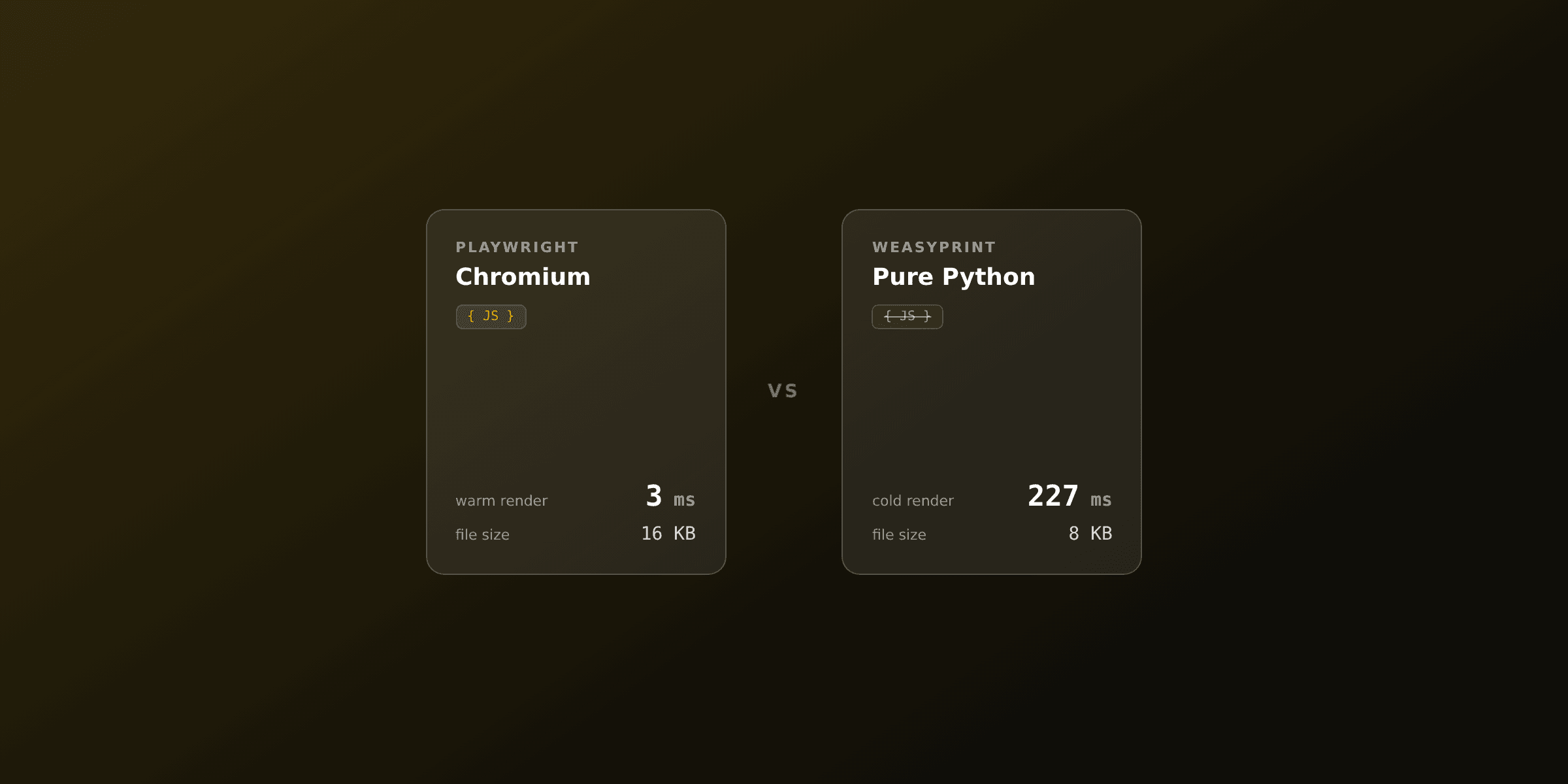
The cost is operational. Chromium adds roughly 300 MB to your image plus system libraries, and you must not launch a fresh browser per request: reuse one instance and open and close only the page. That single change is the difference between a few hundred milliseconds and a few milliseconds per render with a warm browser.
WeasyPrint: lighter, for Python and static HTML
WeasyPrint is a Python library with its own CSS rendering engine, so it produces clean paginated PDFs from HTML without running a browser. It is the lighter alternative when your documents are static HTML with no JavaScript, which describes most invoices, reports, and letters.
WeasyPrint installs with pip install weasyprint plus system libraries (Pango, Cairo, GDK-PixBuf). Its Docker images run roughly 200 to 400 MB, well under a Chromium image. It has good support for CSS Paged Media (page margins, running headers, page counters), which wkhtmltopdf handled poorly.
# WeasyPrint replacement for a wkhtmltopdf call
from weasyprint import HTML

def generate_pdf(html: str) -> bytes:
    return HTML(string=html).write_pdf()
The trade-offs are real. WeasyPrint does not run JavaScript, so client-side charts or framework-rendered components will not appear; you render those server-side first or pick a Chromium tool. It can also be slow on very large documents: one benchmark reported a 52-page PDF taking around 100 seconds, and tables with thousands of rows can use more than a gigabyte of RAM. For the head-to-head, see Playwright vs WeasyPrint and WeasyPrint vs wkhtmltopdf.
Gotenberg: a self-hosted HTTP service
Gotenberg is a stateless Docker API that converts HTML, Markdown, and Office documents to PDF using a headless Chromium inside the container. It replaces wkhtmltopdf for teams that want one rendering service called over HTTP, instead of a binary embedded in every app.
The model is a clean split: your application posts HTML and assets to the Gotenberg container, and it returns a PDF. That decouples rendering from your app runtime, so a Ruby, PHP, Go, or Node.js service all call the same endpoint. Because Chromium runs inside Gotenberg, you get modern CSS and JavaScript support.
# Send HTML to a self-hosted Gotenberg instance
curl --request POST http://localhost:3000/forms/chromium/convert/html \
  --form 'files=@"index.html"' \
  -o output.pdf
You still operate the container: scaling, memory limits, Chromium updates, and uptime are yours. Gotenberg removes the per-app binary problem, not the responsibility of running rendering infrastructure.
Commercial CSS engines: for print-grade output
Commercial CSS engines such as Prince, PDFreactor, and Antenna House produce the highest-quality paginated output, with strong support for CSS Paged Media rules that browsers implement only partially. They fit print-grade work: books, catalogs, and documents with strict pagination, footnotes, and cross-references.
They are licensed software, not open source. Annual costs typically run from about 1,900 to 7,000 US dollars per year depending on the product and deployment. JavaScript support is limited or absent compared with a full browser. For general web-to-PDF, a Chromium-based renderer covers most needs at no license cost; commercial engines earn their price when print fidelity is the requirement.
How do you migrate from wkhtmltopdf?
Migrate one template at a time, map the old flags to the new options, and re-test the CSS. wkhtmltopdf flags have direct equivalents in every Chromium-based tool, so the mechanical part is straightforward; the work is verifying that modern rendering did not shift your layout.
This table maps the common wkhtmltopdf flags to Playwright and Puppeteer options:
| wkhtmltopdf flag | Playwright / Puppeteer option |
|---|---|
--page-size A4 | format: 'A4' |
--margin-top / --margin-bottom etc. | margin: { top, bottom, left, right } |
--background | printBackground: true (print_background in Python) |
--orientation Landscape | landscape: true |
--header-html / --footer-html | displayHeaderFooter + headerTemplate / footerTemplate |
--page-width / --page-height | width / height |
After the cut over, remove the wkhtmltopdf binary and its wrapper (wicked_pdf, snappy, pdfkit, or a direct CLI call) from your images and dependency files. Leaving the binary installed keeps the SSRF exposure open even after traffic moves to the new renderer.
The hidden cost of self-hosting Chromium
Every self-hosted alternative shares one cost: you operate a browser in production. This works well until it does not, and the failure modes are predictable. A wkhtmltopdf migration that swaps one binary for a 300 MB Chromium often trades a rendering problem for an operations problem.
The recurring issues:
- Image bloat. Chromium plus fonts and system libraries adds roughly 300 MB to your container, slowing builds and deploys.
- Concurrency. Each render holds a browser page in memory. Under load you must pool browsers, cap concurrency, and handle the moment Chromium runs out of memory and crashes.
- Serverless limits. Lambda and similar platforms cap package size and memory, so running Chromium there needs special layers and still hits cold starts.
- Crash recovery. A headless browser that dies mid-render needs a supervisor, retries, and on-call attention.
None of these are reasons to keep wkhtmltopdf. They are the reason many teams move rendering off their own infrastructure once the migration forces the decision anyway.
Skip the infrastructure: a managed HTML to PDF API
A managed PDF API removes the browser from your stack: you send HTML and data over HTTP and receive a PDF, with the provider operating Chromium, scaling, and updates. This is the path for teams that want modern rendering without owning the operations cost described above.
PDF4.dev runs the same Chromium engine as Playwright, behind a single endpoint. The migration from a wkhtmltopdf CLI call is a single HTTP request:
curl -X POST https://pdf4.dev/api/v1/render \
  -H "Authorization: Bearer p4_live_xxx" \
  -H "Content-Type: application/json" \
  -d '{
    "html": "<h1>Invoice INV-001</h1>",
    "format": { "preset": "a4" }
  }' \
  --output invoice.pdf
No binary to install, no Chromium to patch, no concurrency pool to tune. Modern CSS and JavaScript render because the engine is current Chromium. You can test the rendering with the free HTML to PDF tool before writing a line of integration code, or convert a live URL with the webpage to PDF tool.
Migrating off wkhtmltopdf and want to skip running Chromium yourself? Try PDF4.dev free: one API call returns a PDF, with the same rendering engine as Playwright and no infrastructure to operate.
Which alternative should you choose?
The decision comes down to JavaScript needs and who operates the renderer. For self-hosted modern rendering, Playwright or Puppeteer is the closest match to wkhtmltopdf's capability. For Python apps with static HTML, WeasyPrint is lighter and produces clean paginated output. For a self-hosted HTTP service, Gotenberg decouples rendering from your app. For print-grade pagination, a commercial CSS engine earns its license cost. For teams that do not want to run a browser, a managed API removes the infrastructure.
What is not in question is wkhtmltopdf itself. An archived project with a critical unpatched SSRF and a 2014 rendering engine is not a safe foundation in 2026. Pick the path that matches your stack and migrate.
Free tools mentioned:
Frequently asked questions
- Is wkhtmltopdf still maintained in 2026?
- No. The wkhtmltopdf GitHub repository was archived in January 2023 and the organization was marked archived by an administrator in July 2024. The last stable release, 0.12.6, shipped in 2020. It receives no bug fixes, no compatibility updates, and no security patches. New projects should not adopt it, and existing projects should plan a migration.
- Why should I replace wkhtmltopdf?
- Two reasons: security and rendering. wkhtmltopdf carries unpatched vulnerabilities, including CVE-2022-35583 (CVSS 9.8) server-side request forgery, and the project's own status page warns against using it with untrusted HTML. It also runs on a frozen fork of Qt WebKit from around 2014, so it cannot render CSS Grid, CSS custom properties, or modern JavaScript.
- What is the best wkhtmltopdf alternative in 2026?
- For most teams, a Chromium-based renderer (Playwright or Puppeteer) is the closest functional match because it runs JavaScript and renders modern CSS. Python apps with no client-side JavaScript can use WeasyPrint for a smaller footprint. Teams that want a self-hosted HTTP service can run Gotenberg. If you do not want to operate Chromium at all, a managed HTML to PDF API removes the infrastructure entirely.
- What is the closest drop-in replacement for wkhtmltopdf?
- There is no maintained single static binary that matches wkhtmltopdf feature-for-feature. The practical replacements are Chromium-based: Playwright or Puppeteer in your own runtime, Gotenberg as a self-hosted Docker service, or a hosted PDF API. Each renders modern web content that the old WebKit engine cannot.
- Is WeasyPrint a good wkhtmltopdf alternative?
- WeasyPrint is a good fit for Python stacks (Django, Flask, FastAPI) that generate invoices, reports, and letters from HTML with no JavaScript. It installs via pip, produces clean paginated output, and its Docker images are smaller (roughly 200 to 400 MB) than a Chromium image. It does not run JavaScript, and it can be slow on very large or complex documents.
- How much heavier is Playwright than wkhtmltopdf?
- wkhtmltopdf is a single binary of about 50 MB with no runtime dependency. Playwright or Puppeteer ship roughly 300 MB of Chromium plus system libraries and need a Node.js or Python runtime. That added weight is the main operational cost of moving to a Chromium-based renderer, which is why many teams offload rendering to a managed API.
- How do I migrate from wkhtmltopdf to Playwright?
- Replace the wkhtmltopdf CLI call with a browser launch, load the HTML with set_content or goto, then call the PDF method. Map the old flags to options: page size becomes format, margins become margin, and the background flag becomes print_background true. Re-test your CSS, because Chromium renders modern features the old WebKit engine ignored.
- Can I keep using wkhtmltopdf for internal documents?
- If the HTML is fully trusted, uses only CSS 2.1 with no Grid or custom properties, and runs no JavaScript, wkhtmltopdf can still produce a correct PDF. The risk is security: the SSRF vulnerability and lack of patches make it unsafe for any input that touches user-supplied data or external URLs.
- Does Gotenberg replace wkhtmltopdf?
- Gotenberg is a stateless Docker API that converts HTML, Markdown, and Office documents to PDF using a headless Chromium under the hood. It replaces wkhtmltopdf for teams that want a self-hosted HTTP service they call over the network, rather than a binary embedded in each app. You still operate the container, scaling, and updates yourself.
- Are commercial PDF engines worth it over wkhtmltopdf?
- Commercial CSS engines like Prince, PDFreactor, and Antenna House produce high-quality paginated output with strong CSS Paged Media support, useful for print-grade books and complex layouts. They are licensed software with annual costs that typically run from about 1,900 to 7,000 US dollars per year, so they fit print-heavy use cases rather than general web-to-PDF.
Start generating PDFs
Build PDF templates with a visual editor. Render them via API from any language in ~300ms.