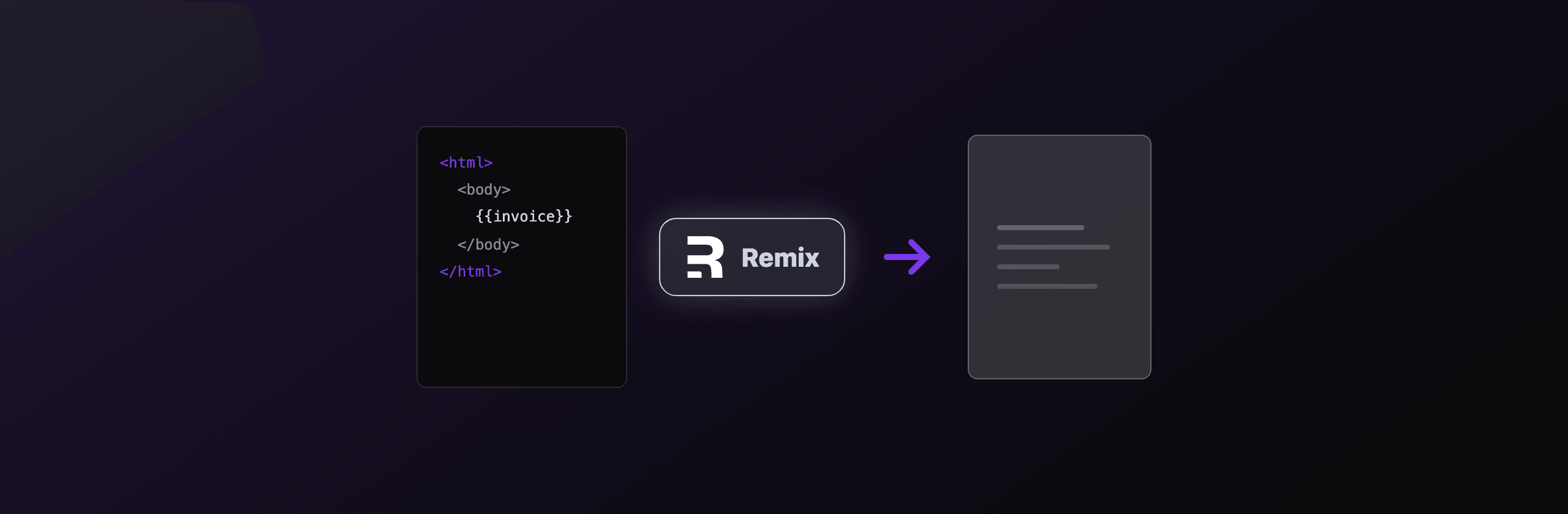
The fastest way to generate a PDF in Remix is a resource route that returns an application/pdf Response, with the actual rendering done by headless Chromium (Playwright or Puppeteer) when you need real HTML and CSS fidelity. If your app deploys to an edge runtime that cannot launch Chromium, or you do not want to ship a browser at all, call a hosted API like PDF4.dev from the same resource route and stream the bytes back. For tiny client-only documents, jsPDF avoids the server entirely.
This guide covers every option that works in 2026, the deploy constraint that decides between them, and a real resource route for each. Remix merged into React Router 7, so the same patterns apply whether your imports say @remix-run/node or react-router.
Which PDF approach should you use in Remix?
The right approach depends on three things: HTML and CSS fidelity, where your app runs (Node server vs edge), and how much infrastructure you want to own. Server-side Chromium gives the best fidelity but needs a Node runtime or a serverless Chromium build. Client-side jsPDF needs no server but cannot render HTML. A hosted API removes the browser entirely.
| Approach | Fidelity (HTML/CSS) | Runs on edge? | Infra to own | Best for |
|---|---|---|---|---|
| Playwright (resource route) | Full | No (Node only) | Chromium binary | Invoices, reports on a Node server |
| Puppeteer (resource route) | Full | No (Node only) | Chromium binary | Same, lighter API surface |
| @sparticuz/chromium | Full | No (serverless Node) | Lambda layer / size limits | AWS Lambda, serverless Node |
| jsPDF (client) | None (manual draw) | Yes (browser) | None | Tickets, simple receipts |
| @react-pdf/renderer | Partial (own primitives) | Node or browser | None | React-defined layouts |
| PDF4.dev (hosted API) | Full (Chromium) | Yes (HTTP fetch) | None | Any runtime, no browser to ship |
The single biggest decision is your deploy target. If your Remix app runs on Cloudflare Workers or Vercel Edge, Playwright and Puppeteer cannot launch a browser there. Either move PDF rendering to a Node server, use serverless Chromium on Node, or call a hosted HTTP API.
The rest of this article shows working code for each row, then a recommendation by scenario.
How do I return a PDF from a Remix resource route?
A resource route is a Remix route module that exports a loader or action but no default component, so it returns raw data instead of HTML. To serve a PDF, return a Response whose body is the PDF buffer and whose Content-Type header is application/pdf. This is the foundation of every server-side approach below.
Create app/routes/invoice[.]pdf.tsx (the [.] escapes the dot so the URL is /invoice.pdf):
// app/routes/invoice[.]pdf.tsx
import type { LoaderFunctionArgs } from "@remix-run/node";

export async function loader({ request }: LoaderFunctionArgs) {
  const pdf = await buildPdfBuffer(request); // any of the methods below

  return new Response(pdf, {
    status: 200,
    headers: {
      "Content-Type": "application/pdf",
      // inline shows in the browser, attachment forces a download
      "Content-Disposition": 'inline; filename="invoice.pdf"',
      "Cache-Control": "private, max-age=0, must-revalidate",
    },
  });
}
A few details that matter:
- Return the buffer directly. Remix passes a
BodyInitstraight through, so aBuffer,Uint8Array, orReadableStreamall work. - Use
Content-Disposition: attachmentto force a save dialog, orinlineto preview in the browser tab. - No default export means Remix never tries to render a React component for this route.
In React Router 7, change the import to import type { LoaderFunctionArgs } from "react-router";. Everything else is identical, the resource route concept did not change.
How do I generate a PDF with Playwright in Remix?
Use Playwright when you need full HTML and CSS fidelity: web fonts, flexbox, grid, CSS @page rules, and accurate page breaks. Inside the resource route loader, launch headless Chromium, set the page content to your HTML, then call page.pdf(). This runs only on a Node server target, not on edge runtimes.
First install the browser once at build or deploy time:
npm install playwright
npx playwright install chromium
Then render inside the resource route:
// app/routes/report[.]pdf.tsx
import type { LoaderFunctionArgs } from "@remix-run/node";
import { chromium } from "playwright";

export async function loader({ request }: LoaderFunctionArgs) {
  const html = renderReportHtml(); // your template string

  const browser = await chromium.launch();
  try {
    const page = await browser.newPage();
    await page.setContent(html, { waitUntil: "load" });
    const pdf = await page.pdf({
      format: "A4",
      printBackground: true,
      margin: { top: "20mm", bottom: "20mm", left: "15mm", right: "15mm" },
    });

    return new Response(pdf, {
      headers: {
        "Content-Type": "application/pdf",
        "Content-Disposition": 'attachment; filename="report.pdf"',
      },
    });
  } finally {
    await browser.close();
  }
}
Honest caveats:
- Launching a browser per request costs roughly 300 to 800ms of cold overhead. In production, keep one browser instance alive and open a fresh page per request instead of
launch()on every call. - The Chromium binary is about 150MB. Your Docker image or server needs the OS libraries it depends on (
libnss3,libatk, fonts). - Emoji and non-Latin scripts need fonts installed in the container, or they render as blank boxes.
How do I generate a PDF with Puppeteer in Remix?
Puppeteer is the lighter alternative to Playwright when you only target Chromium. The resource route shape is the same: launch a browser, set content, call page.pdf(). Choose Puppeteer if you already use it elsewhere or want a smaller dependency; choose Playwright if you want one API across Chromium, Firefox, and WebKit.
npm install puppeteer// app/routes/ticket[.]pdf.tsx
import type { LoaderFunctionArgs } from "@remix-run/node";
import puppeteer from "puppeteer";
export async function loader({ request }: LoaderFunctionArgs) {
const html = renderTicketHtml();
const browser = await puppeteer.launch({
args: ["--no-sandbox", "--disable-setuid-sandbox"],
});
try {
const page = await browser.newPage();
await page.setContent(html, { waitUntil: "networkidle0" });
const pdf = await page.pdf({ format: "A4", printBackground: true });
return new Response(pdf, {
headers: { "Content-Type": "application/pdf" },
});
} finally {
await browser.close();
}
}The --no-sandbox flag is common in containers, but it lowers the browser sandbox, so only use it on a trusted backend that does not render untrusted HTML. Like Playwright, Puppeteer needs a Node runtime and the Chromium system libraries present.
How do I run Chromium PDF rendering on serverless Node?
On serverless Node (AWS Lambda, Vercel serverless functions), the default Chromium binary is too large or missing OS libraries, so use @sparticuz/chromium, a Chromium build packaged for Lambda-style environments, together with puppeteer-core. This keeps the function under size limits and provides the executable path Puppeteer needs.
npm install puppeteer-core @sparticuz/chromium// app/routes/statement[.]pdf.tsx
import type { LoaderFunctionArgs } from "@remix-run/node";
import chromium from "@sparticuz/chromium";
import puppeteer from "puppeteer-core";
export async function loader({ request }: LoaderFunctionArgs) {
const browser = await puppeteer.launch({
args: chromium.args,
executablePath: await chromium.executablePath(),
headless: true,
});
try {
const page = await browser.newPage();
await page.setContent(renderStatementHtml(), { waitUntil: "load" });
const pdf = await page.pdf({ format: "A4", printBackground: true });
return new Response(pdf, {
headers: { "Content-Type": "application/pdf" },
});
} finally {
await browser.close();
}
}Caveats specific to serverless:
- Cold starts add 1 to 3 seconds while the Chromium layer unpacks. Provisioned concurrency or a warm instance mitigates it.
- Lambda has a 250MB unzipped code limit.
@sparticuz/chromiumis built to fit, but adding heavy dependencies alongside it can push you over. - This still does not work on true edge runtimes (Cloudflare Workers, Vercel Edge), which have no process model. For edge, use the hosted API below.
Can I generate a PDF on the client in Remix with jsPDF?
Use jsPDF for simple, fixed-layout documents (event tickets, short receipts, single-page certificates) where you want zero server cost and the data already lives in the browser. jsPDF draws text and shapes at coordinates you specify, it does not render HTML or CSS, so complex layouts mean manual positioning.
Because jsPDF touches the window and document objects, load it only in the browser. In Remix, do this with a dynamic import inside a client event handler so it never runs during server rendering.
// app/routes/receipt.tsx
import { useState } from "react";

export default function Receipt() {
  const [busy, setBusy] = useState(false);

  async function downloadPdf() {
    setBusy(true);
    const { jsPDF } = await import("jspdf"); // browser-only, dynamic import
    const doc = new jsPDF({ unit: "mm", format: "a4" });

    doc.setFontSize(18);
    doc.text("Receipt", 20, 20);
    doc.setFontSize(11);
    doc.text("Order #1042", 20, 32);
    doc.text("Total: 49.00 EUR", 20, 40);

    doc.save("receipt.pdf");
    setBusy(false);
  }

  return (
    <button onClick={downloadPdf} disabled={busy}>
      {busy ? "Generating..." : "Download receipt"}
    </button>
  );
}
When jsPDF is the wrong tool: anything with reflowing tables, web fonts, or content that already exists as styled HTML. People often reach for html2canvas to screenshot a DOM node into jsPDF, but that produces a rasterized image (no selectable text, blurry at print scale). For real HTML fidelity, render server-side or use a hosted renderer.
How does @react-pdf/renderer fit into Remix?
@react-pdf/renderer lets you define a document with React components (Document, Page, View, Text) instead of HTML, and renders to a PDF stream on the server. Use it when your team prefers a React component tree over an HTML template and your layouts fit its primitive set (it uses Flexbox-style layout, not full CSS).
npm install @react-pdf/renderer// app/routes/badge[.]pdf.tsx
import type { LoaderFunctionArgs } from "@remix-run/node";
import { Document, Page, Text, View, renderToBuffer } from "@react-pdf/renderer";
function Badge() {
return (
<Document>
<Page size="A4" style={{ padding: 40 }}>
<View>
<Text>Conference badge</Text>
<Text>Attendee: Jordan Lee</Text>
</View>
</Page>
</Document>
);
}
export async function loader(_args: LoaderFunctionArgs) {
const pdf = await renderToBuffer(<Badge />);
return new Response(pdf, {
headers: { "Content-Type": "application/pdf" },
});
}Trade-off: you write to its layout primitives, not real CSS, so reusing existing HTML/CSS styling is not possible and complex tables take effort. It does run without a Chromium binary, which makes it lighter than Playwright on small documents.
How do I generate PDFs in Remix without shipping Chromium?
Call a hosted HTTP API from your resource route, so the heavy Chromium rendering happens off your server and you stream the resulting bytes back. This is the only server-side option that works unchanged on edge runtimes, because all your code does is a fetch. PDF4.dev renders HTML to PDF with headless Chromium and Handlebars {{variables}}, and returns either binary, base64, or a signed URL.
The render call is one POST to https://pdf4.dev/api/v1/render:
curl -X POST https://pdf4.dev/api/v1/render \
  -H "Authorization: Bearer p4_live_xxx" \
  -H "Content-Type: application/json" \
  -d '{
    "html": "<h1>Invoice {{number}}</h1><p>Total: {{total}}</p>",
    "data": { "number": "INV-1042", "total": "49.00 EUR" },
    "delivery": "url"
  }'
Why this fits Remix specifically: a resource route is already an HTTP boundary, so wrapping one fetch in it adds no architecture. There is no Chromium binary in your Docker image, no @sparticuz/chromium size budget, and no cold-start browser launch. The delivery: "url" mode returns a signed link that expires after 24 hours, which keeps large PDFs out of your server memory and out of an agent's context window. The honest trade-off: it is a network call to a third party, so it adds dependency on an external service and a per-render cost beyond a certain volume.
You can also try the rendering engine in the browser first with our free HTML to PDFTry it free and Webpage to PDFTry it free tools before wiring the API.
How do I trigger the PDF download from a Remix component?
Point the browser at your resource route URL. Because the route returns an application/pdf Response, any navigation to it downloads or previews the file. Three patterns work, ordered from simplest to most controlled.
A plain link is enough for a static URL:
<a href="/invoice.pdf" download>
  Download invoice
</a>
A Remix Form posts data and lets the action build the PDF from form fields:
import { Form } from "@remix-run/react";

<Form method="post" action="/invoice.pdf" reloadDocument>
  <input type="hidden" name="invoiceId" value="1042" />
  <button type="submit">Generate PDF</button>
</Form>;
The reloadDocument prop matters: it makes the form do a full browser navigation instead of a client-side fetch, so the browser handles the binary download natively instead of Remix trying to parse the response as a route payload.
For async UX with a loading state, use useFetcher to call a route that returns a URL, then open it:
import { useFetcher } from "@remix-run/react";
import { useEffect } from "react";

function GenerateButton() {
  const fetcher = useFetcher<{ url: string }>();

  useEffect(() => {
    if (fetcher.data?.url) window.open(fetcher.data.url, "_blank");
  }, [fetcher.data]);

  return (
    <fetcher.Form method="post" action="/api/render-invoice">
      <button disabled={fetcher.state !== "idle"}>
        {fetcher.state !== "idle" ? "Generating..." : "Download PDF"}
      </button>
    </fetcher.Form>
  );
}
Do not return raw binary to a normal Remix useFetcher or useSubmit call and expect it to download. Those expect a route data payload. Either navigate the browser to the resource route (link or reloadDocument Form), or return a JSON URL and open it client-side.
Which option should you choose?
There is no single winner, the right choice follows your deploy target and fidelity needs. Match your scenario to the recommendation below.
| Scenario | Recommended approach |
|---|---|
| Node server, full HTML/CSS invoices | Playwright or Puppeteer in a resource route |
| AWS Lambda / serverless Node | puppeteer-core + @sparticuz/chromium |
| Cloudflare Workers / Vercel Edge | Hosted API (PDF4.dev) from the resource route |
| No Chromium in your image, any runtime | Hosted API (PDF4.dev) |
| Simple ticket or receipt, client data | jsPDF (dynamic import) |
| React-defined layout, light documents | @react-pdf/renderer |
Quick rules of thumb:
- Need real HTML and CSS fidelity and you run a Node server? Use Playwright in a resource route, keep one browser warm, install the OS fonts.
- On edge, or you do not want to own a browser? Call PDF4.dev from the resource route. The code is one
fetchand it runs on any runtime. - Document is trivial and the data is already in the browser? jsPDF saves you a round trip.
For deeper dives on related stacks, see our guides on PDF generation in Next.js, generating PDFs from HTML in Node.js, and PDF generation in Express. The resource route pattern in this article maps directly onto each of them.
Free tools mentioned:
Frequently asked questions
- How do I return a PDF from a Remix route?
- Create a resource route (a route module with a loader or action but no default component export) and return a Response whose body is the PDF buffer with the header Content-Type set to application/pdf. The browser downloads or displays the bytes directly.
- Can I generate PDFs server-side in Remix?
- Yes. Remix loaders and actions run on Node by default, so you can call Playwright or Puppeteer inside a resource route to render HTML to PDF with headless Chromium. The only constraint is the deploy target: edge runtimes like Cloudflare Workers cannot launch Chromium.
- Why does Playwright fail when I deploy my Remix app to the edge?
- Edge runtimes (Cloudflare Workers, Vercel Edge) have no filesystem and cannot spawn a Chromium process, so Playwright and Puppeteer cannot launch a browser there. Use a Node server target, the @sparticuz/chromium package on serverless Node, or a hosted HTTP API like PDF4.dev that does the rendering remotely.
- What is the difference between client-side and server-side PDF generation in Remix?
- Client-side libraries like jsPDF run in the browser and draw text or coordinates directly, with no server cost but limited HTML and CSS fidelity. Server-side rendering with Chromium reproduces full HTML, CSS, web fonts, and page breaks, at the cost of bundling or hosting a browser.
- How do I trigger a PDF download from a Remix component?
- Link or submit to your resource route URL. A plain anchor with a download attribute, a Remix Form with method post, or a useFetcher call that opens the returned URL all work. The resource route streams back the application/pdf response.
- Is jsPDF enough for invoices in Remix?
- jsPDF works for simple receipts and tickets with fixed layouts, but it does not render HTML and CSS, so multi-page invoices with tables, web fonts, and dynamic content are easier with a Chromium-based renderer or a hosted API that accepts your HTML template.
- Does React Router 7 change how PDF generation works versus Remix?
- No. Remix merged into React Router 7, and the resource route pattern is identical: a route with a loader or action that returns a Response. The same Playwright, Puppeteer, jsPDF, and hosted API approaches apply unchanged.
Start generating PDFs
Build PDF templates with a visual editor. Render them via API from any language in ~300ms.