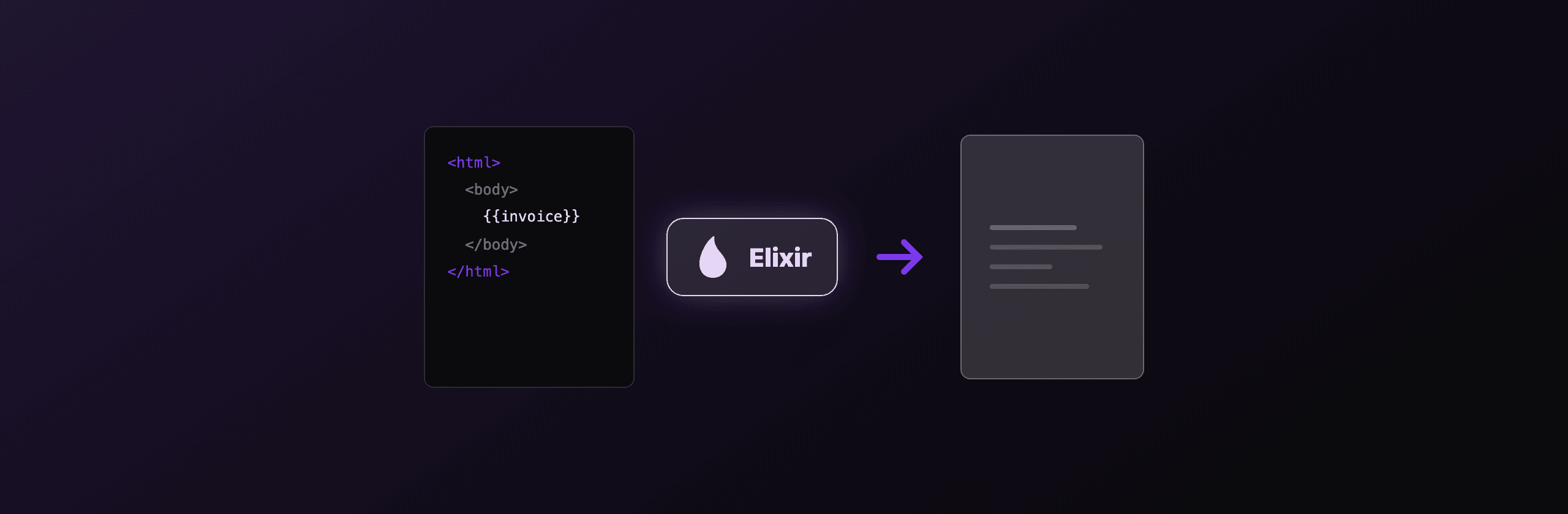
PDF generation in Elixir comes down to one question: is your content already HTML, or are you drawing it in code? If your document is HTML and CSS, render it with a real browser through ChromicPDF, which drives headless Chromium and matches what Chrome shows. If you draw fixed layouts in pure Elixir, Gutenex is the coordinate-based option. If you do not want Chromium running on your servers, call a hosted API like PDF4.dev over plain HTTP. The older pdf_generator library still works but wraps the archived wkhtmltopdf engine, so it is a poor starting point for new projects in 2026.
This guide shows real code for each path, plus the honest tradeoffs around HTML fidelity, native dependencies, Phoenix wiring, and maintenance.
Which Elixir PDF approach should you use?
The fastest way to choose is to match your input format against your tolerance for native dependencies. The table below compares the common Elixir paths on the factors that actually decide the outcome.
| Approach | Input | Engine | HTML/CSS fidelity | JavaScript | Native deps | Maintenance |
|---|---|---|---|---|---|---|
| ChromicPDF | HTML + CSS | Chromium (CDP) | Full | Yes | Chromium binary | Active |
| pdf_generator | HTML + CSS | wkhtmltopdf (QtWebKit) | Partial | Limited | wkhtmltopdf binary | wkhtmltopdf archived |
| Gutenex | Elixir code | Pure Elixir | None (no HTML) | No | None | Lightly maintained |
| PDF4.dev API | HTML + CSS | Chromium (hosted) | Full | Yes | None (HTTP only) | Hosted service |
Three rules follow from this table. First, if you have HTML and can install Chromium, ChromicPDF gives full browser fidelity. Second, if you have no HTML and want coordinate-level control in pure Elixir, Gutenex fits, at the cost of writing every layout by hand. Third, if you have HTML but cannot or do not want to run a browser on your servers, a hosted API removes every native dependency while keeping the same Chromium-level fidelity.
"Fidelity" here means how closely the PDF matches what Chrome shows. Chromium-based renderers (ChromicPDF, PDF4.dev) support flexbox, grid, web fonts, and JavaScript. The QtWebKit engine behind wkhtmltopdf does not render modern CSS reliably.
When should you use ChromicPDF for HTML to PDF?
Use ChromicPDF when your document is HTML and CSS and you want it to render exactly as Chrome would. ChromicPDF controls a pool of headless Chromium processes over the Chrome DevTools Protocol, so flexbox, CSS grid, web fonts, and client-side JavaScript all work. You add it to your supervision tree, then pass it an HTML string or a URL.
ChromicPDF keeps browser sessions warm in a pool, so concurrent renders reuse Chromium processes instead of launching a new one per request. The cost is the dependency: Chromium must be installed on the host, which adds image size and a first-render startup while the pool warms up. If you can absorb that, the rendering quality matches a real browser.
# mix.exs: {:chromic_pdf, "~> 1.17"}
# lib/my_app/application.ex
defmodule MyApp.Application do
  use Application

  def start(_type, _args) do
    children = [
      # ... your repo, endpoint, etc.
      {ChromicPDF, chromic_pdf_opts()}
    ]

    Supervisor.start_link(children, strategy: :one_for_one, name: MyApp.Supervisor)
  end

  defp chromic_pdf_opts do
    # Defaults are fine to start. Tune session_pool size to your load.
    []
  end
end
ChromicPDF can also print an existing URL with {:url, "https://example.com"}, and it exposes print_to_pdfa/2 for PDF/A archival output. PDF/A generation post-processes the Chromium PDF with Ghostscript, so Ghostscript has to be installed too.
If you already run a Phoenix release in a container, add Chromium to the image and start ChromicPDF once at boot. The warm pool means later renders skip the browser launch cost. Keep the pool sized to your real concurrency, not higher, because each session holds a Chromium process in memory.
When should you use pdf_generator?
Use pdf_generator only when you are maintaining an existing Elixir app that already depends on it. The pdf_generator library wraps the wkhtmltopdf binary (and can optionally drive chrome-headless), takes an HTML string, and writes a PDF file. It works, and for simple documents the output is fine.
The problem is the default engine. wkhtmltopdf was archived by its maintainer and uses an old QtWebKit browser that does not support modern CSS like flexbox and grid reliably. New Elixir projects that need HTML to PDF should reach for ChromicPDF or a hosted Chromium API instead, both of which use a current engine.
# mix.exs: {:pdf_generator, "~> 0.6"}
# Requires the wkhtmltopdf binary on the host.
html = "<html><body><h1>Invoice INV-001</h1></body></html>"

{:ok, filename} =
  PdfGenerator.generate(html, page_size: "A4", shell_params: ["--dpi", "300"])

pdf_bytes = File.read!(filename)
If you are on pdf_generator today, keep it running short term, but plan a migration to Chromium. The engine will not gain modern CSS support, so any template written against current layout features is at risk of rendering differently from what you see in a browser.
Can you generate PDFs in pure Elixir?
Yes, with Gutenex, but only if you draw the document in code rather than author it as HTML. Gutenex is a pure-Elixir PDF library in the tradition of Prawn (Ruby) and ReportLab (Python): you position text, images, and graphics at explicit coordinates. It has zero native dependencies and runs anywhere the BEAM runs.
The tradeoff is the same one every drawing library carries. There is no HTML or CSS parser, so a layout that would be a few lines of markup becomes a sequence of positioning calls. Gutenex is also lightly maintained, so confirm it still fits your Elixir and OTP versions before committing to it. For fixed layouts like labels or tickets where you want no browser at all, it can still be the leanest option.
There is a middle path if you want a browser-free renderer with a real layout engine: the typst Hex package binds the Typst typesetting compiler through a Rust NIF, so you compile Typst markup to PDF without Chromium. It is its own markup language, not HTML, so it suits teams willing to author documents in a dedicated DSL.
How do you render a PDF in a Phoenix controller?
Render your Phoenix template or component to an HTML string, hand that string to ChromicPDF, then send the bytes back with an application/pdf content type. A Phoenix controller action does this in a few lines: fetch the data, build the HTML, print it, and respond.
The key step is turning your template into a string. In Phoenix you can render a function component or an EEx template to HTML and pass the result to ChromicPDF.print_to_pdf/1. From there, send_resp/3 streams the PDF to the browser, and a content-disposition header controls whether it opens inline or downloads.
defmodule MyAppWeb.InvoiceController do
  use MyAppWeb, :controller

  def show(conn, %{"id" => id}) do
    invoice = MyApp.Billing.get_invoice!(id)
    html = render_invoice_html(invoice)

    {:ok, blob} = ChromicPDF.print_to_pdf({:html, html})
    pdf = Base.decode64!(blob)

    conn
    |> put_resp_content_type("application/pdf")
    |> put_resp_header(
      "content-disposition",
      ~s(inline; filename="invoice-#{id}.pdf")
    )
    |> send_resp(200, pdf)
  end

  # Build the HTML however you like: an EEx heredoc, or a Phoenix
  # template rendered to a string with your app's HTML module.
  defp render_invoice_html(invoice) do
    """
    <html>
      <head><style>body { font-family: system-ui; padding: 40px; }</style></head>
      <body>
        <h1>Invoice #{invoice.number}</h1>
        <p>Total: #{invoice.total}</p>
      </body>
    </html>
    """
  end
end
For a real app, replace the heredoc with a proper Phoenix template so designers can edit the layout without touching controller code. The rendering engine stays the same: build HTML, print with Chromium, return bytes. If you want to move the browser off your servers entirely, the same controller can POST the HTML to a hosted API instead of calling ChromicPDF locally.
How do you call the PDF4.dev API from Elixir?
Send a POST request to https://pdf4.dev/api/v1/render with a bearer token and a JSON body. PDF4.dev renders your HTML server-side with headless Chromium, so you get the same flexbox, grid, web font, and JavaScript fidelity as ChromicPDF, but with zero native dependencies on your side. Your only requirement is an HTTP client, and Erlang ships one in :httpc.
This is the no-infrastructure row in the decision table. There is no Chromium binary to install, no wkhtmltopdf, no Ghostscript for PDF/A, no browser pool to keep warm, and no first-render cold start. You send HTML and data, you get a PDF back. Handlebars-style {{variables}} are interpolated server-side from the data object, so you can store a template once and pass per-render values.
# mix.exs: {:req, "~> 0.5"}
response =
  Req.post!("https://pdf4.dev/api/v1/render",
    headers: [{"authorization", "Bearer p4_live_xxx"}],
    json: %{
      html: "<h1>Invoice {{number}}</h1><p>Total: {{total}}</p>",
      data: %{number: "INV-001", total: "$73.00"},
      format: %{format: "A4"}
    }
  )

# Default delivery returns the PDF bytes directly in the body.
File.write!("invoice.pdf", response.body)
The delivery field controls the response. Omit it for raw PDF bytes in the body, set "base64" for a JSON payload with the encoded file, or set "url" to get a signed link that expires after 24 hours. URL delivery is the recommended path for PDFs over 1 MB because it keeps the binary out of your BEAM process memory.
Want to see the rendering quality before writing any Elixir? Paste markup into the free Html To PdfTry it free tool, or turn a live page into a PDF with Webpage To PdfTry it free. Both use the same Chromium engine as the API.
Which option should you choose?
Match the approach to your scenario rather than picking a single winner. Each path below maps a concrete situation to the best fit.
- Your documents are HTML and CSS, and you can install Chromium. Use ChromicPDF. Full browser fidelity, a warm session pool, and you own the rendering. Accept the Chromium binary in your image.
- You draw fixed layouts in code (labels, tickets) with no HTML. Use Gutenex, after checking it still supports your Elixir and OTP versions. Pure Elixir, no native deps, exact control.
- Your documents are HTML and CSS, but you do not want a browser on your servers. Use the PDF4.dev API. Same Chromium fidelity, zero native dependencies, one HTTP call from Req or
:httpc. - You deploy to small containers or constrained environments where shipping Chromium is painful. Use a hosted API. The headache of bundling Chromium and its shared libraries into your Elixir release goes away.
- You have a legacy app already running pdf_generator with wkhtmltopdf. Keep it working short term, but plan a migration to Chromium, because the engine is archived and will not gain modern CSS support.
For most teams generating invoices, reports, or contracts from HTML templates in 2026, the practical choice is between ChromicPDF (if you want to self-host the browser) and a hosted API (if you do not). Gutenex stays the right tool only when your content is drawn in code rather than authored as HTML.
The same engine tradeoffs show up in every language. The Ruby guide covers the identical decision with Prawn and Grover, the Node.js guide shows it with Playwright, and the complete HTML to PDF guide compares engines across stacks. For production concerns like caching, timeouts, and error handling once you have picked an approach, see PDF generation best practices.
Quick summary: HTML in hand, can run a browser, use ChromicPDF. No HTML, want code-level control, use Gutenex. HTML in hand, want no infrastructure, use the PDF4.dev API. Avoid starting new work on wkhtmltopdf.
Free tools mentioned:
Frequently asked questions
- What is the best way to generate PDFs in Elixir?
- It depends on your source format. If your document is HTML and CSS, use ChromicPDF, which drives headless Chromium and gives full browser fidelity. If you draw layouts in code with no HTML, Gutenex is the pure-Elixir option. If you do not want Chrome running on your servers, call a hosted API like PDF4.dev over HTTP with no native dependencies.
- What is ChromicPDF?
- ChromicPDF is an Elixir library that controls a pool of headless Chromium processes over the Chrome DevTools Protocol. You add it to your supervision tree, pass it an HTML string or a URL, and it returns a PDF. Because it uses Chromium, flexbox, CSS grid, web fonts, and JavaScript render the same way they do in Chrome.
- Does Elixir have a pure-Elixir PDF library?
- Yes. Gutenex generates PDFs in pure Elixir by drawing text, shapes, and images at explicit coordinates, similar to Prawn in Ruby or ReportLab in Python. It has no native dependencies but no HTML parser either, and it is lightly maintained, so check its status before starting a new project.
- Is pdf_generator with wkhtmltopdf still a good choice in 2026?
- For new projects, no. The pdf_generator library works, but its default engine wkhtmltopdf was archived by its maintainer and uses an old QtWebKit engine that does not render modern CSS like flexbox and grid reliably. Prefer ChromicPDF or a hosted Chromium API for new Elixir work.
- How do I generate a PDF in a Phoenix controller?
- Render your Phoenix template or component to an HTML string, pass that string to ChromicPDF.print_to_pdf, decode the returned base64 blob, and send it back with send_resp and an application/pdf content type. The same controller pattern works with a hosted API if you POST the HTML instead of rendering locally.
- Does ChromicPDF need Chrome installed on the server?
- Yes. ChromicPDF launches and controls a local Chromium or Chrome binary, so the executable and its shared libraries must be present in your container or host. That adds image size and a first-render startup cost. A hosted API removes this requirement because the browser runs on the provider's side.
- How do I call the PDF4.dev API from Elixir?
- Send a POST request to https://pdf4.dev/api/v1/render with an Authorization bearer header and a JSON body containing your html and data. You can use the Req library, or the built-in Erlang :httpc client with no extra dependencies. The response returns the PDF bytes or a signed URL depending on the delivery field.
- Can I generate PDF/A archival files in Elixir?
- Yes, ChromicPDF exposes print_to_pdfa for PDF/A output, which it produces by post-processing the Chromium PDF with Ghostscript. That means Ghostscript must also be installed alongside Chromium. A hosted API can also return standards-compliant output without you installing Ghostscript.
- How do I generate a PDF from HTML in Elixir without installing a browser?
- Call a hosted HTTP API such as PDF4.dev, which renders your HTML with headless Chromium on its own servers. Your Elixir app only needs an HTTP client, so there is no Chromium binary, no wkhtmltopdf, and no Node to ship in your release.
- Does ChromicPDF handle concurrent PDF generation?
- Yes. ChromicPDF keeps a pool of Chromium sessions warm and serves render requests from the pool, so concurrent calls reuse browser processes instead of launching a new one each time. You size the pool to your load. Under heavy load a hosted API can be simpler because scaling the browser fleet is not your problem.
Start generating PDFs
Build PDF templates with a visual editor. Render them via API from any language in ~300ms.