PDF generation in Ruby comes down to one question: is your content already HTML, or are you drawing it from scratch? If you draw layouts in code with exact coordinates, Prawn is the pure-Ruby answer. If your document is HTML and CSS, render it with a real browser through the grover gem, or skip the native dependencies entirely and call a hosted API like PDF4.dev. WickedPDF and PDFKit-ruby still work but wrap the archived wkhtmltopdf engine, so they are a poor choice for new projects in 2026.
This guide shows real code for each path, plus the honest tradeoffs around HTML fidelity, JavaScript support, native dependencies, and maintenance.
Which Ruby PDF approach should you use?
The fastest way to choose is to match your input format and your tolerance for native dependencies. The table below compares the four common Ruby paths on the factors that actually decide the outcome.
| Approach | Input | Engine | HTML/CSS fidelity | JavaScript | Native deps | Maintenance |
|---|---|---|---|---|---|---|
| Prawn | Ruby code | Pure Ruby | None (no HTML) | No | None | Active |
| Grover | HTML + CSS | Chromium (Puppeteer) | Full | Yes | Node + Chromium | Active |
| WickedPDF / PDFKit-ruby | HTML + CSS | wkhtmltopdf | Partial (old QtWebKit) | Limited | wkhtmltopdf binary | wkhtmltopdf archived |
| PDF4.dev API | HTML + CSS | Chromium (hosted) | Full | Yes | None (HTTP only) | Hosted service |
Three quick rules follow from this table. First, if you have no HTML and want pixel-exact control, Prawn wins. Second, if you have HTML and can install Node plus Chromium, Grover gives full fidelity. Third, if you have HTML but cannot or do not want to manage a browser on your servers, a hosted API removes every native dependency and keeps the same Chromium-level fidelity.
"Fidelity" here means how closely the PDF matches what Chrome shows. Chromium-based renderers (Grover, PDF4.dev) support flexbox, grid, web fonts, and JavaScript. The old QtWebKit engine behind wkhtmltopdf does not render modern CSS reliably.
When should you use Prawn?
Use Prawn when you build documents in pure Ruby with exact coordinates and have no HTML source. Prawn is a drawing library: you call methods to place text, tables, lines, and images at specific positions on the page. It has zero native dependencies, runs anywhere Ruby runs, and gives you precise control over every millimeter.
The tradeoff is verbosity. There is no HTML or CSS parser, so a layout that would be a few lines of markup becomes a sequence of positioning calls. For invoices, labels, certificates, and tickets where the layout is fixed and you want determinism, that control pays off. For anything that already exists as a web page, rebuilding it in Prawn by hand is slow.
# Gemfile: gem "prawn"
# Gemfile: gem "prawn-table"
require "prawn"
require "prawn/table"

Prawn::Document.generate("invoice.pdf") do |pdf|
  pdf.font "Helvetica"

  pdf.text "INVOICE", size: 24, style: :bold
  pdf.move_down 4
  pdf.text "Invoice #INV-001", size: 11, color: "666666"
  pdf.move_down 20

  items = [
    ["Description", "Qty", "Unit price", "Amount"],
    ["API plan, monthly", "1", "$49.00", "$49.00"],
    ["Overage, per 1k PDFs", "12", "$2.00", "$24.00"],
  ]

  pdf.table(items, header: true, width: pdf.bounds.width) do
    row(0).font_style = :bold
    row(0).background_color = "f0f0f0"
    columns(1..3).align = :right
  end

  pdf.move_down 16
  pdf.text "Total: $73.00", size: 14, style: :bold, align: :right
end
Prawn handles multi-page flow, embedded TrueType fonts, images, and vector graphics. The Prawn manual (itself generated with Prawn) is the reference for the full coordinate and styling API.
If your data is tabular and your styling is light, Prawn plus prawn-table is the leanest production option in Ruby: no browser, no Node, one gem. The cost is that every layout change is a code change, not a CSS edit.
When should you use Grover for HTML to PDF?
Use Grover when your document is HTML and CSS and you want it to render exactly as Chrome would. Grover wraps Puppeteer and drives headless Chromium under the hood, so flexbox, CSS grid, web fonts, and client-side JavaScript all work. You pass an HTML string (or a URL) and get PDF bytes back.
The catch is the dependency chain. Grover needs Node.js installed next to Ruby, plus the puppeteer npm package, which downloads a Chromium build of around 170 MB. On a server or container that means a larger image, the Chromium shared libraries, and cold-start time on the first render while the browser launches. If you can absorb that, the rendering quality matches a real browser exactly.
# Gemfile: gem "grover"
# npm install puppeteer
require "grover"

html = <<~HTML
  <html>
    <head>
      <style>
        body { font-family: system-ui, sans-serif; padding: 40px; }
        .total { display: flex; justify-content: space-between;
                 font-weight: 700; border-top: 2px solid #111; padding-top: 8px; }
      </style>
    </head>
    <body>
      <h1>Invoice INV-001</h1>
      <p>Thanks for your business.</p>
      <div class="total"><span>Total</span><span>$73.00</span></div>
    </body>
  </html>
HTML

grover = Grover.new(html, format: "A4", margin: { top: "1cm", bottom: "1cm" })
pdf_bytes = grover.to_pdf

File.binwrite("invoice.pdf", pdf_bytes)
Grover passes Chromium PDF options through directly, so you control page format, margins, headers and footers, landscape orientation, and wait_until timing for JavaScript-heavy pages. For a fully managed report renderer this is the highest-fidelity self-hosted option in Ruby.
On platforms like AWS Lambda or small containers, shipping Chromium is the hard part. You need the binary plus a long list of shared libraries (libnss3, libatk, libgbm, and more). Budget time for the deployment, not just the code. This is the main reason teams move HTML rendering off their own servers.
Should you still use WickedPDF or PDFKit-ruby?
For new projects, no. WickedPDF and PDFKit-ruby both wrap wkhtmltopdf, whose upstream development stopped and whose repository was archived by its maintainer. The engine behind it is an old QtWebKit fork that predates modern CSS, so flexbox, grid, and many recent properties either break or render inconsistently.
If you have an existing app already running wkhtmltopdf with templates tuned to its quirks, it can keep working, the binary did not disappear. But you are building on a frozen engine with known security and rendering gaps, and every new CSS feature is a gamble. A WickedPDF call looks like this in a Rails controller:
# Gemfile: gem "wicked_pdf"
# Gemfile: gem "wkhtmltopdf-binary"
class InvoicesController < ApplicationController
  def show
    respond_to do |format|
      format.pdf do
        render pdf: "invoice",
               template: "invoices/show",
               page_size: "A4",
               margin: { top: 10, bottom: 10, left: 10, right: 10 }
      end
    end
  end
end
The migration path is clear: move HTML to PDF work to a Chromium engine. That means Grover if you want to self-host, or a hosted API if you do not. Both render with a current browser, so templates written against modern CSS behave the way they look in Chrome.
How do you call the PDF4.dev API from Ruby?
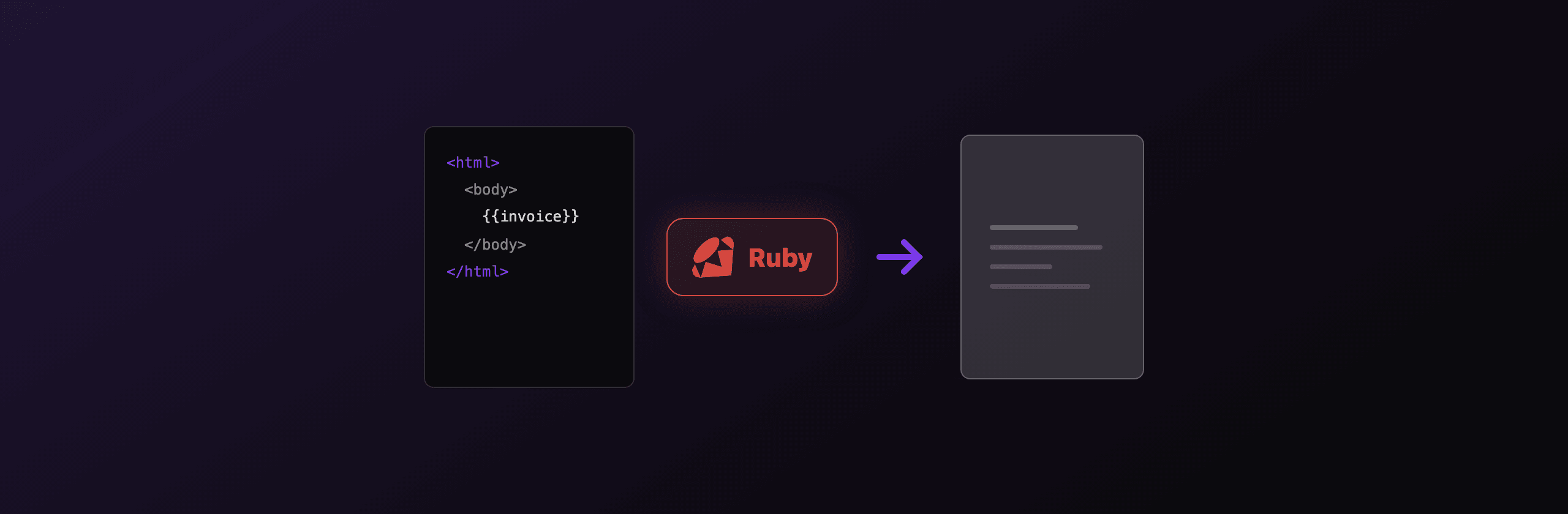
Send a POST request to https://pdf4.dev/api/v1/render with a bearer token and a JSON body. PDF4.dev renders your HTML server-side with headless Chromium, so you get the same flexbox, grid, web font, and JavaScript fidelity as Grover, but with zero native dependencies on your side. Your only requirement is an HTTP client, and Ruby ships one in the standard library.
This is the no-infrastructure option in the decision table. There is no Node to install, no Chromium binary to ship, no browser pool to keep warm, and no cold start to fight. You send HTML and data, you get a PDF back. Handlebars-style {{variables}} are interpolated server-side from the data object, so you can store templates once and pass per-render values.
require "net/http"
require "json"
require "uri"

uri = URI("https://pdf4.dev/api/v1/render")

http = Net::HTTP.new(uri.host, uri.port)
http.use_ssl = true

request = Net::HTTP::Post.new(uri)
request["Authorization"] = "Bearer p4_live_xxx"
request["Content-Type"] = "application/json"
request.body = {
  html: "<h1>Invoice {{number}}</h1><p>Total: {{total}}</p>",
  data: { number: "INV-001", total: "$73.00" },
  format: { format: "A4" },
}.to_json

response = http.request(request)

# Default delivery returns the PDF bytes directly.
File.binwrite("invoice.pdf", response.body)
The delivery field controls the response. Omit it for raw PDF bytes in the body, set "base64" for a JSON payload with the encoded file, or set "url" to get a signed link that expires after 24 hours. URL delivery is the recommended path for PDFs over 1 MB because it keeps the binary out of your Ruby process memory.
Want to see the rendering quality before writing any Ruby? Paste markup into the free Html To PdfTry it free tool, or turn a live page into a PDF with Webpage To PdfTry it free. Both use the same Chromium engine as the API.
Which option should you choose?
Match the approach to your scenario rather than picking a single winner. Each path below maps a concrete situation to the best fit.
- You draw fixed layouts in code (labels, tickets, certificates) and have no HTML. Use Prawn. Pure Ruby, no native deps, exact control. Accept the verbosity.
- Your documents are HTML and CSS, and you can install Node plus Chromium. Use Grover. Full browser fidelity, self-hosted, you own the rendering.
- Your documents are HTML and CSS, but you do not want a browser on your servers. Use the PDF4.dev API. Same Chromium fidelity, zero native dependencies, one HTTP call.
- You run on AWS Lambda, serverless, or small containers where shipping Chromium is painful. Use a hosted API. The deployment headache of bundling Chromium and its shared libraries goes away.
- You have a legacy app already running wkhtmltopdf. Keep it working short term, but plan a migration to Chromium (Grover or a hosted API), because the engine is archived and will not gain modern CSS support.
For most teams generating invoices, reports, or contracts from HTML templates in 2026, the practical choice is between Grover (if you want to self-host the browser) and a hosted API (if you do not). Prawn stays the right tool only when your content is drawn in code rather than authored as HTML.
If you are working in Rails specifically, the same engines apply but the wiring differs, see PDF generation in Rails for controller patterns and view-to-PDF setups. For a language-agnostic view of the HTML to PDF problem, the complete HTML to PDF guide covers the same engine tradeoffs across stacks, and the PHP equivalent shows how the same decision plays out with Dompdf and a browser.
Quick summary: no HTML, want code-level control, use Prawn. HTML in hand, can run a browser, use Grover. HTML in hand, want no infrastructure, use the PDF4.dev API. Avoid starting new work on wkhtmltopdf.
Free tools mentioned:
Frequently asked questions
- What is the best PDF library for Ruby?
- There is no single best library: it depends on your source format. Use Prawn when you draw layouts in pure Ruby with exact coordinates and no HTML. Use Grover when your document already exists as HTML and CSS and you need full Chromium fidelity. Use a hosted API like PDF4.dev when you do not want Node, Chromium, or a browser pool on your servers.
- Is WickedPDF still maintained in 2026?
- WickedPDF itself receives occasional updates, but it wraps wkhtmltopdf, whose upstream development stopped and which was archived by its maintainer. wkhtmltopdf uses an old QtWebKit engine that does not support modern CSS like flexbox and grid reliably. New Ruby projects that need HTML to PDF should prefer Grover (Chromium) or a hosted API instead.
- How do I generate a PDF from HTML in Ruby without wkhtmltopdf?
- Use the grover gem, which renders HTML with headless Chromium through Puppeteer, or call a hosted HTTP API such as PDF4.dev with Net::HTTP or Faraday. Both use a current browser engine, so flexbox, grid, web fonts, and JavaScript render the same way they do in Chrome.
- Does Prawn support HTML input?
- No. Prawn is a pure-Ruby drawing library. You position text, shapes, tables, and images with explicit coordinates and helper methods. There is no HTML or CSS parser built in. If your content is already HTML, Prawn means rebuilding the layout by hand, so a browser-based renderer is usually a better fit.
- What does the grover gem need to run?
- Grover needs Node.js installed and the puppeteer npm package, which downloads a compatible Chromium build. On servers that means installing Node alongside Ruby and shipping a Chromium binary plus its shared libraries, which adds to image size and cold-start time. A hosted API removes all of those native dependencies.
- How do I call the PDF4.dev API from plain Ruby?
- Send a POST request to https://pdf4.dev/api/v1/render with an Authorization bearer header and a JSON body containing your html and data. You can use the standard library Net::HTTP with no extra gems, or Faraday if your app already uses it. The response returns the PDF bytes or a signed URL depending on the delivery field.
- Can I generate a PDF in Ruby without installing native dependencies?
- Yes, by calling a hosted PDF API over HTTP. Prawn is pure Ruby with no system binaries, but it cannot render HTML. Grover and WickedPDF both need native engines (Chromium or wkhtmltopdf). A hosted API like PDF4.dev moves rendering off your servers, so your only dependency is an HTTP client.
Start generating PDFs
Build PDF templates with a visual editor. Render them via API from any language in ~300ms.