Generating PDFs on Vercel works on the Node.js runtime using playwright-core or puppeteer-core with a serverless Chromium build. It does not work on the Edge runtime, which has no native binary support, so Chromium cannot launch there at all. If you want zero browser bundling and a render call that works from any runtime including Edge, call a hosted API like PDF4.dev over HTTP.
This guide covers both Vercel runtimes, the size limits after the 2026 large functions change, the duration and payload ceilings, and a working Next.js route handler.
Did Vercel raise the function size limit to 5 GB?
Partly, and the detail matters. The standard uncompressed size limit for a Vercel Function is still 250 MB, or 500 MB on the Python runtime. On top of that, Vercel shipped a large functions public beta on 29 June 2026 that raises the ceiling to 5 GB, described in the changelog as a 20x increase over the previous 250 MB limit.
It is a beta with real preconditions, not a blanket raise:
| Condition | Detail |
|---|---|
| Status | Public beta |
| Runtimes | nodejs, bun, python |
| Requirement | Fluid compute with Active CPU enabled |
| New projects | Eligible by default |
| Existing projects | Opt in with the VERCEL_SUPPORT_LARGE_FUNCTIONS environment variable set to 1, then redeploy |
| Not supported with | Secure Compute, Static IPs |
Vercel's docs also note that on eligible projects the beta path only kicks in for functions that exceed the standard limit. Anything that already fits under 250 MB keeps using the standard path. The changelog lists "browser automation dependencies" among the target workloads, so PDF rendering is squarely in scope.
Source: Vercel Functions limits and the 5 GB package size changelog.
What it changes for an HTML to PDF pipeline
The honest answer is: it removes a packaging problem, not a latency problem.
What becomes possible. You are no longer forced into a size-optimized Chromium. @sparticuz/chromium ships Chromium as a Brotli archive of roughly 35 MB that expands to about 131 MB at runtime, per the package README, precisely because of the 250 MB ceiling. With 5 GB you can ship an uncompressed browser instead, which takes the decompression step off the cold start path, and you can stop matching a slim binary against your playwright-core or puppeteer-core version on every upgrade.
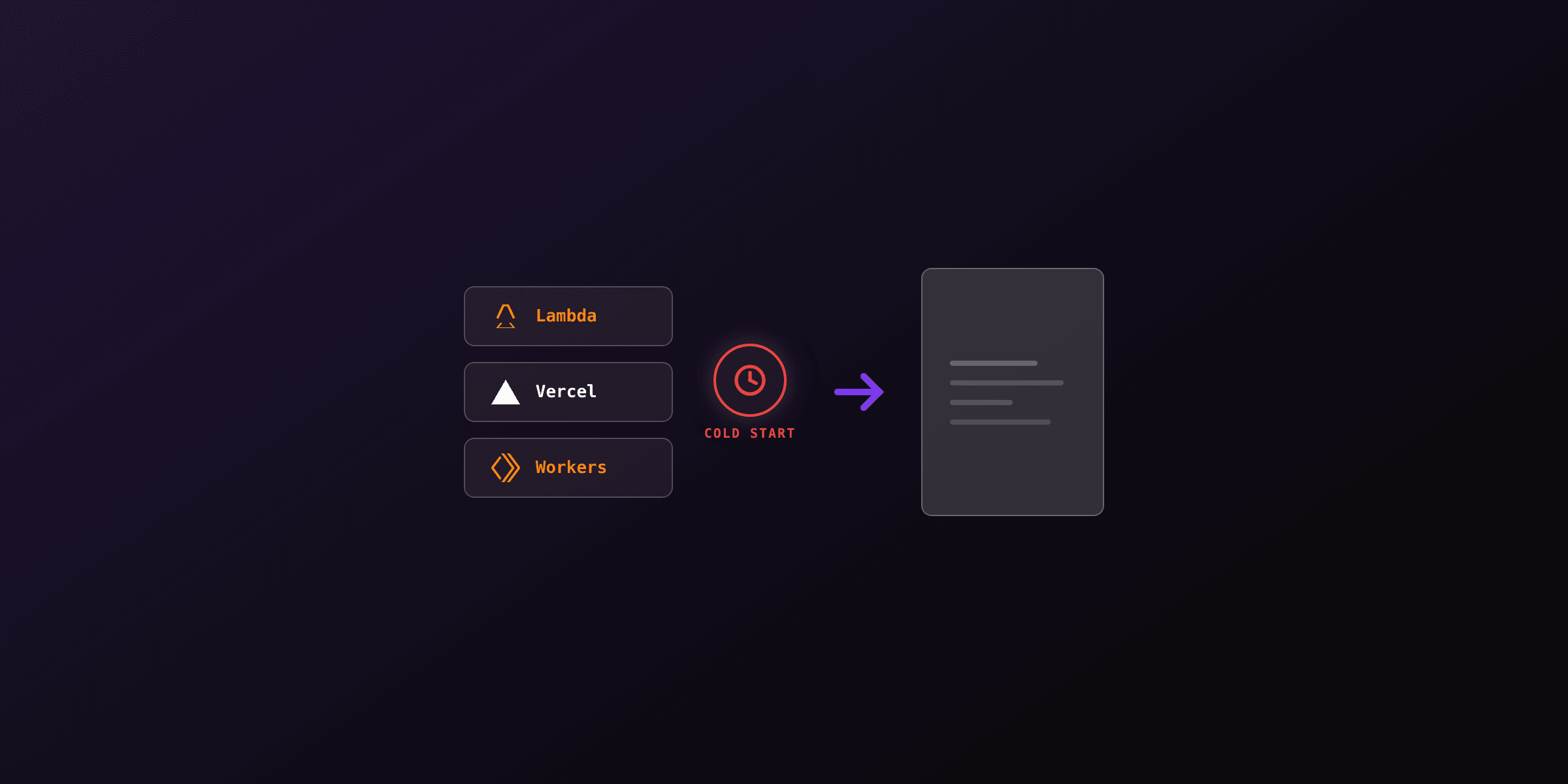
What stays a bad idea. A bigger bundle does not make a browser start faster. Every cold invocation still has to launch a Chromium process before the first byte of HTML is parsed, and that is seconds rather than milliseconds regardless of how the binary was packaged. The beta also adds operational constraints: fluid compute is mandatory, Secure Compute and Static IPs are out, and you are depending on a beta path for a production render route.
Vercel's own Puppeteer guide still recommends puppeteer-core with @sparticuz/chromium-min and still frames the 250 MB bundle limit as the constraint to design around. Treat the 5 GB path as an escape hatch for bundles that genuinely do not fit, not as the new default.
Which Vercel approach should you use for PDFs?
The choice comes down to which runtime your route uses and whether you want to bundle a browser at all.
| Approach | Runtime | Bundle impact | Cold start | Edge support | Best for |
|---|---|---|---|---|---|
playwright-core + @sparticuz/chromium | Node.js | ~35 MB archive, fits the 250 MB limit | Browser launch on first call | No | Full HTML/CSS fidelity, no beta dependency |
puppeteer-core + @sparticuz/chromium | Node.js | Same | Browser launch on first call | No | Same fidelity, smaller API surface |
| Full Chromium on large functions | Node.js | Up to 5 GB, beta + fluid compute | Browser launch, no decompression step | No | Bundles that do not fit 250 MB |
| Hosted render API (PDF4.dev) | Node.js or Edge | Near zero | None on your side | Yes | No browser to bundle, runs anywhere |
Cold start figures depend on Chromium version, function memory, and document complexity, so measure yours rather than trusting a blog number, including this one.
Why can the Edge runtime not generate PDFs?
The Vercel Edge runtime cannot generate PDFs with a browser because it exposes only Web APIs inside a V8 isolate, with no filesystem, no child processes, and no native binary execution. Headless Chromium is a native executable that the renderer must spawn as a child process, so there is no code path for it to start on Edge. The 5 GB change does nothing here: it is a size limit, and the Edge blocker is an architectural one.
The Edge runtime is built on the same primitives as Cloudflare Workers and Deno Deploy: fast cold starts and global distribution in exchange for no Node.js APIs like fs, child_process, or native addons. @sparticuz/chromium reads its binary from the filesystem and launches a process, so importing it on Edge throws at module load.
Setting export const runtime = "edge" on a route that imports @sparticuz/chromium or playwright-core will fail the build or crash at runtime. These packages depend on Node.js APIs that the Edge runtime does not provide. Keep browser-based rendering on the Node.js runtime.
The only way to return a PDF from an Edge function is to ask another machine to render it. That machine can be your own Node.js function elsewhere, a container, or a hosted API. From Edge, the render call is a plain fetch, which is exactly what the Web API surface supports.
How do you render a PDF in a Vercel Node.js function?
Use the Node.js runtime, install playwright-core and @sparticuz/chromium, launch the browser from the serverless binary, and call page.pdf(). The key is playwright-core (no bundled browsers) plus a Chromium build that fits your size ceiling.
Install the two packages:
npm install playwright-core @sparticuz/chromiumThen write a Next.js App Router route handler. The runtime export is the one that matters: it keeps you off Edge.
// app/api/pdf/route.ts
import { NextResponse } from "next/server"
import chromium from "@sparticuz/chromium"
import { chromium as playwright } from "playwright-core"

// Pin to the Node.js runtime. Edge cannot run Chromium.
export const runtime = "nodejs"
// Optional. With fluid compute the default is already 300s on every plan.
export const maxDuration = 60

export async function POST(req: Request) {
  const { html } = await req.json()

  const browser = await playwright.launch({
    args: chromium.args,
    executablePath: await chromium.executablePath(),
    headless: true,
  })

  try {
    const page = await browser.newPage()
    await page.setContent(html, { waitUntil: "networkidle" })
    const pdf = await page.pdf({
      format: "A4",
      printBackground: true,
      margin: { top: "20mm", bottom: "20mm", left: "15mm", right: "15mm" },
    })

    return new NextResponse(new Uint8Array(pdf), {
      headers: {
        "Content-Type": "application/pdf",
        "Content-Disposition": 'attachment; filename="document.pdf"',
      },
    })
  } finally {
    await browser.close()
  }
}
Two things break people most often. First, await browser.close() in a finally block: a leaked browser keeps the instance alive and burns memory across invocations. Second, returning the PDF inline: Vercel caps a function response body at 4.5 MB, so any document above that has to go to storage and come back as a link.
What are the real limits of Chromium on Vercel?
Four limits decide whether browser-based PDFs on Vercel hold up. All the numbers below come from the Vercel Functions limits page.
Bundle size. 250 MB uncompressed for Vercel Functions, 500 MB for Python, enforced by AWS. The large functions beta raises this to 5 GB on nodejs, bun and python, with fluid compute and Active CPU required. @sparticuz/chromium ships a roughly 35 MB Brotli archive that expands to about 131 MB, which fits either way.
Execution time. With fluid compute enabled the default is 300 seconds on all plans. Hobby maxes out at 300 seconds. Pro and Enterprise go to 800 seconds, with a 1800 second extended maximum in beta on specific runtimes. This ceiling used to be the thing that killed PDF routes on Vercel; today it almost never is.
Memory. Hobby gets 2 GB with 1 vCPU, as both the default and the maximum. Pro and Enterprise default to the same 2 GB / 1 vCPU and can configure up to 4 GB / 2 vCPU. The @sparticuz/chromium README asks for at least 512 MB and recommends 1600 MB or more, so the Hobby default already clears its recommendation.
Response payload. 4.5 MB for a function request or response body, with a 413 FUNCTION_PAYLOAD_TOO_LARGE error past it. For PDFs this is the sharpest edge of the four. A 40 page report with embedded images crosses 4.5 MB easily, and no duration or memory setting saves you: the response has to become a URL.
On Pro and Enterprise, raising a rendering function to 4 GB also doubles the vCPU allocation to 2. Chromium is CPU bound during layout and paint, so the extra core usually buys more than the extra memory does.
How does the hosted PDF4.dev approach work on Vercel?
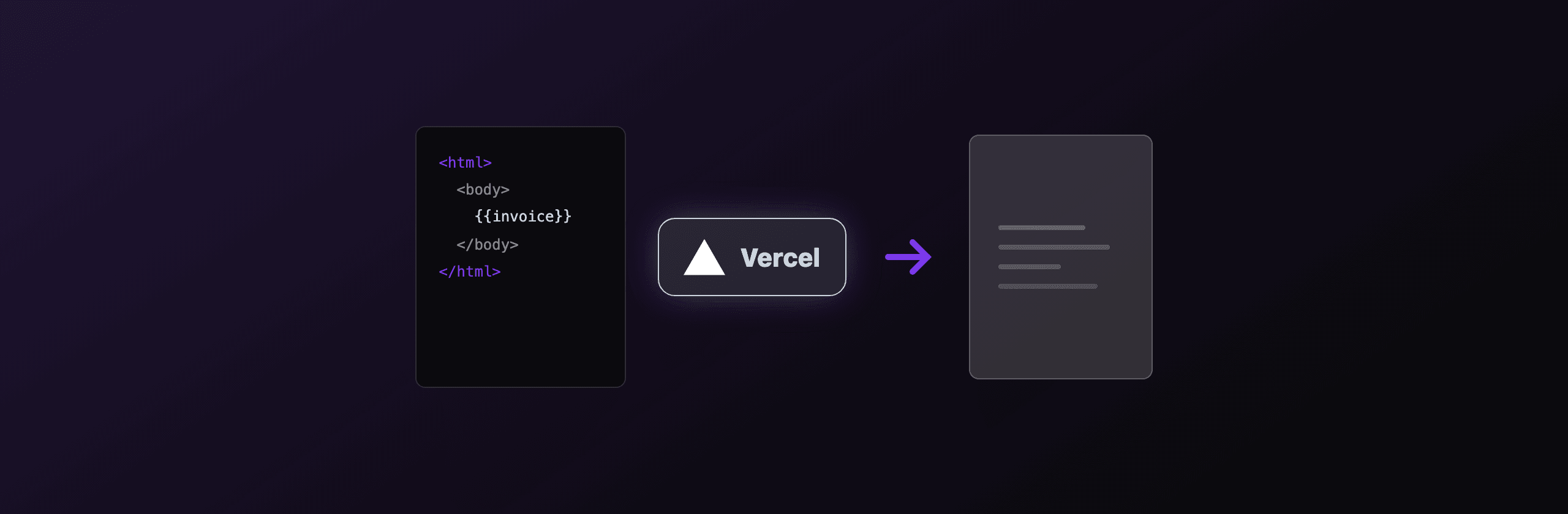
PDF4.dev renders the PDF on its own infrastructure, so your Vercel function only makes one HTTP request. No Chromium in your bundle, no browser cold start on your side, and it runs from any runtime including Edge, because a render is just a fetch to https://pdf4.dev/api/v1/render. You send HTML (or a template id) and data, you get back a PDF.
The minimal request from a Vercel function, on any runtime:
curl -X POST https://pdf4.dev/api/v1/render \
  -H "Authorization: Bearer p4_live_xxx" \
  -H "Content-Type: application/json" \
  -d '{
    "html": "<h1>Hello from Vercel</h1>",
    "data": {},
    "delivery": "url"
  }'
The delivery: "url" option returns a signed link to the rendered PDF instead of a base64 blob. That is the direct answer to the 4.5 MB response cap: the link is a few hundred bytes no matter how large the document is, so a 200 page report and a one page receipt cost the same on the wire.
PDF4.dev uses headless Chromium with Handlebars variables server-side, so HTML and CSS fidelity matches what you would get from running Playwright yourself, without you owning the browser pool, the cold starts, or the bundle size math. It is the no-infrastructure option in the table, one valid choice alongside self-hosting.
Which option should you choose?
Pick by where your render needs to run and how much infrastructure you want to own.
| Scenario | Recommended option |
|---|---|
| Must run on the Edge runtime | Hosted API (PDF4.dev) over fetch |
| Already on Node.js, low volume, full control | playwright-core + @sparticuz/chromium |
| Bundle genuinely exceeds 250 MB | Large functions beta with fluid compute |
| Documents routinely over 4.5 MB | Any option, but return a URL rather than the bytes |
| High volume, want no browser cold starts | Hosted API (PDF4.dev) |
| Existing Puppeteer codebase | puppeteer-core + @sparticuz/chromium |
Choose @sparticuz/chromium if you are comfortable on the Node.js runtime, your volume is low enough that browser cold starts are tolerable, and you want rendering to stay inside your own deployment. You own the Chromium version, the bundle, and the tuning.
Choose the large functions beta only if your bundle actually breaks 250 MB. It buys you room and drops the decompression step, and it costs you a fluid compute requirement, a beta dependency, and no Secure Compute or Static IPs.
Choose the hosted PDF4.dev API if you need Edge support, you do not want a browser in your bundle, or you want consistent render latency without warming functions. The tradeoff is an external dependency and an HTTP round trip instead of an in-process call.
For prototyping a layout before you wire any of this up, the free Html To PdfTry it free and Webpage To PdfTry it free tools render HTML to PDF in the browser so you can check fidelity first.
Key takeaways
- The Vercel Node.js runtime can run Chromium via
playwright-coreorpuppeteer-coreplus a serverless Chromium build. The Edge runtime still cannot run a browser at all, and the size-limit change does not affect that. - The 5 GB limit is real but conditional: it is a public beta from 29 June 2026, requires fluid compute with Active CPU, is opt-in for existing projects, and excludes Secure Compute and Static IPs. The standard limit is still 250 MB, or 500 MB for Python.
- Duration is no longer the problem. Fluid compute defaults to 300 seconds on every plan, with 800 seconds on Pro and Enterprise.
- The 4.5 MB response body cap is the problem. Return a URL, not the bytes, for anything but small documents.
- A hosted API like PDF4.dev removes the browser entirely and works from any runtime, including Edge, since rendering becomes a single
fetchcall.
Free tools mentioned:
Frequently asked questions
- Can you generate PDFs on Vercel Functions?
- Yes, on the Node.js runtime you can run headless Chromium with puppeteer-core or playwright-core plus a serverless Chromium build such as @sparticuz/chromium. The Edge runtime cannot run Chromium because it has no native binary support.
- Did Vercel raise the function size limit to 5 GB?
- Partly. The standard uncompressed limit is still 250 MB, or 500 MB for Python. Vercel's large functions beta raises it to 5 GB on the Node.js, Bun and Python runtimes, but it requires fluid compute with Active CPU, is opt-in for existing projects via the VERCEL_SUPPORT_LARGE_FUNCTIONS environment variable, and is not supported with Secure Compute or Static IPs.
- Why does headless Chromium fail on the Vercel Edge runtime?
- The Edge runtime exposes only Web APIs inside a V8 isolate, with no filesystem, child processes, or native binaries. Chromium needs to spawn a native executable, so it cannot launch there. Use the Node.js runtime, or call a hosted HTTP API instead.
- What is @sparticuz/chromium and why do you need it?
- @sparticuz/chromium is a Chromium build packaged for serverless runtimes, shipped as a Brotli archive of roughly 35 MB that expands to about 131 MB at runtime. It exists to fit the 250 MB uncompressed function limit, and Vercel's own Puppeteer guide still points at it.
- What is the Vercel function bundle size limit today?
- 250 MB uncompressed for Vercel Functions, 500 MB for the Python runtime, and up to 5 GB with the large functions beta on fluid compute. Vercel notes the 250 MB ceiling is enforced by AWS.
- What maxDuration should a PDF function use on Vercel?
- With fluid compute the default is already 300 seconds on every plan. Hobby caps at 300 seconds. Pro and Enterprise allow up to 800 seconds, with a 1800 second extended maximum in beta on specific runtimes. Duration is rarely the binding constraint for a single document.
- Can a Vercel function return a large PDF directly?
- Not beyond 4.5 MB. Vercel caps the request and response body of a function at 4.5 MB and returns a 413 FUNCTION_PAYLOAD_TOO_LARGE error above it. Stream the file to object storage and return a link, or use a render API that returns a signed URL.
- Can I generate PDFs from a Vercel Edge function at all?
- Not by running a browser. The only way to produce a PDF from the Edge runtime is to call an external HTTP service that renders it, because the Edge runtime is pure Web APIs with no native browser process. A hosted render API like PDF4.dev works from Edge since it is a single fetch call.
Start generating PDFs
Build PDF templates with a visual editor. Render them via API from any language in ~300ms.