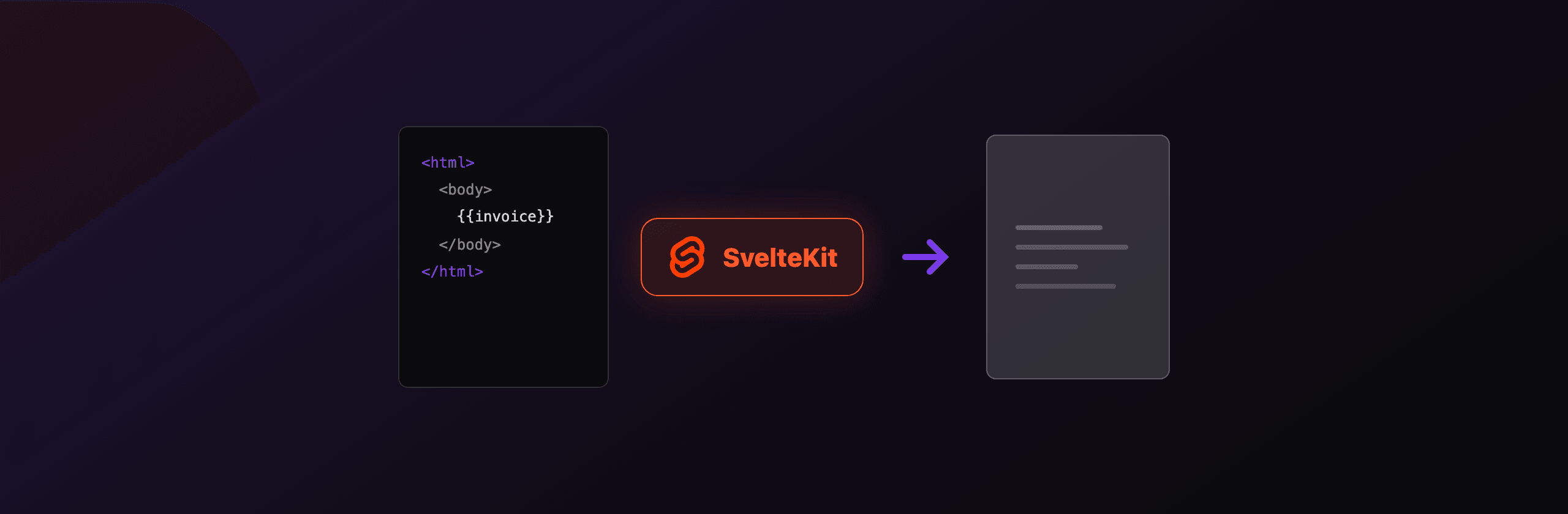
PDF generation in SvelteKit works best through a +server.ts endpoint that renders HTML with headless Chromium (Playwright or Puppeteer) and returns the bytes as application/pdf. That path gives you selectable text, real page breaks, and pixel parity with your Svelte markup. jsPDF in the browser is the quick client-only alternative, and a hosted API like PDF4.dev removes Chromium from your deployment entirely. The catch is your adapter: Cloudflare and edge runtimes cannot launch a browser, so the choice of where you render matters as much as how.
This guide covers every working option in 2026, with real endpoint code, the download trigger from a +page.svelte, and the serverless tradeoffs that decide which path fits your deploy target.
Which PDF option should you use in SvelteKit?
The right option depends on where SvelteKit runs and whether you need selectable text. Server-side Chromium gives the highest fidelity, jsPDF is client-only and fastest to wire up, and a hosted API trades a per-render cost for zero browser maintenance. The table below maps each option to the criteria that usually decide the call.
| Option | Where it runs | Text quality | Works on serverless | Setup effort |
|---|---|---|---|---|
Playwright in +server.ts | adapter-node | Vector, selectable | adapter-vercel only, with slim Chromium | Medium |
Puppeteer in +server.ts | adapter-node | Vector, selectable | adapter-vercel only, with @sparticuz/chromium | Medium |
| jsPDF + html2canvas | Browser | Rasterized image, not selectable | Yes (no server) | Low |
| jsPDF text API | Browser | Vector, but manual layout | Yes (no server) | High for rich layouts |
| PDF4.dev hosted API | Any runtime, including edge | Vector, selectable | Yes | Low |
The deciding factor is almost always your adapter. If you deploy to Cloudflare Pages or any edge runtime, you cannot run Chromium in-process at all, so your realistic choices narrow to jsPDF in the browser or a hosted API.
How do you generate a PDF in a SvelteKit server endpoint?
Create a +server.ts route that builds an HTML string, launches headless Chromium, and returns the PDF buffer. SvelteKit server endpoints run on Node when you use adapter-node, so Playwright or Puppeteer work the same way they would in any Node service. You return a standard Response with the PDF bytes and an application/pdf content type.
Put the route at src/routes/api/invoice/+server.ts. The example below renders a static HTML template, but you can also render a Svelte component to a string first (see the next section).
// src/routes/api/invoice/+server.ts
import { chromium } from "playwright";
import type { RequestHandler } from "./$types";

const html = `
  <!doctype html>
  <html>
    <head>
      <meta charset="utf-8" />
      <style>
        @page { size: A4; margin: 20mm; }
        body { font-family: Inter, sans-serif; color: #111827; }
        h1 { font-size: 24px; }
      </style>
    </head>
    <body>
      <h1>Invoice INV-1042</h1>
      <p>Total due: 1,500.00 EUR</p>
    </body>
  </html>
`;

export const GET: RequestHandler = async () => {
  const browser = await chromium.launch();
  const page = await browser.newPage();
  await page.setContent(html, { waitUntil: "networkidle" });
  const pdf = await page.pdf({ format: "A4", printBackground: true });
  await browser.close();

  return new Response(pdf, {
    headers: {
      "Content-Type": "application/pdf",
      "Content-Disposition": 'inline; filename="invoice.pdf"',
    },
  });
};
Launching a browser per request is slow (about 300 to 800 ms of startup). For any real traffic, keep a single browser instance alive across requests and open a fresh page per render, then close the page (not the browser). A module-level singleton in a separate file works well in adapter-node.
How do you render a Svelte component to PDF HTML?
Render the component to an HTML string on the server with Svelte's render function, then feed that string into Chromium. This keeps your PDF layout in a real .svelte file with props, instead of a hand-built template literal, so designers and developers edit the same component.
Svelte 5 exposes server rendering through svelte/server. Compile the component for server use, call render with props, and inline the returned head and body into a full HTML document before printing.
// src/routes/api/invoice/+server.ts
import { render } from "svelte/server";
import { chromium } from "playwright";
import Invoice from "$lib/pdf/Invoice.svelte";
import type { RequestHandler } from "./$types";

export const POST: RequestHandler = async ({ request }) => {
  const data = await request.json();
  const { head, body } = render(Invoice, { props: { invoice: data } });

  const html = `<!doctype html><html><head>
    <meta charset="utf-8" />${head}</head><body>${body}</body></html>`;

  const browser = await chromium.launch();
  const page = await browser.newPage();
  await page.setContent(html, { waitUntil: "networkidle" });
  await page.evaluate(() => document.fonts.ready);
  const pdf = await page.pdf({ format: "A4", printBackground: true });
  await browser.close();

  return new Response(pdf, { headers: { "Content-Type": "application/pdf" } });
};
The page.evaluate(() => document.fonts.ready) line waits for web fonts to load before printing, which prevents the common bug where the first render uses a fallback font. Scoped styles inside the .svelte file are emitted in head, so component CSS travels with the markup.
How do you trigger a PDF download from a Svelte page?
Fetch the endpoint from your +page.svelte, read the response as a Blob, and click a temporary anchor with a download attribute. The browser never navigates away, so the user stays on the page while the file saves. Revoke the object URL after the click to release memory.
<!-- src/routes/+page.svelte -->
<script lang="ts">
  let loading = $state(false);

  async function downloadPdf() {
    loading = true;
    try {
      const res = await fetch("/api/invoice", {
        method: "POST",
        headers: { "Content-Type": "application/json" },
        body: JSON.stringify({ number: "INV-1042", total: "1500.00" }),
      });
      const blob = await res.blob();
      const url = URL.createObjectURL(blob);
      const a = document.createElement("a");
      a.href = url;
      a.download = "invoice.pdf";
      a.click();
      URL.revokeObjectURL(url);
    } finally {
      loading = false;
    }
  }
</script>

<button onclick={downloadPdf} disabled={loading}>
  {loading ? "Generating..." : "Download invoice"}
</button>
For a simple GET endpoint with no body, you can skip the fetch entirely and point an anchor straight at the route: a link to /api/invoice with a download attribute streams the PDF without any client JavaScript.
Can you run Playwright or Puppeteer on serverless SvelteKit?
It depends on the adapter. adapter-node on your own server runs full Chromium with no caps. adapter-vercel on the Node runtime can run a slim Chromium build, but the bundle is about 50 MB and cold starts add 2 to 4 seconds. adapter-cloudflare and any edge runtime cannot launch a browser process at all, so server-side Chromium is off the table there.
On Vercel Node functions, swap the bundled browser for @sparticuz/chromium, a Chromium build trimmed to fit the function size limit, and point Puppeteer or Playwright at its executable path.
// src/routes/api/invoice/+server.ts (adapter-vercel, Node runtime)
import chromium from "@sparticuz/chromium";
import puppeteer from "puppeteer-core";
import type { RequestHandler } from "./$types";

export const config = { runtime: "nodejs20.x" };

export const GET: RequestHandler = async () => {
  const browser = await puppeteer.launch({
    args: chromium.args,
    executablePath: await chromium.executablePath(),
    headless: true,
  });
  const page = await browser.newPage();
  await page.setContent("<h1>Hello from serverless</h1>");
  const pdf = await page.pdf({ format: "A4" });
  await browser.close();

  return new Response(pdf, { headers: { "Content-Type": "application/pdf" } });
};| Adapter / target | Can run Chromium | Notes |
|---|---|---|
| adapter-node (own server) | Yes | Full Chromium, no size or time limits |
| adapter-vercel (Node runtime) | Yes | Use @sparticuz/chromium, cold starts 2 to 4 s |
| adapter-vercel (edge) | No | No process, no Chromium |
| adapter-cloudflare | No | Workers cannot spawn a browser |
| adapter-static | No | No server at all |
If your function times out or runs out of memory on serverless, the usual causes are the 50 MB Chromium bundle pushing past the size limit, a 10 second function timeout cut short by cold start, and concurrency: each render holds roughly 300 to 500 MB. A hosted API sidesteps all three because the browser never lives in your function.
How do you generate a PDF on the client with jsPDF?
Use jsPDF for browser-only PDF generation when you have no server, accepting that it rasterizes the DOM. Paired with html2canvas, jsPDF screenshots a DOM node to a canvas, then places that image in a PDF. It runs entirely in the browser, so it works on any adapter, including adapter-static and Cloudflare, but the text becomes a flat image and is not selectable or searchable.
<!-- src/routes/+page.svelte -->
<script lang="ts">
  import { jsPDF } from "jspdf";
  import html2canvas from "html2canvas";

  let target = $state<HTMLElement>();

  async function exportPdf() {
    if (!target) return;
    const canvas = await html2canvas(target, { scale: 2 });
    const img = canvas.toDataURL("image/png");
    const pdf = new jsPDF({ unit: "pt", format: "a4" });
    const width = pdf.internal.pageSize.getWidth();
    const height = (canvas.height * width) / canvas.width;
    pdf.addImage(img, "PNG", 0, 0, width, height);
    pdf.save("export.pdf");
  }
</script>

<div bind:this={target}>
  <h1>Receipt</h1>
  <p>This block is captured as an image.</p>
</div>
<button onclick={exportPdf}>Export as PDF</button>
The honest caveats: html2canvas does not support every CSS feature (some filters, certain oklch colors, cross-origin images without CORS headers fail), multi-page content needs manual slicing across addPage calls, and scale: 2 doubles output size. jsPDF also has a native text API (pdf.text, pdf.line) that produces real vector text, but you place every element by coordinate, which is impractical for anything beyond a fixed-layout label. For invoices and reports, server-side Chromium is the better tool. You can try the rendering quality difference with our free HTML to PDFTry it free tool before committing to an approach.
How do you generate PDFs with the PDF4.dev hosted API?
POST your HTML or a saved template id to PDF4.dev and receive a PDF back, with no browser in your deployment. PDF4.dev runs headless Chromium server-side, so output matches what you see in the browser, and it works from any SvelteKit adapter, including edge and static, because the call is a plain HTTP request. This is the no-infrastructure option: you skip installing Chromium, managing fonts, and tuning memory.
A minimal +server.ts route forwards your HTML and streams the result back:
// src/routes/api/invoice/+server.ts
import { PDF4_KEY } from "$env/static/private";
import type { RequestHandler } from "./$types";

export const POST: RequestHandler = async ({ request }) => {
  const { html } = await request.json();

  const res = await fetch("https://pdf4.dev/api/v1/render", {
    method: "POST",
    headers: {
      Authorization: `Bearer ${PDF4_KEY}`,
      "Content-Type": "application/json",
    },
    body: JSON.stringify({ html, data: {}, delivery: "base64" }),
  });

  const { pdf_base64 } = await res.json();
  const bytes = Buffer.from(pdf_base64, "base64");

  return new Response(bytes, {
    headers: { "Content-Type": "application/pdf" },
  });
};
With delivery: "url" the response is a signed URL to the rendered PDF instead of a base64 blob, which keeps large files out of your function memory and out of any AI agent's context window. You can also save a Handlebars template once and send only template_id plus a data object, so your SvelteKit code never holds the markup. For ad-hoc URL captures (a public invoice page, a generated report route), the webpage to PDFTry it free tool shows the same engine working from a live URL.
Which option should you choose?
Match the option to your deploy target and fidelity needs. The short version: control the server and want the best output, use Playwright in adapter-node; deploy to the edge or a static host, use jsPDF or the hosted API; want zero Chromium maintenance anywhere, use PDF4.dev.
- You run adapter-node on your own server or a container. Use Playwright in a
+server.tsendpoint with a shared browser singleton. Highest fidelity, full control, no per-render fee. You own the Chromium upgrades and the memory budget. - You deploy to Vercel Node functions. Use
@sparticuz/chromiumwithpuppeteer-core, and accept 2 to 4 second cold starts. If cold starts or the 50 MB bundle hurt, move rendering to a hosted API. - You deploy to Cloudflare, the edge runtime, or adapter-static. You cannot run Chromium. Choose jsPDF for simple client-side documents, or PDF4.dev for anything that needs selectable text and real page breaks.
- You want the least infrastructure. Use PDF4.dev from any adapter. You POST HTML or a template id and get a PDF, no browser to install, patch, or scale.
A common production pattern: render with Playwright in adapter-node during local development and for self-hosted deploys, then switch the same +server.ts to call PDF4.dev when you deploy to a serverless or edge target. The endpoint contract (POST HTML, return application/pdf) stays identical, so your +page.svelte download code never changes.
Summary
SvelteKit gives you four real paths to a PDF in 2026. A +server.ts endpoint running Playwright or Puppeteer in adapter-node produces the highest-fidelity, selectable-text output and costs only your server. jsPDF with html2canvas runs in the browser on any adapter but rasterizes text. On serverless, @sparticuz/chromium works on Vercel Node functions but not on the edge or Cloudflare. PDF4.dev renders the same HTML through hosted Chromium and works from every adapter, so it is the fallback when you cannot or do not want to ship a browser. Pick by your adapter first, then by whether the text needs to stay selectable.
Free tools mentioned:
Frequently asked questions
- How do you generate a PDF in SvelteKit?
- Create a +server.ts endpoint that builds HTML and runs Playwright or Puppeteer with headless Chromium to convert it to a PDF, then return the bytes with a Content-Type of application/pdf. For client-only apps you can use jsPDF with html2canvas, and to skip running a browser entirely you can POST HTML to a hosted API such as PDF4.dev.
- Can you run Puppeteer or Playwright on Vercel or Cloudflare with SvelteKit?
- Not with the standard adapters. adapter-cloudflare and the edge runtime cannot launch Chromium. adapter-vercel on the Node runtime can run a slim Chromium build like @sparticuz/chromium, but the bundle is around 50 MB and cold starts add 2 to 4 seconds. adapter-node on your own server runs full Chromium without limits.
- How do I trigger a PDF download from a Svelte page?
- Fetch the +server.ts endpoint from the page, read the response as a Blob, create an object URL with URL.createObjectURL, and click a temporary anchor with a download attribute. Revoke the object URL afterward to free memory.
- Is jsPDF good enough for SvelteKit PDFs?
- jsPDF is fine for short, simple documents generated entirely in the browser, but html2canvas rasterizes the DOM to an image, so text is not selectable, file size grows, and multi-page layouts break easily. For invoices and reports that need selectable text and page breaks, render HTML with Chromium on the server instead.
- Which adapter should I use for server-side PDF generation in SvelteKit?
- Use adapter-node when you control the server, because it runs full Chromium with no size or time caps. On serverless, use adapter-vercel with the Node runtime plus @sparticuz/chromium, or call a hosted HTML-to-PDF API so the function stays small.
- How do you keep PDF output identical to the screen design?
- Render the same HTML and CSS through headless Chromium, the engine SvelteKit already targets in the browser. Add an at-page CSS rule for margins and page size, use print-color-adjust to keep backgrounds, and wait for fonts with document.fonts.ready before printing.
- How much does server-side PDF generation cost to run?
- A self-hosted adapter-node service costs only the server it runs on, but you maintain Chromium, fonts, and memory headroom (about 300 to 500 MB per concurrent render). A hosted API like PDF4.dev charges per render and removes the browser from your deployment.
Start generating PDFs
Build PDF templates with a visual editor. Render them via API from any language in ~300ms.