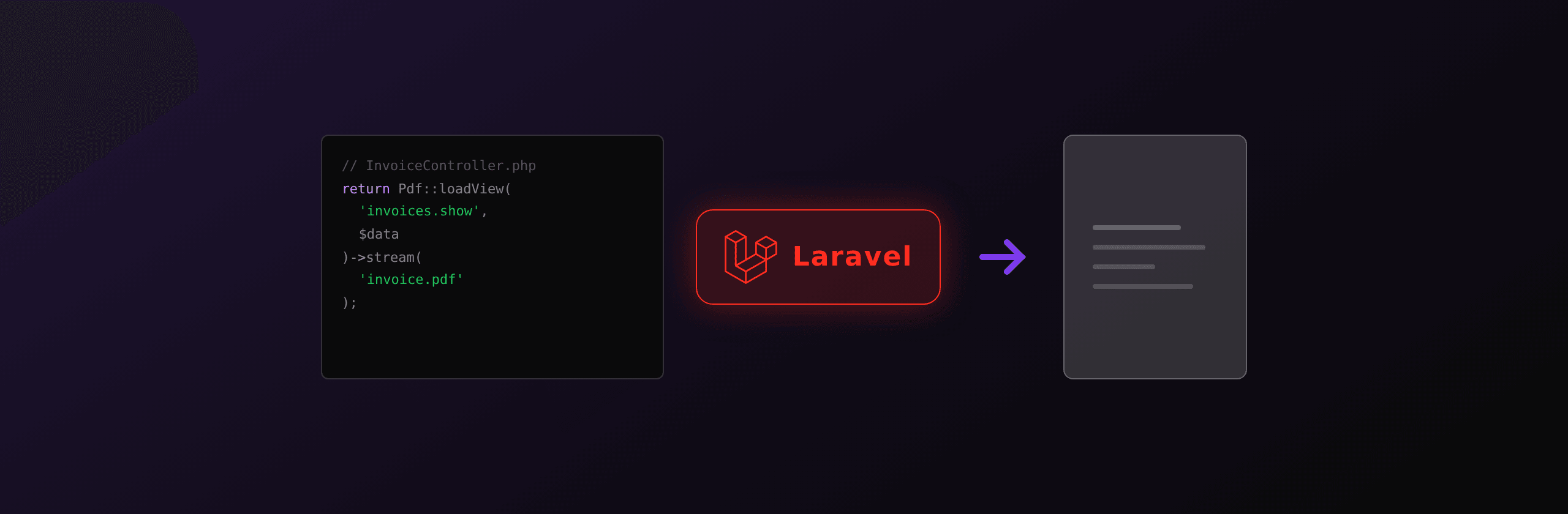
Laravel has four real PDF paths: barryvdh/laravel-dompdf for simple Blade invoices, spatie/laravel-pdf (Browsershot) for full Chromium fidelity, barryvdh/laravel-snappy for legacy wkhtmltopdf apps, and a hosted HTML-to-PDF API for zero-ops scale. Rule of thumb: DomPDF for plain CSS, Browsershot when Tailwind or custom fonts enter the template, hosted API once volume crosses a few thousand renders per day. A working Laravel controller that returns a PDF response from a Blade view is six lines either way.
PDF generation in Laravel at a glance
Four options cover almost every production Laravel codebase in 2026. The trade-offs split across install difficulty, CSS support, and operational footprint.
| Package | Install | CSS support | JS support | Ops requirements | License | Best for |
|---|---|---|---|---|---|---|
| barryvdh/laravel-dompdf | One Composer command | CSS 2.1 + partial CSS 3 | None | None | LGPL 2.1 | Simple invoices, receipts, plain-CSS reports |
| spatie/laravel-pdf (Browsershot) | Composer + Node + Chromium | Full Chromium (Flex, Grid, custom fonts) | Yes (JS-rendered charts) | Node 18+, Chromium binary, queue recommended | MIT | Design-system-driven PDFs, brand-faithful output |
| barryvdh/laravel-snappy | Composer + wkhtmltopdf binary | Qt WebKit (frozen 2014) | Partial, broken on modern frameworks | Binary install, unmaintained upstream | MIT (wrapper) | Legacy apps only |
| Hosted API (PDF4.dev, etc.) | One Composer or Http call | Full Chromium | Yes | None | REST | High volume, zero-ops teams, designer-edited templates |
DomPDF and laravel-snappy share an instinct ("PDF inside the PHP process") and a problem (limited CSS, no real JavaScript). Browsershot fixes the fidelity at the cost of a Node sidecar and a 300 MB Chromium binary. A hosted API trades infrastructure for per-render pricing. Most Laravel teams pick one of the first two, run into the operational tax of Chromium, and reconsider option four.
Option 1: laravel-dompdf for simple Blade templates
barryvdh/laravel-dompdf is the most installed PDF package on Packagist. It is a thin Laravel wrapper around DomPDF, a pure-PHP renderer for HTML and CSS 2.1. No external binary, no Node, no Chromium. The catch is the CSS: Flexbox is partial, Grid is unsupported, webfonts via @font-face need manual font registration, and complex tables can spike memory.
Install:
composer require barryvdh/laravel-dompdfThe package auto-registers via Laravel's package discovery. Publish the config if you need to tweak defaults like paper size or font directory:
php artisan vendor:publish --provider="Barryvdh\DomPDF\ServiceProvider"The Blade template (resources/views/invoices/show.blade.php):
<!DOCTYPE html>
<html>
<head>
  <meta charset="UTF-8">
  <style>
    @page { margin: 20mm 15mm; }
    body { font-family: 'Helvetica', sans-serif; color: #111; font-size: 12px; }
    h1 { font-size: 22px; margin-bottom: 4mm; }
    table { width: 100%; border-collapse: collapse; margin-top: 8mm; }
    th, td { padding: 6px 10px; border-bottom: 1px solid #eee; text-align: left; }
    .total { font-weight: bold; font-size: 14px; }
  </style>
</head>
<body>
  <h1>Invoice {{ $invoice->number }}</h1>
  <p>Client: {{ $invoice->client_name }}</p>
  <table>
    <thead>
      <tr><th>Description</th><th>Qty</th><th>Unit</th><th>Subtotal</th></tr>
    </thead>
    <tbody>
      @foreach ($invoice->lines as $line)
        <tr>
          <td>{{ $line->description }}</td>
          <td>{{ $line->qty }}</td>
          <td>{{ number_format($line->unit_price, 2) }}</td>
          <td>{{ number_format($line->subtotal, 2) }}</td>
        </tr>
      @endforeach
    </tbody>
    <tfoot>
      <tr class="total">
        <td colspan="3">Total</td>
        <td>{{ number_format($invoice->total, 2) }}</td>
      </tr>
    </tfoot>
  </table>
</body>
</html>
The controller:
<?php

namespace App\Http\Controllers;

use App\Models\Invoice;
use Barryvdh\DomPDF\Facade\Pdf;

class InvoiceController extends Controller
{
    public function show(string $id)
    {
        $invoice = Invoice::findOrFail($id);

        return Pdf::loadView('invoices.show', compact('invoice'))
            ->setPaper('a4')
            ->stream("invoice-{$invoice->number}.pdf");
    }
}
stream() returns the PDF inline for browser preview. Swap to download() to force a save dialog or save($path) to write to disk and queue an email.
The honest limitations. Anything that depends on Flexbox or Grid will not lay out correctly. Custom webfonts need registration via Pdf::loadFont() or the font_dir config. Page breaks inside long tables need the page-break-inside: avoid CSS hint and still produce occasional orphaned rows. Large invoices (50+ pages, dense tables) can hit PHP's memory limit; bump memory_limit in php.ini or queue the job.
When this stops being enough: the moment a designer hands you a Tailwind template, a Bootstrap layout, or any PDF with the brand's webfont. Move on.
Option 2: spatie/laravel-pdf (Browsershot) for full Chromium rendering
spatie/laravel-pdf wraps Browsershot, which drives a real headless Chromium via Puppeteer or Playwright under the hood. The CSS fidelity is identical to what a user sees in Chrome: Flexbox, Grid, custom fonts, CSS variables, JavaScript-rendered charts. The price is the ops footprint.
Install:
composer require spatie/laravel-pdfBrowsershot needs Node and Chromium. The simplest install:
npm install puppeteerPuppeteer downloads a pinned Chromium build (~280 MB) into node_modules. On servers with no node_modules (typical for Laravel deploys), point Browsershot at a system Chromium with Browsershot::html(...)->setChromePath('/usr/bin/chromium').
The Blade template can use anything Chrome renders:
<!DOCTYPE html>
<html>
<head>
  <meta charset="UTF-8">
  <link rel="stylesheet" href="{{ asset('css/app.css') }}">
  <link href="https://fonts.googleapis.com/css2?family=Inter:wght@400;600;700&display=swap" rel="stylesheet">
  <style>
    @page { size: A4; margin: 20mm 15mm; }
    body { font-family: 'Inter', sans-serif; }
  </style>
</head>
<body class="bg-white text-gray-900">
  <div class="flex justify-between items-center mb-8">
    <h1 class="text-3xl font-bold">Invoice {{ $invoice->number }}</h1>
    <img src="{{ asset('images/logo.png') }}" class="w-32">
  </div>
  <div class="grid grid-cols-2 gap-8 mb-8">
    <div>
      <h2 class="text-sm uppercase text-gray-500">Bill to</h2>
      <p>{{ $invoice->client_name }}</p>
    </div>
    <div class="text-right">
      <p>Due: {{ $invoice->due_date->format('M d, Y') }}</p>
    </div>
  </div>
  {{-- table omitted for brevity --}}
</body>
</html>
The controller:
<?php

namespace App\Http\Controllers;

use App\Models\Invoice;
use Spatie\LaravelPdf\Facades\Pdf;

class InvoiceController extends Controller
{
    public function show(string $id)
    {
        $invoice = Invoice::findOrFail($id);

        return Pdf::view('invoices.show', ['invoice' => $invoice])
            ->format('a4')
            ->margins(20, 15, 20, 15)
            ->name("invoice-{$invoice->number}.pdf");
    }
}
Pdf::view(...)->name(...) returns an inline PDF response. Call ->save($path) to write to disk or ->download() to force a download.
The production deployment story. Each render boots Chromium unless you pool the browser. The naive pattern (one render = one Chromium launch) costs 300-800ms per cold start and pegs CPU. Two production patterns work:
- Queue the job. Dispatch a
GeneratePdfJobto a Redis queue. A long-running worker keeps Chromium warm across renders. Render latency goes from "controller blocks for 1 second" to "job finishes in 200ms while the user sees a spinner". - Run a Browsershot pool. A separate Node service (or
spatie/browsershot'sBrowsershot::html(...)->setNodeBinary(...)->setIncludePath(...)config) keeps one Chromium process alive and reuses contexts per request. This is essentially a sidecar pattern.
Container overhead. Chromium adds ~300 MB to a Docker image and 50-100 MB of RAM per concurrent render. On Laravel Forge with a 2 GB VPS, expect to handle 10-20 concurrent renders before swap starts mattering. On Laravel Vapor, Browsershot rarely fits Lambda's package limit; most Vapor users delegate to a hosted API instead.
Option 3: laravel-snappy (legacy wkhtmltopdf)
barryvdh/laravel-snappy wraps wkhtmltopdf, a binary that renders HTML using a fork of Qt 4's WebKit. It used to be the standard PHP PDF tool around 2015.
The wkhtmltopdf repository was archived in 2023 and the project explicitly states it is no longer maintained. The bundled Qt WebKit is a fork of a 2014-era browser engine. Several CVEs sit unpatched, JavaScript support is partial and inconsistent, and modern CSS (Flexbox, Grid, CSS variables, custom properties) is missing or broken. Treat any laravel-snappy install as legacy code and plan a migration. Do not start new Laravel projects on this stack.
If you inherited a Snappy codebase, the install looks like this for context:
composer require barryvdh/laravel-snappy
# plus install the wkhtmltopdf binary on the server
use Barryvdh\Snappy\Facades\SnappyPdf;
return SnappyPdf::loadView('invoices.show', compact('invoice'))
->download("invoice-{$invoice->number}.pdf");Migration path to Browsershot. The packages have similar APIs, so the controller change is small:
// Before (Snappy)
return SnappyPdf::loadView('invoices.show', compact('invoice'))
    ->download("invoice.pdf");

// After (Browsershot)
return Pdf::view('invoices.show', ['invoice' => $invoice])
    ->download("invoice.pdf");
The harder work is the Blade template. Snappy's renderer accepts CSS that Chromium silently fixes; Chromium accepts CSS that Snappy silently dropped. Expect to revisit every page break, every @page rule, and every webfont declaration. Budget half a day per non-trivial template.
Option 4: call a hosted HTML-to-PDF API
The fourth path keeps Laravel free of Node, Chromium, and binary installs. A hosted API runs Chromium on its side and returns a PDF over HTTP. The Laravel code is a single Http facade call.
PDF4.dev call from a Laravel controller:
<?php

namespace App\Http\Controllers;

use App\Models\Invoice;
use Illuminate\Support\Facades\Http;

class InvoiceController extends Controller
{
    public function show(string $id)
    {
        $invoice = Invoice::findOrFail($id);

        $response = Http::withToken(config('services.pdf4.key'))
            ->post('https://pdf4.dev/api/v1/render', [
                'template_id' => 'invoice',
                'data' => [
                    'invoice_number' => $invoice->number,
                    'client_name' => $invoice->client_name,
                    'total' => number_format($invoice->total, 2),
                    'lines' => $invoice->lines->toArray(),
                ],
            ]);

        return response($response->body(), 200)
            ->header('Content-Type', 'application/pdf')
            ->header('Content-Disposition', "inline; filename=invoice-{$invoice->number}.pdf");
    }
}
That is the whole integration. Templates live in the PDF4.dev dashboard (raw HTML with Handlebars variables) and are edited without redeploying the Laravel app. Designers can change the layout, marketing can change copy, and the Laravel codebase never moves.
The equivalent in other languages:
Http::withToken($key)
    ->post('https://pdf4.dev/api/v1/render', [
        'template_id' => 'invoice',
        'data' => $data,
    ]);
The honest framing: you pay per render in exchange for not running Chromium. Containers stay slim, Vapor is a non-issue, designers edit templates in a UI. Below a few hundred PDFs a day the cost is negligible; above tens of thousands a day, do the math against a self-hosted Browsershot pool plus the engineer time to keep it running.
Real-world decision tree
Six questions, stop at the first yes.
- Is the template plain CSS (no Flexbox, no Grid, no Tailwind, basic fonts) and volume is under a few hundred a day? Use laravel-dompdf. In-process, free, no infrastructure changes.
- Does the template use Tailwind, Bootstrap, custom webfonts, or JS-rendered charts? Move to Chromium. spatie/laravel-pdf if you can host Node and Chromium, hosted API if you cannot.
- Are you on Laravel Vapor or any other Lambda-based platform? Hosted API. Browsershot does not fit the 250 MB Lambda package limit.
- Are you generating thousands of PDFs per day with bursts? Hosted API. Zero ops, no Chromium fleet to scale, scales horizontally for free.
- Do you have a DevOps team and tens of thousands of internal PDFs per day? A Browsershot worker pool can beat per-render pricing once engineer time is amortized over months.
- Are you stuck on laravel-snappy? Migrate to Browsershot for the same Blade workflow with a modern renderer, or to a hosted API if you also want to drop Node from the stack.
Benchmark on a real invoice
Conditions: 8-page A4 invoice, two-column header, table of 50 line items, Inter webfont, Laravel 11 on a 2 vCPU / 4 GB Forge VPS. Numbers are median per render. Library versions: laravel-dompdf 3.0, spatie/laravel-pdf 1.5, laravel-snappy 1.0, PDF4.dev API.
| Option | Median time | RAM per render | Infrastructure cost | License / API cost |
|---|---|---|---|---|
| laravel-dompdf | ~80ms | ~30 MB | Bundled into Laravel app | $0 |
| spatie/laravel-pdf (warm browser) | ~500ms | ~80 MB | +Node + Chromium, ~$30-50/mo server | $0 |
| spatie/laravel-pdf (cold launch) | ~1200ms | ~80 MB | Same | $0 |
| laravel-snappy | ~150ms | ~50 MB | wkhtmltopdf binary | $0 (deprecated) |
| PDF4.dev (hosted) | ~250ms (incl. network) | 0 MB locally | None | Per-render API pricing |
Two observations. DomPDF is the fastest in-process option because it skips a layout engine and a JS runtime; if speed dominates and CSS is plain, DomPDF wins on raw throughput. RAM at concurrency is where Chromium gets expensive: 100 simultaneous renders means 8-10 GB of memory on the Browsershot path versus 0 on the API path.
PDF4.dev exposes a Laravel-friendly REST endpoint plus a Handlebars template engine. The integration is one Http::withToken() call, templates are edited in a dashboard, and the same rendering fleet handles bursts. Free tier covers the first hundreds of renders per month.
Production tips per path
laravel-dompdf. Cache rendered templates when the input is repeatable: hash the data, store the bytes in S3 or Laravel cache, reuse on the same input. Watch PHP's memory_limit for large tables; 50+ pages of dense rows can blow past 256 MB. Register webfonts up front via the fonts config, not per request. Use page-break-inside: avoid on table rows that must stay together.
spatie/laravel-pdf (Browsershot). Always queue the job for any request the user does not need synchronously. Reuse one Chromium across renders via Browsershot's setNodeBinary() plus a long-running worker; the difference between cold launch and warm reuse is 700ms. Set a hard timeout (30s) so a stuck Chromium does not pin a worker. Monitor RSS memory on the worker container; Chromium leaks slowly and a daily restart is fine.
Hosted API. Use delivery: "url" for PDFs larger than 1 MB so you do not pay for a base64 round-trip. Send an idempotency key on retries to avoid double-billing on network blips. Catch 429 (rate limit) and retry with exponential backoff. Log duration_ms from every response and alert on regressions.
Common to all four. Log every render's duration to your APM (New Relic, Datadog, Laravel Telescope). Alert when the p95 doubles. Test with realistic data sizes, not the lorem ipsum example.
Frequently asked questions
What is the best PDF library for Laravel? Depends on the PDF. For Blade-driven invoices with basic CSS, laravel-dompdf is the right default: one Composer command, in-process, free. For Tailwind, custom fonts, JS-rendered charts, spatie/laravel-pdf (Browsershot) or a hosted API.
Is laravel-dompdf good for production? Yes for moderate volume and simple layouts. It runs synchronously in PHP and chokes on Flexbox, Grid, or large tables. Queue the job above a few hundred renders per day.
How do I use Tailwind CSS with Laravel DomPDF? Not in any complete way. Tailwind's utility classes depend on layout primitives DomPDF does not implement. Use Browsershot or a hosted API for Tailwind templates.
Why is Browsershot slow? Cold Chromium launches add 300-800ms per render. The fix is a queue worker that keeps Chromium warm, or a hosted API that already runs a pool.
Can I deploy Browsershot to Laravel Forge or Laravel Vapor? Forge yes, with Node and Chromium installed on the server. Vapor is hard: the Chromium binary fights Lambda's 250 MB package limit. Vapor users typically call a hosted PDF API.
Is wkhtmltopdf safe to use in 2026? No. The project was archived in 2023 with no maintainer, CSS support stopped advancing in 2014, and several CVEs sit unpatched. Migrate any laravel-snappy app to Browsershot or a hosted API.
How do I generate a Laravel PDF from a Blade view? With DomPDF: Pdf::loadView('invoices.show', compact('invoice'))->stream('invoice.pdf'). With Browsershot: Pdf::view('invoices.show', $data)->save('invoice.pdf'). Both compile the Blade template to HTML first.
Can I add page numbers to a Laravel DomPDF document? Yes. Use the CSS @page rule with a counter, or hook DomPDF's page_text() callback to draw a custom string at a fixed position. The CSS approach is simpler.
How do I make a Laravel PDF API endpoint? Define a route, build a controller that generates the PDF bytes with your chosen library, return a Laravel Response with Content-Type: application/pdf and a Content-Disposition header. The package facades handle this automatically.
What is the cheapest way to generate Laravel PDFs at scale? For thousands per day, a hosted API is usually cheapest because there is no Chromium fleet to scale. For tens of thousands per day with internal traffic and a DevOps team, a Browsershot worker pool can win once engineer time is amortized.
Summary
Laravel has four real paths to a PDF. laravel-dompdf for in-process Blade rendering when CSS is plain. spatie/laravel-pdf (Browsershot) for full Chromium fidelity once design systems enter the template. laravel-snappy for legacy code only, with a migration plan. A hosted HTML-to-PDF API when Chromium does not belong in your container. Start with DomPDF if the template fits, move to Chromium when the design demands it, and call a hosted API once the operational cost of running a browser stops being worth it.
Ready to drop Chromium from your Laravel containers? Create a free PDF4.dev account, grab an API key, and replace your PDF library with a single Http::withToken() call. Templates are edited in a dashboard, not in resources/views.
Try it first with the free HTML to PDF converter, or read the companion articles for PHP in general, Node.js, Spring Boot, and the broader HTML-to-PDF benchmark.
Free tools mentioned:
Frequently asked questions
- What is the best PDF library for Laravel?
- There is no single best option. For Blade-driven invoices with basic CSS, barryvdh/laravel-dompdf installs in one command and runs in-process. For Tailwind, Flexbox, Grid, custom fonts, and JS-rendered charts, spatie/laravel-pdf (Browsershot) or a hosted API like PDF4.dev render with full Chromium fidelity. Avoid laravel-snappy in new code: wkhtmltopdf is unmaintained.
- Is laravel-dompdf good for production?
- Yes for moderate volume (hundreds of PDFs per day) and simple layouts. DomPDF handles CSS 2.1 with partial CSS 3 support, no Flexbox, no Grid, no JavaScript. It runs synchronously inside the PHP process, so heavy tables can spike memory. Queue the job once volume crosses a few hundred per day.
- How do I use Tailwind CSS with Laravel DomPDF?
- Not in any complete way. Tailwind's utility classes depend on Flexbox, Grid, and modern CSS variables that DomPDF does not implement. The practical path is Browsershot (full Chromium) or a hosted API. If you must stay on DomPDF, restrict the template to spacing, color, and typography utilities and hand-write the layout with tables.
- Why is Browsershot slow?
- Browsershot launches a Chromium process per render unless you reuse a browser instance. A cold launch costs 300-800ms. The fix is to dispatch PDF jobs to a queue worker that keeps a Chromium process alive, or to call a hosted API that already runs a warm browser pool.
- Can I deploy Browsershot to Laravel Forge or Laravel Vapor?
- Forge supports Browsershot once you install Node and Chromium on the server, usually via puppeteer's bundled binary. Vapor is harder: Chromium plus dependencies fights the 250 MB unzipped Lambda package limit, and cold starts add seconds. Vapor users typically call a hosted PDF API instead.
- Is wkhtmltopdf safe to use in 2026?
- No. The wkhtmltopdf project was archived in 2023 with no new maintainers. The bundled Qt WebKit fork is years behind modern Chromium, several CVEs sit unpatched, and CSS support stopped advancing a decade ago. Treat any laravel-snappy app as legacy and plan a migration to Browsershot or a hosted API.
- How do I generate a Laravel PDF from a Blade view?
- With DomPDF, call Pdf::loadView('invoices.show', compact('invoice')) and chain stream() or download(). With Browsershot, Pdf::view('invoices.show', $data)->save('invoice.pdf'). Both render the Blade template to HTML first, then convert the HTML to a PDF.
- Can I add page numbers to a Laravel DomPDF document?
- Yes. Use the CSS paged media rule "@page" with a counter, or hook the Dompdf instance with the page_text() callback to draw a custom string like "Page X of Y" at a fixed position. The CSS approach is simpler and survives template edits.
- How do I make a Laravel PDF API endpoint?
- Build a controller that returns ResponseEntity-equivalent in Laravel: a Response with Content-Type application/pdf and a Content-Disposition header. Generate the bytes with your chosen library, return them as the body, and set inline for browser preview or attachment for forced download.
- What is the cheapest way to generate Laravel PDFs at scale?
- For thousands of PDFs per day, the cheapest path is usually a hosted API: zero ops, no Chromium fleet to scale, predictable per-render pricing. For tens of thousands per day with internal traffic and a DevOps team, a Browsershot worker pool can beat per-render API pricing once you account for the engineer time to keep it running.
- Can I cache a generated PDF in Laravel?
- Yes. Hash the input data, look up a key like "pdf:invoice:" . sha1(json_encode($data)) in cache or storage, and reuse the bytes when the same input comes back. PDFs are deterministic for the same template and data, so caching is safe.
Start generating PDFs
Build PDF templates with a visual editor. Render them via API from any language in ~300ms.