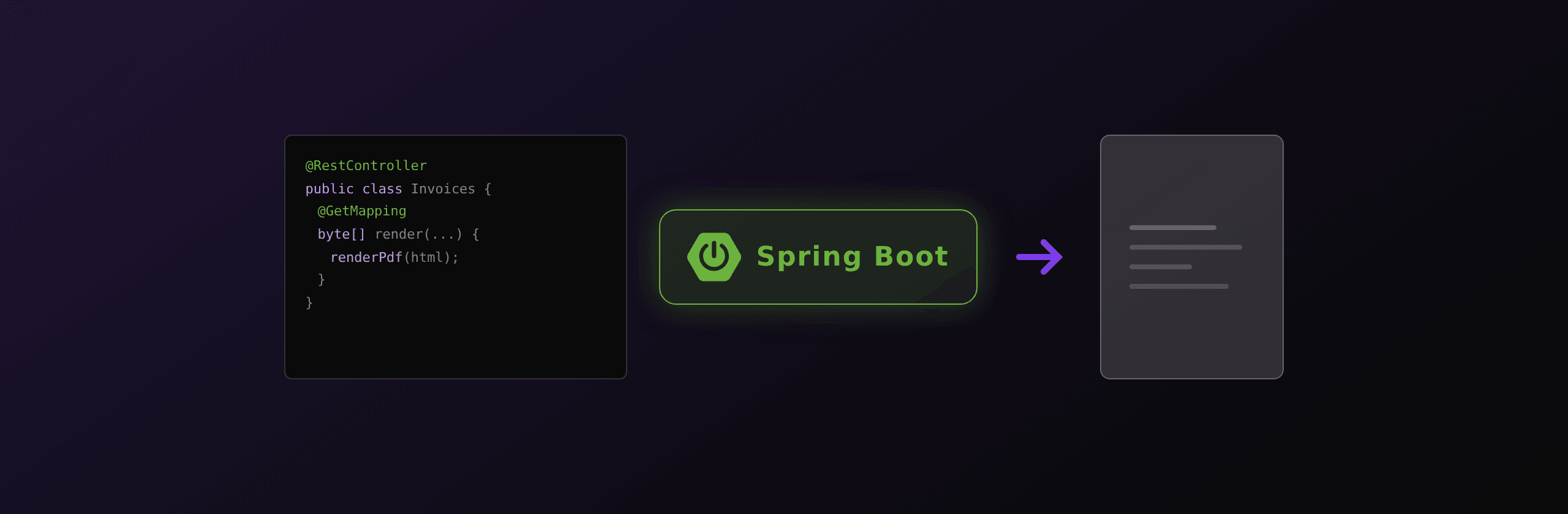
Spring Boot has five real paths to a PDF: OpenHTMLToPDF for in-process Thymeleaf rendering, iText 9 or OpenPDF for programmatic documents, a Playwright sidecar for full Chromium rendering, the playwright-java port for the same engine without leaving the JVM, and a hosted HTML-to-PDF API for zero-ops scale. Rule of thumb: OpenHTMLToPDF if the layout is simple and CSS 2.1 covers it, Playwright sidecar or a hosted API as soon as your design system uses Flexbox, Grid, or custom fonts. A working Spring controller that returns a PDF is twelve lines either way.
PDF generation in Spring Boot at a glance
Five options dominate Spring Boot codebases in 2026. The trade-offs cluster around three axes: license, CSS fidelity, and ops cost.
| Option | License | CSS support | Ops cost | Fidelity | Cost at 10K renders/mo | Best for |
|---|---|---|---|---|---|---|
| OpenHTMLToPDF | LGPL / Apache 2.0 | CSS 2.1 + paged media | Zero (in-process) | Good for plain layouts | ~$0 server CPU | Simple invoices, reports |
| iText 9 | AGPL or commercial | Programmatic only | Zero (in-process) | Pixel-perfect | License cost | PDF/A, signatures, encryption |
| OpenPDF | LGPL | Programmatic only | Zero (in-process) | Dated, functional | $0 | Free fork of iText 4 |
| Playwright sidecar | Apache 2.0 | Full Chromium | Medium (Docker + queue) | Pixel-perfect | ~$30/mo server | Brand-faithful PDFs |
| PDF4.dev (hosted) | Closed, REST | Full Chromium | Zero (managed) | Pixel-perfect | API pricing | Scale, designer-edited templates |
A Spring Boot service rarely sticks with one library forever. Most teams start with OpenHTMLToPDF, hit a CSS wall, and switch. The honest question is when to switch, not which library is universally best.
Option 1: OpenHTMLToPDF for Thymeleaf templates (free, in-process)
OpenHTMLToPDF is the actively maintained fork of Flying Saucer. It renders XHTML and a subset of CSS to PDF using PDFBox under the hood. No external binary, no network call, no license trap. The catch is the CSS subset: Flexbox and Grid do not work, and a few CSS 2.1 edge cases (collapsing margins, complex tables) need careful templates.
Add the dependencies:
<dependency>
  <groupId>com.openhtmltopdf</groupId>
  <artifactId>openhtmltopdf-core</artifactId>
  <version>1.0.10</version>
</dependency>
<dependency>
  <groupId>com.openhtmltopdf</groupId>
  <artifactId>openhtmltopdf-pdfbox</artifactId>
  <version>1.0.10</version>
</dependency>
<dependency>
  <groupId>org.springframework.boot</groupId>
  <artifactId>spring-boot-starter-thymeleaf</artifactId>
</dependency>
Spring controller that renders a Thymeleaf template to PDF:
package com.example.pdf;

import com.openhtmltopdf.pdfboxout.PdfRendererBuilder;
import org.springframework.http.HttpHeaders;
import org.springframework.http.MediaType;
import org.springframework.http.ResponseEntity;
import org.springframework.stereotype.Controller;
import org.springframework.web.bind.annotation.GetMapping;
import org.springframework.web.bind.annotation.PathVariable;
import org.thymeleaf.TemplateEngine;
import org.thymeleaf.context.Context;

import java.io.ByteArrayOutputStream;
import java.util.Map;

@Controller
public class InvoiceController {

    private final TemplateEngine templateEngine;
    private final InvoiceService invoiceService;

    public InvoiceController(TemplateEngine templateEngine, InvoiceService invoiceService) {
        this.templateEngine = templateEngine;
        this.invoiceService = invoiceService;
    }

    @GetMapping("/invoices/{id}.pdf")
    public ResponseEntity<byte[]> invoicePdf(@PathVariable String id) throws Exception {
        Invoice invoice = invoiceService.findById(id);

        Context ctx = new Context();
        ctx.setVariable("invoice", invoice);
        String html = templateEngine.process("invoice", ctx);

        try (ByteArrayOutputStream out = new ByteArrayOutputStream()) {
            PdfRendererBuilder builder = new PdfRendererBuilder();
            builder.useFastMode();
            builder.withHtmlContent(html, "/");
            builder.toStream(out);
            builder.run();

            HttpHeaders headers = new HttpHeaders();
            headers.setContentType(MediaType.APPLICATION_PDF);
            headers.setContentDispositionFormData("inline", "invoice-" + id + ".pdf");
            return new ResponseEntity<>(out.toByteArray(), headers, 200);
        }
    }
}
The Thymeleaf template (src/main/resources/templates/invoice.html):
<!DOCTYPE html>
<html xmlns:th="http://www.thymeleaf.org">
<head>
  <meta charset="UTF-8"/>
  <style>
    @page { size: A4; margin: 20mm 15mm; @bottom-right { content: "Page " counter(page) " of " counter(pages); } }
    body { font-family: 'Helvetica', sans-serif; color: #111; font-size: 12px; }
    h1 { font-size: 22px; margin-bottom: 4mm; }
    table { width: 100%; border-collapse: collapse; margin-top: 8mm; }
    th, td { padding: 6px 10px; border-bottom: 1px solid #eee; text-align: left; }
    .total { font-weight: bold; font-size: 14px; }
  </style>
</head>
<body>
  <h1>Invoice <span th:text="${invoice.number}"></span></h1>
  <p>Client: <span th:text="${invoice.clientName}"></span></p>
  <table>
    <thead>
      <tr><th>Description</th><th>Qty</th><th>Unit</th><th>Subtotal</th></tr>
    </thead>
    <tbody>
      <tr th:each="line : ${invoice.lines}">
        <td th:text="${line.description}"></td>
        <td th:text="${line.qty}"></td>
        <td th:text="${#numbers.formatCurrency(line.unitPrice)}"></td>
        <td th:text="${#numbers.formatCurrency(line.subtotal)}"></td>
      </tr>
    </tbody>
    <tfoot>
      <tr class="total"><td colspan="3">Total</td><td th:text="${#numbers.formatCurrency(invoice.total)}"></td></tr>
    </tfoot>
  </table>
</body>
</html>
Two notes from production. The useFastMode() switch turns on the fast renderer that landed in 1.0.0 and cuts render time by 30-50%. The template must be XHTML-valid: every tag closed, attribute values quoted. Spring's Thymeleaf engine emits HTML5 by default, so set mode="XHTML" on your SpringTemplateEngine bean if OpenHTMLToPDF rejects markup at runtime.
When this approach stops being enough: the moment you want a CSS Grid layout, a Tailwind utility class that uses Flexbox, or a webfont loaded over @font-face with subsets. Then move on.
Option 2: iText 9 or OpenPDF for programmatic PDFs
When the requirement is not "render this HTML" but "build a precisely structured PDF" (digital signatures, AES-256 encryption, PDF/A-3 for archiving, exact form fields), HTML-to-PDF is the wrong tool. You want a programmatic API.
iText 9 is dual-licensed under AGPL and a commercial license. AGPL requires you to publish the source of any application that distributes or exposes iText as a network service. Most Spring Boot apps fall under that clause as soon as they serve a PDF over HTTP. If you cannot open-source the app, you need the commercial license, which is priced per developer and per production server. Check pricing with iText before you ship.
iText 9 example:
<dependency>
  <groupId>com.itextpdf</groupId>
  <artifactId>itext-core</artifactId>
  <version>9.0.0</version>
  <type>pom</type>
</dependency>
import com.itextpdf.kernel.pdf.PdfDocument;
import com.itextpdf.kernel.pdf.PdfWriter;
import com.itextpdf.layout.Document;
import com.itextpdf.layout.element.Paragraph;
import com.itextpdf.layout.element.Table;
public byte[] buildInvoicePdf(Invoice invoice) throws Exception {
try (ByteArrayOutputStream out = new ByteArrayOutputStream();
PdfWriter writer = new PdfWriter(out);
PdfDocument pdf = new PdfDocument(writer);
Document doc = new Document(pdf)) {
doc.add(new Paragraph("Invoice " + invoice.getNumber()).setFontSize(20));
doc.add(new Paragraph("Client: " + invoice.getClientName()));
Table table = new Table(new float[]{4, 1, 2, 2});
table.addHeaderCell("Description").addHeaderCell("Qty")
.addHeaderCell("Unit").addHeaderCell("Subtotal");
for (InvoiceLine line : invoice.getLines()) {
table.addCell(line.getDescription());
table.addCell(String.valueOf(line.getQty()));
table.addCell(line.getUnitPrice().toString());
table.addCell(line.getSubtotal().toString());
}
doc.add(table);
doc.add(new Paragraph("Total: " + invoice.getTotal()).setBold());
doc.close();
return out.toByteArray();
}
}OpenPDF is the LGPL fork of the last iText 4 codebase. The API is functionally similar, the rendering quality is dated, and active development is slower. For a free programmatic library that does not require source disclosure, it is the only option. Add it via:
<dependency>
  <groupId>com.github.librepdf</groupId>
  <artifactId>openpdf</artifactId>
  <version>2.0.4</version>
</dependency>
Apache PDFBox is a third programmatic option under Apache 2.0. PDFBox focuses on parsing, editing, and form filling more than authoring from scratch. It is the right tool to read or modify an existing PDF, less so to design one.
The line is clear: programmatic libraries are for cases where the output structure matters more than visual fidelity. For anything that comes from a designer (an HTML template, a Figma export rendered to HTML), pick a renderer that understands CSS.
Option 3: Playwright as a sidecar service
Most Spring Boot teams that need full CSS run Chromium next to the JVM, not inside it. The pattern: deploy a tiny Node service that exposes one endpoint, POST /render, accepting HTML and returning a PDF. The Spring app calls it over HTTP. Chromium upgrades happen on a different schedule from the Spring app, and a Chromium crash does not bring down the JVM.
Minimal Node sidecar (16 lines):
import express from 'express';
import { chromium } from 'playwright';

const app = express();
app.use(express.json({ limit: '10mb' }));

const browser = await chromium.launch();

app.post('/render', async (req, res) => {
  const ctx = await browser.newContext();
  const page = await ctx.newPage();
  await page.setContent(req.body.html, { waitUntil: 'networkidle' });
  const pdf = await page.pdf({ format: 'A4', margin: { top: '20mm', bottom: '20mm', left: '15mm', right: '15mm' }, printBackground: true });
  await ctx.close();
  res.type('application/pdf').send(pdf);
});

app.listen(4000);
Spring controller that calls it with RestTemplate:
@Service
public class PdfClient {

    private final RestTemplate restTemplate;

    public PdfClient(RestTemplateBuilder builder) {
        this.restTemplate = builder
            .setConnectTimeout(Duration.ofSeconds(5))
            .setReadTimeout(Duration.ofSeconds(30))
            .build();
    }

    public byte[] renderPdf(String html) {
        HttpHeaders headers = new HttpHeaders();
        headers.setContentType(MediaType.APPLICATION_JSON);
        Map<String, String> body = Map.of("html", html);
        HttpEntity<Map<String, String>> req = new HttpEntity<>(body, headers);

        ResponseEntity<byte[]> resp = restTemplate.postForEntity(
            "http://pdf-sidecar:4000/render", req, byte[].class);
        return resp.getBody();
    }
}
Or with the reactive WebClient:
WebClient client = WebClient.create("http://pdf-sidecar:4000");

public Mono<byte[]> renderPdf(String html) {
    return client.post()
        .uri("/render")
        .contentType(MediaType.APPLICATION_JSON)
        .bodyValue(Map.of("html", html))
        .retrieve()
        .bodyToMono(byte[].class);
}
The honest cost. Chromium adds ~300 MB to the Docker image and 50-100 MB of RAM per concurrent render. You need a healthcheck on the sidecar, a request queue or rate limit so a burst does not OOM the container, and a deployment story for both apps. On Kubernetes this is a sidecar container or a separate Deployment; on a VM, it is a systemd unit. AWS Lambda is hard: the Chromium binary plus dependencies fights the 250 MB unzipped package limit, and cold starts add 2-4 seconds. The sidecar pattern fits a long-running JVM, not a serverless function.
Option 4: playwright-java direct integration
If you would rather stay inside the JVM, Microsoft ships playwright-java. The API mirrors the Node version and Chromium runs as a child process under the JVM.
<dependency>
  <groupId>com.microsoft.playwright</groupId>
  <artifactId>playwright</artifactId>
  <version>1.49.0</version>
</dependency>
import com.microsoft.playwright.*;
import com.microsoft.playwright.options.LoadState;
@Service
public class PlaywrightPdfService {
private final Playwright playwright = Playwright.create();
private final Browser browser = playwright.chromium().launch();
public byte[] renderPdf(String html) {
try (BrowserContext context = browser.newContext()) {
Page page = context.newPage();
page.setContent(html);
page.waitForLoadState(LoadState.NETWORKIDLE);
return page.pdf(new Page.PdfOptions()
.setFormat("A4")
.setMargin(new Margin().setTop("20mm").setBottom("20mm").setLeft("15mm").setRight("15mm"))
.setPrintBackground(true));
}
}
@PreDestroy
public void close() {
browser.close();
playwright.close();
}
}The trade-off versus the sidecar is real but smaller than it looks. The Chromium binary still ships in the container. Heap pressure from the JVM and memory pressure from Chromium share one process tree, so an OOM kills both. A Chromium crash drags down a Spring worker. The advantages are one process to deploy and one set of metrics to monitor. Pick playwright-java when PDF volume is modest, sidecar when bursts are large or independent scaling matters.
Option 5: call a hosted HTML-to-PDF API
The fifth path drops Chromium from your infrastructure entirely. A hosted PDF API runs Chromium on its side and returns a PDF over HTTP. The Spring code stays at five lines of RestTemplate and the container image stays at the size of your JAR plus the JRE.
PDF4.dev call from Spring Boot:
@Service
public class Pdf4Client {

    private final RestTemplate restTemplate;
    private final String apiKey;

    public Pdf4Client(RestTemplateBuilder builder,
                      @Value("${pdf4.api-key}") String apiKey) {
        this.restTemplate = builder.build();
        this.apiKey = apiKey;
    }

    public byte[] renderInvoice(String templateId, Map<String, Object> data) {
        HttpHeaders headers = new HttpHeaders();
        headers.setBearerAuth(apiKey);
        headers.setContentType(MediaType.APPLICATION_JSON);

        Map<String, Object> body = Map.of(
            "template_id", templateId,
            "data", data
        );
        HttpEntity<Map<String, Object>> req = new HttpEntity<>(body, headers);

        ResponseEntity<byte[]> resp = restTemplate.postForEntity(
            "https://pdf4.dev/api/v1/render", req, byte[].class);
        return resp.getBody();
    }
}
Controller using it:
@GetMapping("/invoices/{id}.pdf")
public ResponseEntity<byte[]> invoicePdf(@PathVariable String id) {
    Invoice invoice = invoiceService.findById(id);
    byte[] pdf = pdf4Client.renderInvoice("invoice", Map.of(
        "invoice_number", invoice.getNumber(),
        "client_name", invoice.getClientName(),
        "total", invoice.getTotal().toString(),
        "lines", invoice.getLines()
    ));

    HttpHeaders headers = new HttpHeaders();
    headers.setContentType(MediaType.APPLICATION_PDF);
    headers.setContentDispositionFormData("inline", "invoice-" + id + ".pdf");
    return new ResponseEntity<>(pdf, headers, 200);
}
Templates live in the PDF4.dev dashboard (raw HTML and Handlebars variables) and are edited without redeploying the Spring app. Same Chromium engine as the sidecar, no Docker image growth, no queue to manage. The honest framing: you pay per render in exchange for not running a browser.
For multi-language code reference, here is the same render call across stacks:
restTemplate.postForEntity(
  "https://pdf4.dev/api/v1/render",
  new HttpEntity<>(Map.of("template_id", "invoice", "data", data), headers),
  byte[].class);
Real-world decision tree
Six questions, in order. Stop at the first yes.
- Do you need digital signatures, encryption, or PDF/A compliance? Use iText 9 (with the commercial license) or OpenPDF for the same features without the license cost but a dated API.
- Do you only need PDF generation in Java with no external service, and the template uses CSS 2.1 (no Flexbox, no Grid)? Use OpenHTMLToPDF. Pair it with Thymeleaf for data binding.
- Does the template use Tailwind, Bootstrap, Flexbox, or Grid? OpenHTMLToPDF will not render it correctly. Move to Chromium: Playwright sidecar, playwright-java, or a hosted API.
- Do you need custom fonts, multi-page tables with repeating headers, and pixel-perfect brand fidelity? Same answer: Chromium-based renderer.
- Are you generating thousands of PDFs per day, with bursts? Use a hosted API. Zero ops, no Chromium to scale, scales horizontally for free.
- Generating dozens to hundreds per day, all internal traffic? A Playwright sidecar is fine. The infrastructure cost is real but bounded, and you keep PDFs inside your network.
Benchmark on a real invoice (10K renders/month)
Conditions: 8-page A4 invoice, two-column header, one table of 50 line items, embedded Inter font, Spring Boot 3.4 on a 2 vCPU / 4 GB container. Numbers are median per render, including I/O. Library versions: OpenHTMLToPDF 1.0.10, iText 9.0.0, Playwright 1.49.
| Option | Median time | RAM per concurrent | Infrastructure cost | License / API cost |
|---|---|---|---|---|
| OpenHTMLToPDF | ~120ms | ~40 MB | Bundled into Spring app | $0 |
| iText 9 | ~30ms | ~25 MB | Bundled into Spring app | Commercial license |
| OpenPDF | ~35ms | ~25 MB | Bundled into Spring app | $0 |
| Playwright sidecar | ~400ms | ~80 MB | +1 small container, ~$15-30/mo | $0 |
| playwright-java | ~380ms | ~100 MB shared with JVM | None (in-process) | $0 |
| PDF4.dev | ~250ms (incl. network) | 0 MB locally | None | Per-render API pricing |
Two observations. Programmatic libraries are 4-10x faster than browser-based renderers because they skip the layout engine; if speed dominates, programmatic wins. RAM at concurrency is where browsers get expensive: 100 simultaneous renders means 8-10 GB of Chromium memory for the sidecar path versus 0 for the API path.
PDF4.dev exposes a Spring-friendly REST endpoint plus a Handlebars template engine. The Spring code is the same RestTemplate call you would write against any internal sidecar, except the rendering and the Chromium fleet are managed. Free tier covers the first hundreds of renders per month.
Production checklist for Spring Boot PDFs
| Concern | OpenHTMLToPDF | iText / OpenPDF | Playwright sidecar | Hosted API |
|---|---|---|---|---|
| Container size impact | +5 MB JAR | +10 MB JAR | +300 MB Chromium | 0 |
| RAM per concurrent render | ~40 MB | ~25 MB | ~80 MB | 0 locally |
| Cold start (first request) | ~200ms | ~100ms | 1-2s browser launch | None |
| Thread safety | Renderer per request | Document per request | One browser, contexts per request | HTTP client only |
| Webfonts via @font-face | Limited | Manual font load | Yes | Yes |
| Repeating table headers (thead) | Yes (CSS 2.1) | Programmatic API | Yes | Yes |
| Lambda / Cloud Run friendly | Yes | Yes | Hard (binary size) | Yes |
A note on threading: every renderer above is safe to call from multiple Spring HTTP worker threads, but the resource is shared differently. With OpenHTMLToPDF and iText, the heavy object is the document being built; allocate one per request. With Playwright (sidecar or playwright-java), the browser is the heavy object; allocate it once at startup and create a fresh BrowserContext per request. The PDF4.dev client is just RestTemplate or WebClient, which Spring already manages for you.
Frequently asked questions
What is the best PDF library for Spring Boot? Depends on the PDF. For simple Thymeleaf-driven invoices and reports, OpenHTMLToPDF is the right default: zero ops, free, in-process. For design-system-heavy PDFs (Tailwind, Bootstrap, custom fonts), Chromium-based rendering via Playwright sidecar or a hosted API. For signatures and PDF/A, iText 9 or OpenPDF.
Can I generate a PDF from a Thymeleaf template? Yes. Inject TemplateEngine, call templateEngine.process("template-name", context) to get an HTML string, then convert that string with any of the five options in this article.
Is iText free for Spring Boot? Only if your app meets the AGPL terms (full source disclosure, including for users who interact with the service over a network). Most commercial Spring Boot apps cannot meet that, so you need the iText commercial license.
How do I return a PDF from a Spring REST controller? Return ResponseEntity<byte[]> with Content-Type: application/pdf and a Content-Disposition header. Set inline for browser preview, attachment; filename="invoice.pdf" for download.
Can OpenHTMLToPDF render CSS Flexbox? No. OpenHTMLToPDF implements CSS 2.1 plus paged media extensions. Flexbox and Grid are out of scope. If your template uses them, render with Chromium.
Should I use playwright-java or run Playwright as a sidecar? Sidecar wins when PDF traffic is large or bursty, when you want independent scaling, or when a Chromium crash should not affect the JVM. playwright-java wins for small volume and a single deployment unit.
How do I add page numbers in OpenHTMLToPDF? Define a @page CSS rule with @bottom-right { content: "Page " counter(page) " of " counter(pages); }. The renderer evaluates these counters during paged layout.
Can I use Tailwind CSS with OpenHTMLToPDF? Not in practice. Tailwind utility classes lean on Flexbox, Grid, and runtime CSS variables. Render Tailwind templates with Chromium (Playwright sidecar, playwright-java, or a hosted API).
How fast can Spring Boot generate PDFs at scale? OpenHTMLToPDF: ~100-200ms per page. iText/OpenPDF: ~30-60ms. Playwright (sidecar or playwright-java): ~300-500ms. Hosted API: ~250ms end-to-end including network. Throughput scales with worker count for the in-process options and with the hosted fleet for the API option.
What is the best way to generate invoices in Spring Boot? Define the invoice as a Thymeleaf template. Render it to an HTML string with the Thymeleaf TemplateEngine. If the layout is simple, pass the HTML to OpenHTMLToPDF in-process. If the design uses your full design system, POST the data to a hosted API and let the rendering fleet do it.
Summary
Spring Boot has five sane paths to a PDF. Two are programmatic (iText, OpenPDF), one is an in-process HTML renderer with a limited CSS subset (OpenHTMLToPDF), and two are Chromium-based with the same CSS fidelity (Playwright sidecar or playwright-java in-process, hosted API as a managed equivalent). Start with OpenHTMLToPDF if Thymeleaf and CSS 2.1 fit; move to Chromium when the design demands it. Run Chromium yourself for moderate volume and full control; call a hosted API once the operational cost of a browser fleet stops being worth it.
Ready to drop Chromium from your Spring Boot containers? Create a free PDF4.dev account, grab an API key, and replace your PDF library with a single RestTemplate call. Templates are edited in a dashboard, not in src/main/resources.
Try it first with the free HTML to PDF converter, or explore companion articles for Node.js, Python, PHP, and Go.
Free tools mentioned:
Frequently asked questions
- What is the best PDF library for Spring Boot?
- There is no single best option. For Thymeleaf templates with simple CSS, OpenHTMLToPDF runs in-process and ships as a single JAR. For programmatic PDF/A or digital signatures, iText 9 is the most capable but license-restricted. For design-system-driven PDFs (Tailwind, full Flex and Grid), run Playwright as a sidecar or call a hosted API like PDF4.dev.
- Can I generate a PDF from a Thymeleaf template?
- Yes. Render the Thymeleaf template to an HTML string with TemplateEngine.process(), then feed that string to OpenHTMLToPDF's PdfRendererBuilder or POST it to a hosted PDF API. The Thymeleaf engine and the PDF renderer are decoupled, so the same template can power multiple backends.
- Is iText free for Spring Boot?
- iText 9 is dual-licensed under AGPL and a commercial license. The AGPL requires you to release your application's source code if you distribute or expose it as a network service, which excludes most internal Spring Boot apps. The commercial license has per-developer and per-server pricing. OpenPDF is an LGPL fork of an older iText branch and stays free for commercial use.
- How do I return a PDF from a Spring REST controller?
- Build a byte[] from your PDF generator and return a ResponseEntity<byte[]> with Content-Type application/pdf and a Content-Disposition header set to inline or attachment depending on whether you want the browser to display or download it.
- Can OpenHTMLToPDF render CSS Flexbox?
- No. OpenHTMLToPDF implements CSS 2.1 plus a subset of CSS 3 for paged media. Flexbox and Grid are not supported. If your template relies on modern layout, use a Chromium-based renderer (Playwright sidecar or a hosted API).
- Should I use playwright-java or run Playwright as a sidecar?
- Both ship a Chromium binary, so the disk and memory footprint is similar. playwright-java keeps everything in one JVM process, which is simpler for low volume. A sidecar isolates Chromium crashes, scales independently, and lets you run multiple Spring Boot pods against one pool of renderers. Pick the sidecar when PDF traffic is large or bursty.
- How do I add page numbers in OpenHTMLToPDF?
- Use CSS paged media: define a @page rule with a bottom-right counter ("Page " counter(page) " of " counter(pages)). OpenHTMLToPDF reads these counters at render time and prints them on every page.
- Can I use Tailwind CSS with OpenHTMLToPDF?
- Not in practice. Tailwind generates utility classes that rely on Flexbox, Grid, and modern CSS variables, most of which OpenHTMLToPDF does not implement. To use Tailwind in your PDFs, render with Chromium via Playwright or a hosted API.
- How fast can Spring Boot generate PDFs at scale?
- OpenHTMLToPDF runs around 100-200ms per simple page in-process. iText is faster, around 30-60ms, for programmatic documents. A Playwright sidecar runs at 300-500ms per render including IPC. A hosted API like PDF4.dev averages under 300ms end-to-end including network.
- What is the best way to generate invoices in Spring Boot?
- Define the invoice as a Thymeleaf template, render it to an HTML string, and convert it to PDF. If the invoice layout is simple (one column, basic tables), OpenHTMLToPDF works in-process for free. If you need brand-faithful design with custom fonts, repeating headers, and multi-page tables, call a hosted API and pass the template ID plus a data object.
Start generating PDFs
Build PDF templates with a visual editor. Render them via API from any language in ~300ms.