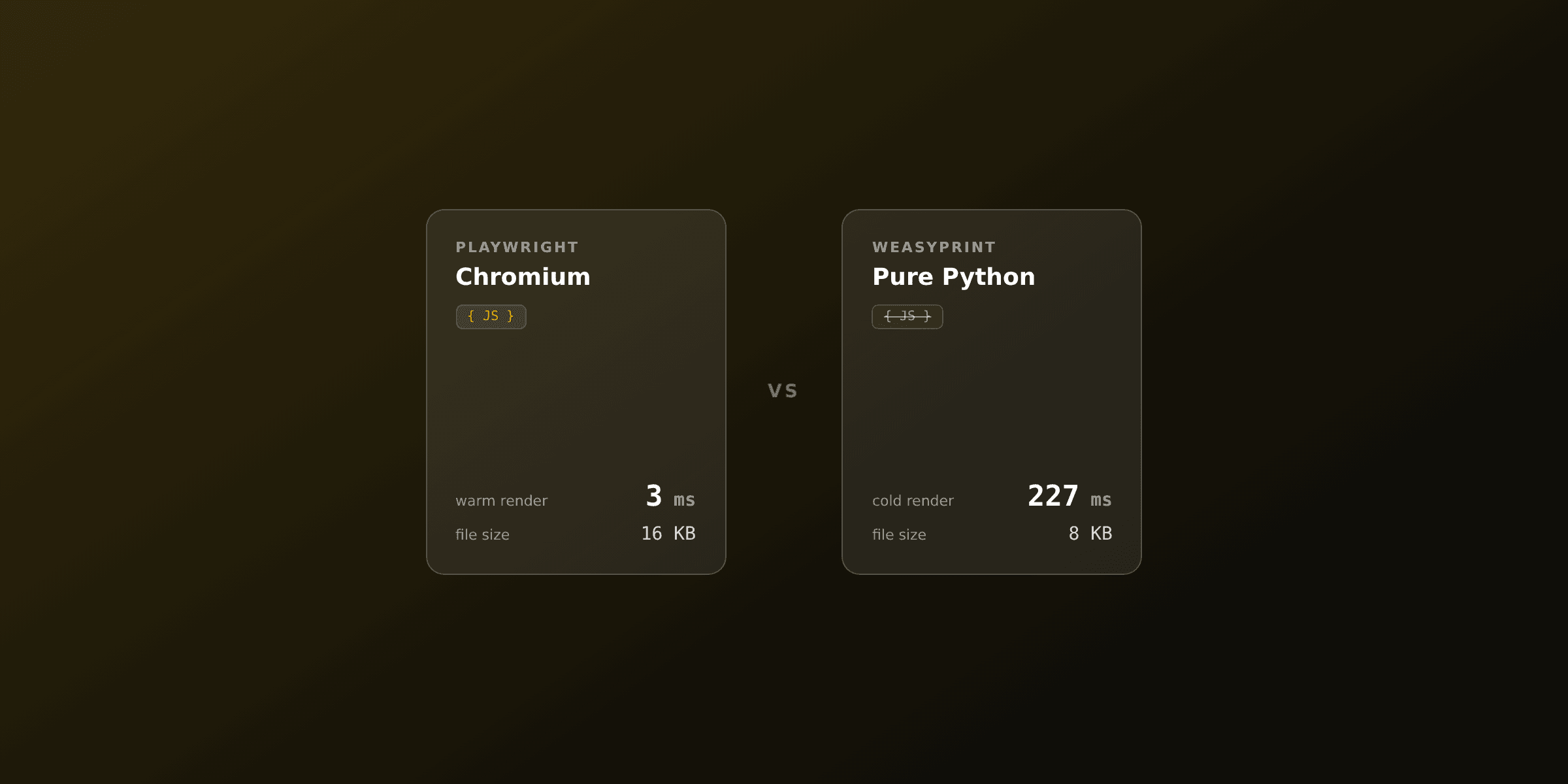
For FastAPI, the right answer for most APIs is: render a Jinja2 template to an HTML string, then convert it with WeasyPrint, a pure-Python library that needs no browser. Because WeasyPrint is synchronous, run it in a threadpool so it never blocks the event loop. Reach for async Playwright only when you need JavaScript or charts, and call a PDF API when you do not want a renderer in your image at all.
This guide shows each FastAPI approach honestly, with complete async endpoint code, and a comparison table so you can pick fast.
Which PDF approach should you pick for FastAPI?
The table below compares the realistic options for generating PDFs in a FastAPI service. The common pattern is the same across all of them: render a template to an HTML string first, then hand that string to a converter. What changes in FastAPI is concurrency, because every request shares one event loop.
| Approach | Type | Async-friendly | JavaScript / charts | System deps | Best for |
|---|---|---|---|---|---|
| WeasyPrint | Pure-Python library | Via threadpool | No | Pango, Cairo | Most FastAPI APIs, invoices, reports |
| Playwright (async) | Headless Chromium | Native async | Yes | Chromium binary (~300MB) | JS-driven pages, complex CSS, charts |
| xhtml2pdf | Pure-Python library | Via threadpool | No | None | Simple docs, locked-down environments |
| wkhtmltopdf wrappers | wkhtmltopdf binary | Subprocess | Partial | wkhtmltopdf binary | Legacy only, avoid for new projects |
| PDF API (PDF4.dev) | Managed HTTP API | Native async (httpx) | Yes (hosted Chromium) | None | Production, serverless, small images |
Note: wkhtmltopdf wrappers depend on the wkhtmltopdf binary, whose upstream archived the repository and stopped active development in 2023. Its bundled WebKit engine no longer receives security or rendering fixes. Do not start a new FastAPI project on it.
How do you return a PDF from a FastAPI endpoint?
A FastAPI endpoint returns a PDF by wrapping the PDF bytes in a Response (or StreamingResponse) with media_type="application/pdf" and a Content-Disposition header. The header decides whether the browser shows the file inline or downloads it.
This shape is identical no matter which renderer produces the bytes:
from fastapi import FastAPI
from fastapi.responses import Response

app = FastAPI()


@app.get("/invoice.pdf")
def invoice_pdf():
    pdf_bytes = build_pdf_somehow()  # WeasyPrint, Playwright, or an API

    headers = {"Content-Disposition": 'inline; filename="invoice.pdf"'}
    return Response(content=pdf_bytes, media_type="application/pdf", headers=headers)
Everything else in this article is about how to produce pdf_bytes. The two-step idea stays constant: render the template to HTML, then convert HTML to PDF. Use attachment; filename="..." in the header instead of inline when you want the browser to download the file rather than display it.
How do you turn a Jinja2 template into HTML in FastAPI?
FastAPI has no built-in loader for rendering a template to a string, so use Jinja2 directly. Create an Environment with a FileSystemLoader, load the template by name, and call render(context) to get a complete HTML string that you pass to your converter.
Create a normal template file, for example templates/invoice.html. Jinja2 tags such as {% for item in items %} and {{ invoice_number }} work as usual. Keep the CSS inside a <style> block, because pure-Python converters do not fetch external stylesheets over the network the way a browser does.
from jinja2 import Environment, FileSystemLoader, select_autoescape

env = Environment(
    loader=FileSystemLoader("templates"),
    autoescape=select_autoescape(["html"]),
)


def render_invoice_html(context: dict) -> str:
    template = env.get_template("invoice.html")
    return template.render(**context)
The template itself is plain HTML with Jinja2 placeholders:
<!DOCTYPE html>
<html>
<head>
  <meta charset="utf-8" />
  <style>
    @page { size: A4; margin: 20mm 15mm; }
    body { font-family: "Helvetica", Arial, sans-serif; color: #333; }
    h1 { color: #111; font-size: 22px; }
    table { width: 100%; border-collapse: collapse; margin-top: 16px; }
    th, td { padding: 8px 10px; border-bottom: 1px solid #eee; text-align: left; }
    .total { font-weight: bold; font-size: 16px; }
  </style>
</head>
<body>
  <h1>Invoice {{ invoice_number }}</h1>
  <p>Client: {{ client_name }}</p>
  <table>
    <thead>
      <tr><th>Description</th><th>Qty</th><th>Unit price</th><th>Subtotal</th></tr>
    </thead>
    <tbody>
      {% for item in items %}
      <tr>
        <td>{{ item.description }}</td>
        <td>{{ item.qty }}</td>
        <td>${{ "%.2f"|format(item.unit_price) }}</td>
        <td>${{ "%.2f"|format(item.subtotal) }}</td>
      </tr>
      {% endfor %}
    </tbody>
    <tfoot>
      <tr class="total"><td colspan="3">Total</td><td>${{ "%.2f"|format(total) }}</td></tr>
    </tfoot>
  </table>
</body>
</html>
How do you generate a PDF in FastAPI with WeasyPrint?
WeasyPrint is a pure-Python library that converts HTML and CSS to PDF using the Pango text layout engine and the Cairo graphics library. It reads the HTML string from Jinja2 directly, supports CSS 2.1 plus most common CSS3, and needs no browser. See the official WeasyPrint documentation for the full CSS support matrix.
Install WeasyPrint
pip install weasyprintWeasyPrint needs the Pango and Cairo system libraries at runtime.
# Debian / Ubuntu
apt-get install libpango-1.0-0 libpangocairo-1.0-0 libcairo2 libgdk-pixbuf2.0-0

# macOS
brew install pango
Run WeasyPrint without blocking the event loop
WeasyPrint is synchronous and CPU-bound. If you call it directly inside an async def endpoint, it blocks FastAPI's single event loop and stalls every other in-flight request until the render finishes. There are two correct patterns.
The simplest is to define the endpoint with a plain def. FastAPI runs def endpoints in an external threadpool automatically, so the event loop stays free:
from fastapi import FastAPI
from fastapi.responses import Response
from weasyprint import HTML

app = FastAPI()


@app.get("/invoices/{invoice_id}.pdf")
def invoice_pdf(invoice_id: str):
    context = {
        "invoice_number": invoice_id,
        "client_name": "Acme Corp",
        "items": [
            {"description": "Consulting", "qty": 10, "unit_price": 150.0, "subtotal": 1500.0},
            {"description": "Setup fee", "qty": 1, "unit_price": 200.0, "subtotal": 200.0},
        ],
        "total": 1700.0,
    }

    html_string = render_invoice_html(context)
    pdf_bytes = HTML(string=html_string).write_pdf()

    headers = {"Content-Disposition": f'inline; filename="invoice-{invoice_id}.pdf"'}
    return Response(content=pdf_bytes, media_type="application/pdf", headers=headers)
When the rest of your endpoint must stay async (for example, it awaits a database driver first), keep async def and push the blocking render into the threadpool yourself with run_in_threadpool:
from fastapi import FastAPI
from fastapi.responses import Response
from starlette.concurrency import run_in_threadpool
from weasyprint import HTML

app = FastAPI()


@app.get("/invoices/{invoice_id}.pdf")
async def invoice_pdf(invoice_id: str):
    context = await load_invoice_context(invoice_id)  # your async DB call
    html_string = render_invoice_html(context)

    # Blocking render runs in a worker thread, event loop stays responsive
    pdf_bytes = await run_in_threadpool(lambda: HTML(string=html_string).write_pdf())

    headers = {"Content-Disposition": f'inline; filename="invoice-{invoice_id}.pdf"'}
    return Response(content=pdf_bytes, media_type="application/pdf", headers=headers)
The run_in_threadpool helper comes from Starlette, which FastAPI is built on. It is the same mechanism FastAPI uses for def endpoints, exposed so you can call it from inside async def.
WeasyPrint trade-offs in FastAPI
WeasyPrint has no JavaScript engine, partial CSS Grid, and depends on Pango and Cairo, which you must install in every image (Docker, CI, the host). For moderate volume, hundreds of PDFs per day, a threadpooled WeasyPrint endpoint is usually fine. Past that, the threadpool has a finite size, so a burst of concurrent renders queues up. At that point move rendering to a background worker or offload it. The engine-level comparison lives in Playwright vs WeasyPrint.
When should you use Playwright in FastAPI instead?
Use Playwright when your document needs a real browser: JavaScript-rendered content, client-side charts, or CSS features WeasyPrint does not cover (full Grid, modern Flexbox edge cases, web fonts loaded over the network). Playwright drives a headless Chromium, so rendering matches what you see in a browser, and its async API fits FastAPI's event loop natively.
The cost is operational. Chromium adds roughly 300MB to your image, every deploy target needs the browser binary plus its system libraries, and launching a browser per request is slow, so you must keep one warm.
pip install playwright
playwright install chromium
Keep a single Chromium instance alive for the app lifetime with a lifespan handler, then reuse it across requests. Launching a browser on every request would add a large fixed latency to each PDF.
from contextlib import asynccontextmanager

from fastapi import FastAPI, Request
from fastapi.responses import Response
from playwright.async_api import async_playwright


@asynccontextmanager
async def lifespan(app: FastAPI):
    playwright = await async_playwright().start()
    app.state.browser = await playwright.chromium.launch()
    yield
    await app.state.browser.close()
    await playwright.stop()


app = FastAPI(lifespan=lifespan)


@app.get("/invoices/{invoice_id}.pdf")
async def invoice_pdf_playwright(invoice_id: str, request: Request):
    context = {"invoice_number": invoice_id, "client_name": "Acme Corp"}
    html_string = render_invoice_html(context)

    page = await request.app.state.browser.new_page()
    try:
        await page.set_content(html_string, wait_until="networkidle")
        pdf_bytes = await page.pdf(
            format="A4",
            margin={"top": "20mm", "bottom": "20mm", "left": "15mm", "right": "15mm"},
            print_background=True,
        )
    finally:
        await page.close()

    headers = {"Content-Disposition": f'inline; filename="invoice-{invoice_id}.pdf"'}
    return Response(content=pdf_bytes, media_type="application/pdf", headers=headers)
A single browser with a new page per request is the baseline. Under heavy concurrency, cap how many pages open at once with a semaphore, or push rendering into a background worker so Chromium never sits in your web process. The Python details are covered in our Python HTML-to-PDF guide.
How do you call a PDF API from FastAPI with httpx?
Call a PDF API when you do not want any renderer in your image. You POST your HTML and data over HTTP, the provider runs Chromium on its side, and you get PDF bytes back. Your FastAPI image stays small, with no Pango, no Cairo, and no Chromium to install or keep warm. Because the call is network I/O, it fits async def perfectly with httpx, the async HTTP client.
PDF4.dev is an HTML-to-PDF REST API that fits this pattern. You still render the Jinja2 template to HTML the same way, then send the string to the /api/v1/render endpoint with an Authorization: Bearer header.
import os

import httpx
from fastapi import FastAPI
from fastapi.responses import Response

app = FastAPI()
PDF4_API_KEY = os.environ["PDF4_API_KEY"]


@app.get("/invoices/{invoice_id}.pdf")
async def invoice_pdf_api(invoice_id: str):
    context = {
        "invoice_number": invoice_id,
        "client_name": "Acme Corp",
        "total": "$1,700.00",
    }
    html_string = render_invoice_html(context)

    async with httpx.AsyncClient(timeout=30) as client:
        resp = await client.post(
            "https://pdf4.dev/api/v1/render",
            headers={"Authorization": f"Bearer {PDF4_API_KEY}"},
            json={"html": html_string},
        )
    resp.raise_for_status()

    headers = {"Content-Disposition": f'inline; filename="invoice-{invoice_id}.pdf"'}
    return Response(content=resp.content, media_type="application/pdf", headers=headers)
Keep the API key out of source control and read it from an environment variable, as shown with os.environ. While one request awaits the API response, the event loop serves other requests, so a single FastAPI worker handles many concurrent PDF calls without a threadpool.
Render in FastAPI vs send only data
You have two clean options when calling the API. Render the whole document with Jinja2 first and send finished HTML (shown above), or keep a stored template in PDF4.dev and send only the data. Jinja2 interpolation uses {{ variable }}; PDF4.dev templates use Handlebars {{variable}} with built-in helpers for dates, numbers, and currency.
import httpx

html_string = render_invoice_html(context)

async with httpx.AsyncClient(timeout=30) as client:
    resp = await client.post(
        "https://pdf4.dev/api/v1/render",
        headers={"Authorization": f"Bearer {PDF4_API_KEY}"},
        json={"html": html_string},
    )
pdf_bytes = resp.content
The stored-template path lets non-developers edit the design in a dashboard while your FastAPI endpoint only sends data. Both calls return the same application/pdf bytes you wrap in a Response.
How do you avoid blocking and timeouts during PDF generation in FastAPI?
Move slow renders off the request path. FastAPI runs on a single event loop per worker, so a long synchronous render in the wrong place stalls everything. Three patterns help, depending on how heavy the work is.
| Pattern | What it does | When to use |
|---|---|---|
| Threadpool render | Run WeasyPrint in a worker thread, event loop stays free | Single documents, moderate volume |
| Background task | Return a job id, render in a BackgroundTask or Celery, notify the user | Large or batched documents |
| PDF API | Provider renders; your worker only awaits a fast HTTP call | Keep images light, high concurrency |
For a report a user requests once, a threadpooled WeasyPrint endpoint is fine. For bulk invoice runs or pages with charts, render in a BackgroundTask or a Celery worker and let the client poll, or call an API so the event loop stays responsive. If you only need a quick check of how a template converts, drop the HTML into our HTML to PDF converterTry it free before wiring up code.
Page size, margins, and fonts in FastAPI PDFs
All three renderers support A4, Letter, and custom sizes. With pure-Python libraries you set the page in CSS; with the API you pass a format object.
| Setting | WeasyPrint / xhtml2pdf (CSS) | PDF4.dev (format) |
|---|---|---|
| A4 portrait | @page { size: A4; } | preset "a4" |
| A4 landscape | @page { size: A4 landscape; } | preset "a4-landscape" |
| Letter | @page { size: letter; } | preset "letter" |
| Custom margins | @page { margin: 20mm 15mm; } | margins in the format object |
For custom fonts in WeasyPrint, declare @font-face in your template CSS and make sure the URLs resolve, passing a base_url to HTML() when the files are local. A browser-based renderer such as Playwright or the PDF4.dev API can also pull web fonts over the network, since a real Chromium loads them the same way a page would.
Summary: the pragmatic FastAPI choice
For most FastAPI APIs, render a Jinja2 template to HTML and convert with WeasyPrint, run in a threadpool so it never blocks the event loop. It is pure Python, needs no browser, and returns bytes you wrap in a Response. It is the lowest-friction path for invoices, receipts, and reports.
Switch to async Playwright when a document genuinely needs a browser (JavaScript, charts, full CSS), keep one Chromium warm with a lifespan handler, and accept the operational weight of the binary. Skip xhtml2pdf unless you cannot install system libraries, and avoid wkhtmltopdf wrappers entirely on new projects.
When you would rather not host or warm a renderer at all, call a PDF API: render the template, await an httpx POST, return the bytes. Your image stays small and concurrency comes free from the event loop.
Test a template fast with the HTML to PDF tool, read the broader Python PDF generation guide, or compare the same options for the other major Python framework in PDF generation in Django. When you are ready for production, sign up at PDF4.dev for saved templates, Handlebars variables, and a visual editor.
Free tools mentioned:
Frequently asked questions
- What is the best way to generate a PDF in FastAPI?
- Render a Jinja2 template to an HTML string, then convert it to PDF. For most APIs, WeasyPrint is the best fit because it is pure Python and needs no browser. Because WeasyPrint is synchronous, run it in a threadpool so it does not block the FastAPI event loop. When you need JavaScript or charts, use async Playwright. To avoid hosting a renderer at all, call a PDF API like PDF4.dev with httpx.
- How do I return a PDF from a FastAPI endpoint?
- Wrap the PDF bytes in a Response or StreamingResponse with media_type="application/pdf" and a Content-Disposition header. Use inline to show the file in the browser or attachment; filename=... to force a download.
- Does WeasyPrint block the FastAPI event loop?
- Yes, if you call it directly in an async endpoint. WeasyPrint is synchronous and CPU-bound, so a direct call blocks the single event loop and stalls every other request. Run it in a worker thread with run_in_threadpool, or define the endpoint with a normal def so FastAPI runs it in its threadpool automatically.
- Should I use sync def or async def for a PDF endpoint in FastAPI?
- Use async def when the work is itself async, such as calling a PDF API with httpx or driving async Playwright. Use a plain def for synchronous libraries like WeasyPrint, because FastAPI runs def endpoints in a threadpool and keeps the event loop free. Never call a blocking renderer directly inside an async def.
- How do I use async Playwright in FastAPI?
- Install Playwright, then use async_playwright in an async endpoint with await on launch, set_content, and pdf. Launching a browser per request is slow, so keep one Chromium instance warm for the app lifetime with a lifespan handler and reuse it across requests.
- How do I template HTML for a PDF in FastAPI?
- FastAPI has no built-in template loader for strings, so use Jinja2 directly. Create an Environment, load a template, and call render(context) to get an HTML string. Keep CSS inside a style block, because pure-Python converters do not fetch external stylesheets over the network.
- How do I let users download the generated PDF?
- Set the Content-Disposition header to attachment; filename="report.pdf" on the Response. With inline the browser displays the PDF in a tab; with attachment it downloads. The media_type stays application/pdf either way.
- Can FastAPI generate PDFs on serverless platforms?
- Pure-Python WeasyPrint can run on serverless if you bundle the Pango and Cairo system libraries, which is awkward. Playwright needs a ~300MB Chromium binary that rarely fits in a serverless package. The simplest serverless path is to call a hosted PDF API over HTTP so no renderer ships in your function.
- How do I avoid timeouts on large PDF generation in FastAPI?
- Move slow renders off the request. Return a job id immediately and render in a FastAPI BackgroundTask or a Celery worker, then let the client poll or receive a webhook. For synchronous calls, cap render time and offload heavy documents to a background task or a PDF API.
- Is WeasyPrint or Playwright faster in FastAPI?
- WeasyPrint is faster to start because there is no browser to launch, and it fits an async API well once you run it in a threadpool. Playwright renders a wider range of CSS and JavaScript but pays a browser startup cost unless you keep one warm. For text-heavy documents WeasyPrint wins on latency; for JS and charts Playwright is the better tool.
Start generating PDFs
Build PDF templates with a visual editor. Render them via API from any language in ~300ms.