Puppeteer 25.0.0, released on 12 May 2026, is the first major in years that changes how your code loads the library rather than how it drives the browser. Every package moved to ESM only, the minimum Node.js version rose to 22.12, and executablePath() and defaultArgs() became asynchronous. If your HTML to PDF service is a CommonJS TypeScript build running on a node:20 base image, all three land at once.
This guide is the migration path: what breaks, the exact diffs for package.json, tsconfig.json and your Dockerfile, the awaits you have to add, and the cases where staying on Puppeteer 24 or moving off Puppeteer entirely is the better call.
What changed in Puppeteer 25
Puppeteer 25.0.0 shipped seven breaking changes. Four of them affect a typical PDF rendering service, and the remaining three only matter if you touch cookies, mouse input, or multi-value response headers. The table below maps each change to the edit it forces in your repository.
| Change in 25.0.0 | What you must change |
|---|---|
| All packages moved to ESM only | Add "type": "module" to package.json, or load Puppeteer with await import() |
| Minimum Node.js is 22.12.0 | Move the runtime and the Docker base image off Node 20 |
| Minimum TypeScript is 5.0.1 | Upgrade TypeScript if you are still on 4.x |
executablePath() returns a Promise | Add await at every call site |
defaultArgs() returns a Promise | Add await, and make the enclosing function async |
Browser.isConnected() removed | Replace with the browser.connected getter (no parentheses) |
MouseOptions.clickCount removed | Replace with count on MouseClickOptions |
Cookie sameParty attribute removed | Drop the field from cookie objects you set or assert on |
| Newline-separated headers normalised | Expect comma-separated values when reading multi-value headers |
Two more facts worth pinning down. Puppeteer 25.0.0 bundled Chrome 148.0.7778.167. The current release, 25.11.0 from 13 September 2026, bundles Chrome 153.0.8010.36. A migration is therefore also a five-major Chromium jump, which matters for rendering fidelity more than any API change on this list.
The first error you will see is ERR_REQUIRE_ESM
A CommonJS build on Node 20 fails at load time, before any browser launches. Node cannot synchronously require() a package that ships only ES modules on that runtime, so the process dies on the first import with ERR_REQUIRE_ESM and a message naming Puppeteer's entry file.
The error looks like this:
Error [ERR_REQUIRE_ESM]: require() of ES Module
/app/node_modules/puppeteer/lib/puppeteer/puppeteer.js from /app/dist/render.js
not supported.
Instead change the require of puppeteer.js in /app/dist/render.js to a dynamic
import() which is available in all CommonJS modules.
    at Object.<anonymous> (/app/dist/render.js:6:20)
There is a subtlety that makes this failure inconsistent across environments, and it catches teams out. Node made require() of an ES module stable and unflagged in 20.19 and 22.12, so on a recent runtime a CommonJS require("puppeteer") can actually resolve. Puppeteer's published exports map even points the require condition at the same ESM file as import. That is why the same build can work locally on Node 22.14 and explode in a container pinned to Node 20.11.
Do not treat that as a migration strategy, for two reasons:
require()of an ES module throwsERR_REQUIRE_ASYNC_MODULEthe moment any module in the graph uses top-level await. Puppeteer's dependency tree is free to add one in a minor release.- Jest substitutes its own CommonJS loader, which does not implement
require()of ES modules (jestjs/jest#15716). Your service can boot in production and your test suite still fail to import the module it renders with.
The sound fix is to make the package that touches Puppeteer an ES module.
The package.json and tsconfig diff for ESM
Converting a CommonJS TypeScript service to ESM is three fields. Set "type": "module" in package.json, switch the TypeScript module target to nodenext, and fix the relative import specifiers, which now need file extensions.
 {
   "name": "pdf-renderer",
+  "type": "module",
   "engines": {
-    "node": ">=20"
+    "node": ">=22.12.0"
   },
   "dependencies": {
-    "puppeteer": "^24.43.1"
+    "puppeteer": "^25.11.0"
   },
   "devDependencies": {
-    "typescript": "^4.9.5"
+    "typescript": "^5.9.0"
   }
 }
{
"compilerOptions": {
- "module": "commonjs",
- "moduleResolution": "node",
- "target": "ES2022",
+ "module": "nodenext",
+ "moduleResolution": "nodenext",
+ "target": "ES2023",
"outDir": "dist",
"esModuleInterop": true,
"strict": true
}
}Then the code itself. Relative imports need the compiled .js extension even in TypeScript source, and the two CommonJS globals do not exist in an ES module:
-const puppeteer = require("puppeteer");
-const { buildHtml } = require("./templates");
+import puppeteer from "puppeteer";
+import { buildHtml } from "./templates.js";

-const fontDir = path.join(__dirname, "fonts");
+const fontDir = path.join(import.meta.dirname, "fonts");
import.meta.dirname is available from Node 20.11 onwards, so it is safe on any runtime that satisfies Puppeteer 25's engines field. If you need the file path rather than the directory, use import.meta.filename.
If converting the whole package is too large a change right now, there is a narrower escape hatch: keep the package CommonJS and load Puppeteer lazily.
// Works from a CommonJS module, on any Node version with dynamic import.
let browserPromise: Promise<import("puppeteer").Browser> | null = null;

async function getBrowser() {
  if (!browserPromise) {
    const { default: puppeteer } = await import("puppeteer");
    browserPromise = puppeteer.launch({ headless: true });
  }
  return browserPromise;
}
This compiles under module: commonjs only if you stop TypeScript from downlevelling the dynamic import into a require. Set "module": "node16" or newer, or keep commonjs and add the importHelpers workaround your build already uses. Treat it as a stopgap: the cached promise adds a concurrency footgun, and your test runner still has to cope with an async import.
The Dockerfile diff for Node 22
The base image change is one line, but two adjacent things usually need attention at the same time: the Chromium download cache path and the system libraries the newer Chrome build links against. Bumping only the FROM line is what produces the "works in CI, blank page in production" class of bug.
-FROM node:20-bookworm-slim
+FROM node:22-bookworm-slim

 WORKDIR /app

 # Chrome is downloaded into this cache by puppeteer's install script.
 ENV PUPPETEER_CACHE_DIR=/app/.cache/puppeteer

 RUN apt-get update && apt-get install -y --no-install-recommends \
       ca-certificates fonts-liberation libasound2 libatk-bridge2.0-0 \
       libatk1.0-0 libcups2 libdrm2 libgbm1 libnspr4 libnss3 libpango-1.0-0 \
       libxcomposite1 libxdamage1 libxfixes3 libxkbcommon0 libxrandr2 \
     && rm -rf /var/lib/apt/lists/*

 COPY package*.json ./
 RUN npm ci

 COPY . .
 RUN npm run build

-CMD ["node", "dist/server.js"]
+CMD ["node", "dist/server.js"]
Three checks after the bump:
node:22-bookworm-slimcurrently ships Node 22.x above 22.12, but pin explicitly (node:22.20-bookworm-slim) if your registry mirror can serve an older tag. Node 22.11 fails Puppeteer's engines check.npm cion Node 20 against a Puppeteer 25 lockfile emitsEBADENGINEand, depending on yourengine-strictsetting, either warns or fails. A warning here is the last signal before a runtime crash, so do not silence it.- Run
npx puppeteer browsers install chromeexplicitly in the image if you setPUPPETEER_SKIP_DOWNLOAD. The browsers CLI moved to@puppeteer/browsers3.0.0 in this release.
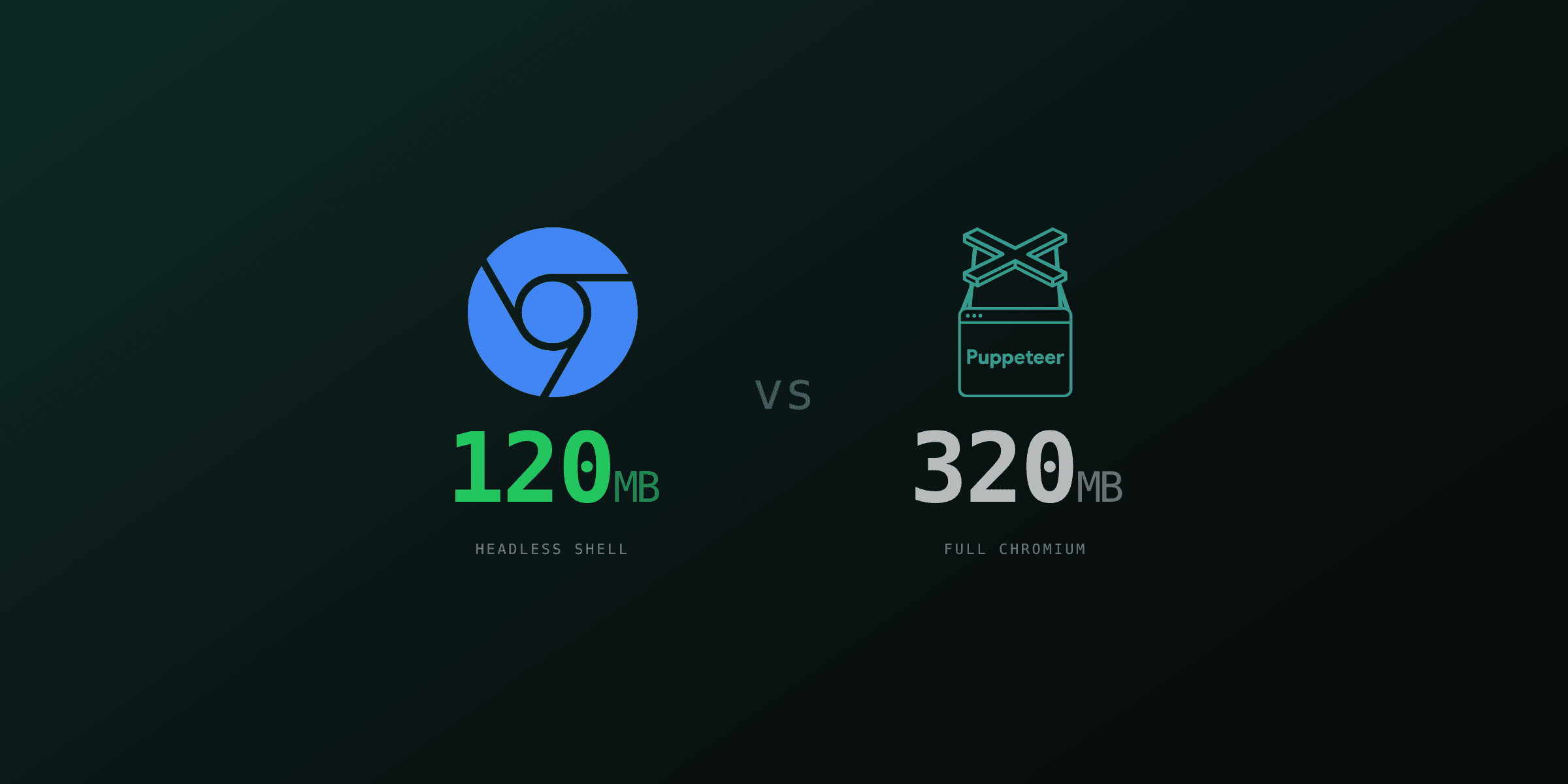
If your image only renders PDFs and never runs a full test suite, chrome-headless-shell is a smaller download than the full Chrome build and covers page.pdf(). That tradeoff is unchanged by Puppeteer 25.
Adding await to executablePath() and defaultArgs()
Both functions returned a plain value through Puppeteer 24 and return a Promise in 25. The migration is mechanical, but the failure mode is not a type error at runtime, so untyped or loosely typed call sites slip through review and fail in production.
-const chromePath = puppeteer.executablePath();
+const chromePath = await puppeteer.executablePath();

-const args = puppeteer.defaultArgs({ headless: true });
+const args = await puppeteer.defaultArgs({ headless: true });
A realistic launch helper, where both calls sit inside a function that was previously synchronous:
import puppeteer from "puppeteer";

export async function launchForPdf() {
  const executablePath = await puppeteer.executablePath();
  const args = await puppeteer.defaultArgs({ headless: true });

  return puppeteer.launch({
    executablePath,
    args: [...args, "--font-render-hinting=none"],
    headless: true,
  });
}
What happens if you forget the await depends on the call site. Passed to launch({ executablePath }), a Promise object is coerced to the string [object Promise] and the spawn fails with ENOENT. Spread into an args array, a Promise yields an empty spread, so Chrome launches with your custom flags silently missing, and the first symptom is a PDF that renders slightly differently rather than an error. TypeScript 5 catches both, which is one practical reason to do the TypeScript upgrade before the Puppeteer upgrade rather than after.
The same async signature applies to the equivalents on PuppeteerNode and to computeExecutablePath in @puppeteer/browsers 3.0.0, so health checks and warm-up scripts that probe the Chrome path need the same treatment.
Replacing the removed APIs
Three removals are trivial to fix and easy to find with a grep. The Browser.isConnected() method is gone, replaced by the connected getter that has existed alongside it for several majors. The clickCount field moved and was renamed.
-if (browser.isConnected()) {
+if (browser.connected) {
   await browser.close();
 }

-await page.mouse.click(x, y, { clickCount: 2 });
+await page.mouse.click(x, y, { count: 2 });
The header normalisation is the one that can change behaviour without any code edit. Response headers that previously arrived newline-separated for multi-value fields, Set-Cookie being the common case, are now comma-separated. Any code that does headers["set-cookie"].split("\n") reads as a single value after the upgrade. A PDF renderer that authenticates a template URL before capturing it is the usual place this bites.
Cookie objects lose the sameParty attribute. If you serialise cookies to a fixture and assert on them in tests, the snapshot changes.
When staying on Puppeteer 24 is the right call
Staying on the 24 line is defensible when three things are true at once: your service is CommonJS with a build chain that cannot move to ESM this quarter, a separate dependency pins you to Node 20, and the HTML you render comes exclusively from your own templates rather than from user input.
That is a holding position with a clock on it. Node 20 reached end of life on 30 April 2026, so the runtime itself no longer gets security patches. Puppeteer 24 pins an older Chrome, and Chromium ships high-severity fixes on a near-continuous cadence. A renderer that accepts untrusted HTML and runs an unpatched Chromium behind an unpatched Node is the worst version of this setup.
If you take the holding position, pin exactly ("puppeteer": "24.43.1", not ^24), write down the date you intend to revisit, and isolate the renderer in its own container so the rest of your stack can move to Node 22 independently.
When to move to Playwright or a managed API instead
A forced major migration is the cheapest moment to reconsider the dependency, because you are already opening every call site. Two alternatives are worth a real comparison at that point.
Playwright is the closer swap. page.pdf() accepts effectively the same options because both libraries drive the same Chrome DevTools Protocol print command, so template output is comparable. Playwright ships its own browser download manager and a maintained Docker base image, which removes the system-library archaeology from the Dockerfile diff above. We run Playwright for PDF4.dev's own rendering for exactly that operational reason. The tradeoff is that Playwright's install pulls more browser binaries by default unless you restrict it to Chromium, and the migration is a real rewrite of launch and context code, not a find-and-replace. Our Playwright vs Puppeteer comparison covers the API-level differences.
A managed rendering API removes the browser from your deployment entirely. The case for it is strongest when the Chromium dependency is the main operational cost you carry: a container image in the 700 MB to 1 GB range, a browser process that has to be pooled and restarted, a Chromium CVE stream to track, and a Node major bump that arrives on someone else's schedule. If your PDF rendering is a small part of a larger service, an HTTP call with a template id and a JSON payload replaces all of it. If PDF rendering is your core product surface and you need per-render control over browser flags, keeping the browser in-house is the right answer and Puppeteer 25 or Playwright are both reasonable homes for it.
You can test how your existing templates render outside your own pipeline with the free Html To PdfTry it free tool before committing either way.
Migration checklist
Run these in order. Each step is independently deployable, which is what keeps the rollback small.
- Upgrade TypeScript to 5.0.1 or newer and fix the type errors it surfaces on the old Puppeteer. Do this first so the Puppeteer type changes are visible at compile time.
- Move the runtime to Node 22.12 or newer in CI, then in the Dockerfile. Deploy and confirm the existing Puppeteer 24 pipeline still renders correctly.
- Convert the renderer package to ESM:
"type": "module",module: nodenext, extensions on relative imports,import.meta.dirnamefor the two CommonJS globals. - Bump Puppeteer to 25.x and add
awaitto everyexecutablePath()anddefaultArgs()call. - Grep for
isConnected(,clickCount, andsameParty, and replace them. - Check any code that splits multi-value response headers on newlines.
- Render a sample of real production documents on both versions and diff the output. The Chrome 148 to 153 jump is the change most likely to move pixels, and it is the one no changelog entry will warn you about.
Step 7 is the one teams skip. A major Chromium bump can shift font fallback, layout rounding, and paged-media break behaviour, and none of that appears in Puppeteer's breaking-change list because it is not Puppeteer's code. Keep a small corpus of real invoices, reports and certificates, render them before and after, and compare page counts first, then rasterised page images. Page count drift is the cheap signal that something in the print layout moved.
Free tools mentioned:
Start generating PDFs
Build PDF templates with a visual editor. Render them via API from any language in ~300ms.