Chrome 132 finished a multi-year cleanup that started with Chrome 112. The old headless implementation, the one most PDF generation pipelines were quietly using for years, no longer ships inside the main Chrome binary. If you launch Chrome with --headless today, you get the unified browser code path. If you want the lean, headless-only build, you now download a separate binary called chrome-headless-shell.
Quarto migrated in version 1.9 in April 2026. The team replaced the Puppeteer-bundled Chromium with chrome-headless-shell and called out three reasons: smaller download, missing system libraries in minimal Docker images, and no official ARM64 Linux builds from Puppeteer. That story is now driving a wave of "should we switch too?" decisions on backend teams running Chromium for PDF rendering.
This article answers that question for one specific workload: PDF generation. The answer is more nuanced than "smaller is better."
What changed in headless Chrome
Three things, in order, over four years.
Chrome 112 introduced unified headless mode. Before Chrome 112, Chromium shipped two browsers in one repo. The main Chrome binary used the full browser code path, and a separate "headless" mode was a lighter, alternate implementation built on top of Chromium's //content module. The two ran different rendering pipelines, had different bug surfaces, and produced subtly different PDFs in edge cases. In Chrome 112, the team unified them. Chrome's blog described the change like this: "In Chrome 112, we updated Headless mode so that Chrome creates, but doesn't display, any platform windows." Same code, same rendering, just no on-screen windows.
Chrome 120 spun the old implementation out as a separate binary. Rather than throw away the lean code path, Google packaged it under the Chrome for Testing infrastructure as chrome-headless-shell. It is a headless-only build. No UI, no platform window code, no extensions, fewer system dependencies. It runs on platforms where full Chrome is awkward, including ARM64 Linux servers and minimal Docker images.
Chrome 132.0.6793.0 removed the old headless implementation from the main Chrome binary. The Chromium docs are explicit: "Since Chrome 132.0.6793.0 the old Headless mode is only available as a standalone binary named chrome-headless-shell." If your production stack still passes --headless=old, that flag is now a no-op in current Chrome. To get the old implementation, you have to download chrome-headless-shell explicitly.
For PDF generation, this matters because most teams running Chromium have never thought about which headless implementation they were using. Puppeteer used the old one by default for a long time, then flipped to the new one in Puppeteer 22. Playwright bundles its own pinned Chromium and runs unified headless. The choice was always made for you. Now there are two binaries, two code paths, and two sets of tradeoffs to think about.
Full Chromium vs chrome-headless-shell for PDF generation
The tradeoff is rendering authenticity against operational footprint. Full Chromium is the same browser users run on their laptops. chrome-headless-shell is a stripped-down derivative that has been optimized for automation. For PDF generation, "authenticity" usually means CSS print parity, font handling, and the long tail of layout edge cases that only show up under specific HTML patterns.
Here is the comparison most teams actually need:
| Dimension | Full Chromium (headless) | chrome-headless-shell |
|---|---|---|
| Binary type | Same code as headful Chrome | Standalone headless-only build |
| Platform code | Includes UI, windowing, extensions | Stripped, no UI layer |
| ARM64 Linux | Available via Chrome for Testing | Available via Chrome for Testing |
| System deps | Larger set (X11, fonts, audio, GPU) | Substantially fewer |
| Default in Puppeteer 22+ | Yes (headless: true) | Opt-in (headless: 'shell') |
| Default in Playwright 1.40+ | Yes (bundled Chromium) | Not exposed as a named channel |
| Recommended for testing | Yes (browser parity) | Acceptable but second-class |
| Recommended for scraping | Either, scraping pipelines often prefer the lean shell | Yes |
| Recommended for PDF | Yes, the safer default for production rendering | Acceptable for clean templates after diffing output |
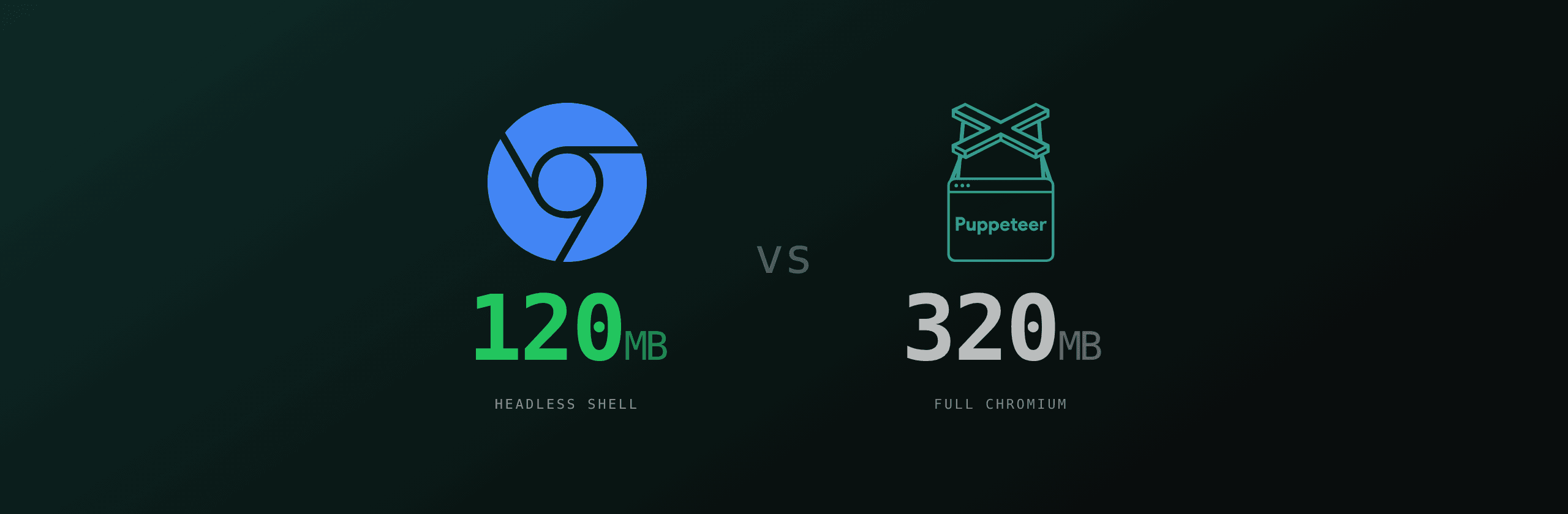
Two things on the size question. Chrome's blog describes chrome-headless-shell as having "substantially fewer dependencies" than full Chromium. The Quarto migration post calls full Chromium "significantly larger than what Quarto actually needs for headless rendering." Neither source publishes a precise byte count, and the number swings with platform, version, and what extras get bundled (Lambda layers in particular vary wildly). The honest answer is that the headless shell is meaningfully smaller, but the exact ratio depends on how you build it.
The deeper question for PDF generation is: are the two binaries pixel-identical when you call page.pdf()?
Probably yes for clean HTML. Almost certainly not for every print CSS feature, every custom font config, every complex layout. The unified headless mode shares code with headful Chrome, so its rendering matches what users see. The headless shell descends from a separate implementation that was maintained alongside, not as, the main Chrome rendering pipeline. Even after years of convergence, edge cases exist. PDF generation tends to live in the edge cases: forced page breaks, repeated table headers, @page rules, font fallback chains, embedded SVG, OpenType features.
Before swapping chrome-headless-shell into a production PDF pipeline, render every active template against both binaries and diff the output. Pixel-level diff (or page-by-page text extraction) is the only reliable signal. Self-reported "looks the same" is not. The bugs that matter for invoices, contracts, and receipts are exactly the ones that take a careful eye to spot.
The Quarto migration story
Quarto, the open-source scientific publishing system from Posit, moved from Puppeteer-bundled Chromium to chrome-headless-shell in version 1.9, released April 14, 2026. The migration post explains the motivation in three short bullets.
First, container compatibility. The Quarto team wrote: "The Puppeteer Chromium binary requires system libraries that aren't always present in minimal Docker images or WSL environments." Anyone who has tried to run Puppeteer in an Alpine or distroless container knows this pain. You install the package, you launch the browser, you get a vague error about a missing shared library, and you end up bolting on a list of libnss3, libatk-1.0, libcups2, libxss1, libgbm1, and a dozen more.
Second, ARM64 support. Puppeteer historically did not distribute Chromium builds for ARM64 Linux. That left users on Graviton, Ampere, and Raspberry Pi servers without a clean install path. Chrome for Testing publishes ARM64 builds for chrome-headless-shell directly, with no third-party fork required.
Third, download size. The full Chromium bundle is "significantly larger than what Quarto actually needs for headless rendering." Quarto does not run extensions, does not need a UI layer, and does not interact with the page beyond rendering. The lean shell fits the workload.
Quarto 1.9 ships a new install path: quarto install chrome-headless-shell. Quarto 1.10 will make the old quarto install chromium command transparently redirect to the new one, so existing scripts continue to work.
Three notes on what Quarto did and did not say. They cited no rendering regressions in the post. They did not publish PDF diff results. And they framed the change as a developer-experience improvement, not a rendering correctness improvement. Read it as: "for our workload of clean HTML output, the lean shell is fine, and the operational benefits are large."
When to migrate
Migrate when one or more of these is a real constraint, and your templates are simple enough that rendering parity is plausible.
You ship Docker images and image size is a budget. Smaller base, fewer system packages, faster cold pulls in CI. If you build per-tenant images or you deploy on-edge with image-size limits, the lean shell is a meaningful win.
You run on ARM64 Linux. Graviton on AWS, Ampere on OCI, Raspberry Pi clusters, M1/M2 dev machines. Puppeteer's lack of an official ARM64 build has always been an annoyance. chrome-headless-shell from Chrome for Testing publishes ARM64 binaries as a first-class platform.
You build Lambda layers. Lambda has a 250 MB unzipped layer limit. Every megabyte saved is a megabyte of room for fonts, helpers, or a second runtime. The lean shell helps, though you still need to handle Lambda's read-only filesystem and /tmp-only writable paths the way you would with full Chromium.
Your PDFs are simple. Clean HTML, system fonts or a small set of webfonts, basic CSS, no exotic page break logic. Receipts, single-page invoices, plain reports. The kind of output where bugs are obvious if they appear.
You already do output-diffing. Snapshot tests on PDF output, visual regression on rendered pages, page-text extraction in CI. If you have the safety net, you can adopt the lean shell with confidence.
When NOT to migrate
Stay on full Chromium when any of these is true.
You depend on advanced print CSS. @page rules with named pages, break-before, break-inside: avoid, running headers, page counters, OpenType features, complex @font-face setups with font-display. The longer your print stylesheet, the more risk in swapping rendering engines.
Your PDFs contain custom fonts loaded over the network. Font loading timing has been a perennial source of headless-mode bugs. The unified headless path in full Chromium has more eyes on it than the lean shell.
You produce regulatory or contractual documents. Invoices that cross tax jurisdictions, signed contracts, certificates with legal weight. The cost of a one-pixel regression here is not the same as a missed thumbnail. Stay with the binary your output is already validated against.
You generate complex multi-page layouts. Pivoted tables, embedded charts, side-by-side columns, watermark overlays, bleed marks for print. Anything where layout is non-trivial.
You have not built PDF diff testing yet. This is the hard one. Without snapshot tests, you cannot prove that swapping the binary did not break a template. Migrating into a vacuum is not safe. Build the snapshot harness first, then decide.
You use Playwright. Playwright does not expose chrome-headless-shell as a named channel today. The supported channels are chromium, chrome, chrome-beta, chrome-dev, chrome-canary, msedge, and the Edge variants. To use the lean shell you have to bypass the channel system and pass executablePath, which the Playwright docs explicitly warn against because Playwright pins and tests against a specific Chromium revision.
How to migrate
The mechanics depend on your runtime.
# Install chrome-headless-shell alongside Puppeteer's bundled Chromium
npx puppeteer browsers install chrome-headless-shell
import puppeteer from "puppeteer";
// Default: full Chromium in unified headless mode
const browser = await puppeteer.launch({ headless: true });
// Switch to the lean shell
const shellBrowser = await puppeteer.launch({ headless: "shell" });
const page = await shellBrowser.newPage();
await page.setContent(html, { waitUntil: "load" });
const pdf = await page.pdf({ format: "A4" });
await shellBrowser.close();A few practical notes from the field.
The Puppeteer install command writes the binary into ~/.cache/puppeteer by default. In Docker you almost always want to override that with a fixed path so the image layer is reproducible. Set PUPPETEER_CACHE_DIR or use cacheDirectory in .puppeteerrc.cjs.
For Lambda, the standalone binary works in principle, but Lambda's read-only filesystem rules still apply. Bake the binary into the layer at build time and pass executablePath explicitly, do not let Puppeteer try to download at runtime.
For Playwright, do not fight the channel system unless you have a specific reason. Playwright's value proposition is that the bundled Chromium is the version the framework is tested against. Swapping in chrome-headless-shell silently turns off that contract.
What we run, and what would change our mind
PDF4.dev runs Playwright 1.58 with bundled Chromium. We render PDFs with page.pdf() after page.setContent(html, { waitUntil: "load" }), with a singleton browser instance reused across requests. The full Chromium binary, headless mode, no exotic flags. That is the default, and we have not migrated.
Three reasons we have stayed.
Rendering parity is the product. When a customer sends an invoice template they have already validated against Chrome on their laptop, we want the bytes on the server to match. The unified headless mode gives us that contract. The lean shell does not, at least not at the regression-tested depth we want.
Playwright does not natively support it. We would have to manage the binary ourselves, override executablePath, and accept that Playwright cannot guarantee the integration. That is a meaningful operational burden for a marginal image-size win on Railway, where our images are already healthy.
Our edge cases are the wrong ones. We see complex print CSS, repeating table headers via <thead> restructuring, custom Google Fonts, multi-page layouts. These are the workloads where rendering differences are most likely to show.
What would change our mind. If we deployed serverless layers with hard size budgets, ARM64 became a first-class target, or Playwright added chrome-headless-shell as a supported channel with the same testing rigor as chromium, we would re-evaluate. Until then, the bundled Chromium is the right default for a PDF generation service that gets called by other people's templates.
If you are building one for yourself, with templates you control, the calculus is different. Quarto's migration is the right shape of decision: single team, well-known templates, ARM64 and Docker pain, a clear upgrade path. The lean shell is a real tool now, not a curiosity. Just diff your output before you ship.
Sources
- Quarto's Migration to Chrome Headless Shell, April 14, 2026
- chrome-headless-shell overview, Chrome developer blog
- Headless Chrome documentation, Chrome for Developers
- Chrome for Testing availability, Google Chrome Labs
- Playwright BrowserType API, Playwright docs
- Puppeteer launch options, Puppeteer API reference
Want PDF generation without managing any of this? Html To PdfTry it free renders HTML to PDF in your browser, free, no install.
Free tools mentioned:
Frequently asked questions
- What is chrome-headless-shell?
- chrome-headless-shell is a standalone, headless-only binary distributed by the Chrome for Testing infrastructure. It contains the original headless implementation that was removed from the main Chrome browser in Chrome 132. It has fewer system dependencies than full Chromium and ships official ARM64 Linux builds.
- Did Puppeteer change its default to chrome-headless-shell?
- No. Puppeteer keeps full Chromium as the default. Setting `headless: true` launches the new unified headless mode using full Chromium. Passing `headless: 'shell'` launches the lean chrome-headless-shell binary instead. You opt in explicitly.
- Should I switch to chrome-headless-shell for PDF generation?
- Switch when image size and ARM64 support matter more than rendering parity, your templates are clean HTML and CSS, and you have a way to diff PDF output against the full Chromium baseline. Stay on full Chromium when you depend on subtle print CSS, custom fonts, complex layouts, or any feature you have not regression-tested under the lean shell.
- Does Playwright support chrome-headless-shell?
- Not as a named channel. Playwright channels include `chromium`, `chrome`, `chrome-beta`, `msedge` and similar, but not `chrome-headless-shell`. To use it under Playwright you have to point `executablePath` at a manually downloaded binary, which the Playwright docs explicitly caution against because the bundled Chromium is the version Playwright is tested with.
- What changed in Chrome 132?
- Starting in Chrome 132.0.6793.0, the old headless implementation was removed from the Chrome browser binary. The main Chrome binary now only ships unified headless mode, which shares code with headful Chrome. The old implementation lives on only as the standalone `chrome-headless-shell` binary, available since Chrome 120.
- Is chrome-headless-shell smaller than Chromium?
- Yes. The headless shell is built without the UI layer, the extension subsystem, and several platform integrations the headful browser needs. Chrome's own description calls it "purpose-built for headless automation" with "substantially fewer dependencies." Quarto cited download size and missing system libraries in minimal Docker images as their main reasons for migrating in version 1.9.
- Will my existing Puppeteer or Playwright code break?
- No. Both libraries still default to full Chromium in headless mode. The only thing Chrome 132 removed is the `--headless=old` flag inside the main Chrome binary. If you rely on that flag, you have to either move to `--headless=new` (now just `--headless`) or download the standalone `chrome-headless-shell` binary and point your code at it.
Start generating PDFs
Build PDF templates with a visual editor. Render them via API from any language in ~300ms.