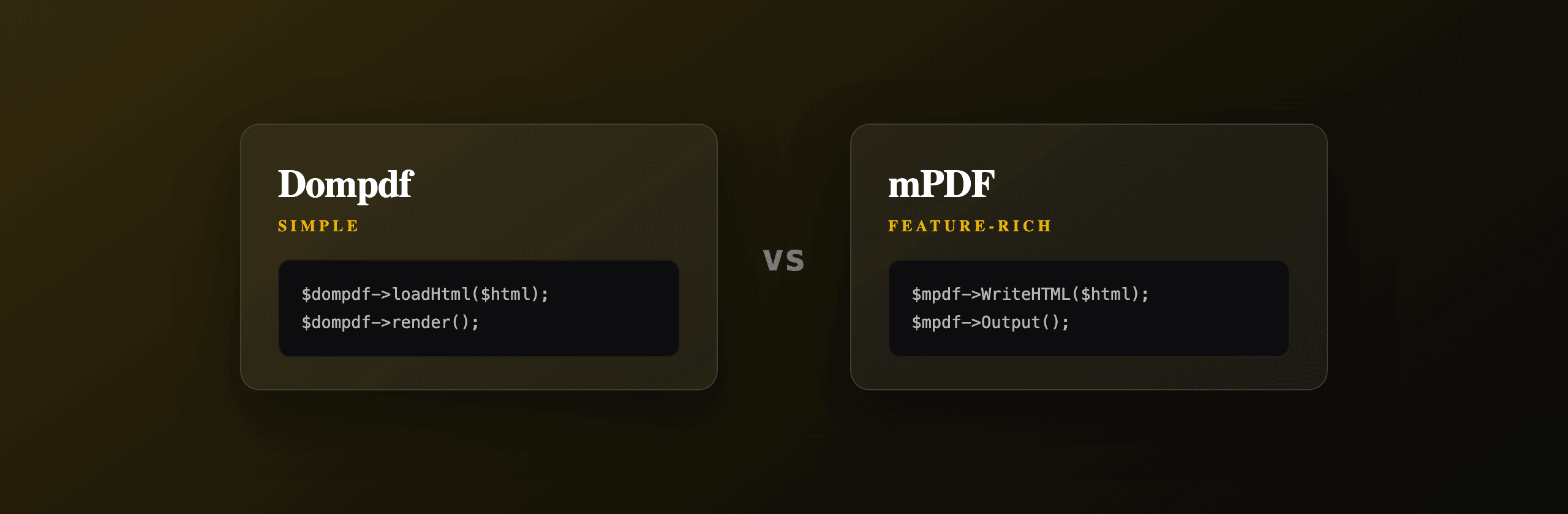
Dompdf and mPDF both convert HTML to PDF in pure PHP with no browser and no system binary, so the choice comes down to document complexity: pick mPDF for richer documents (complex tables, repeating headers and footers, page numbers, RTL and Unicode text) and Dompdf for simple ones (plain invoices, receipts, short letters) where its lighter footprint and faster render win. Neither runs JavaScript or matches a real browser's CSS engine. When you need browser-accurate layout, a headless Chromium renderer or a hosted API like PDF4.dev is the better fit.
This guide compares the two on CSS support, fonts and Unicode, tables, headers and footers, speed and memory, then shows the same invoice rendered in both.
Dompdf vs mPDF at a glance
Both libraries install via Composer, parse your HTML, and draw the PDF with their own PHP layout engine. The table below summarizes where each one is stronger. Use it to shortlist before reading the per-library sections.
| Capability | Dompdf | mPDF |
|---|---|---|
| CSS support | CSS 2.1 plus some CSS3 | Wider CSS 2.1 plus more CSS3 |
| Flexbox / CSS grid | No | No |
| JavaScript | No | No |
| Unicode fonts | Manual TTF registration | Built-in, broad coverage |
| RTL scripts (Arabic, Hebrew) | No auto shaping | Built-in |
| Complex tables | Weaker, breaks on wide tables | Stronger, column control |
| Repeating headers / footers | Manual via CSS, limited | Built-in API |
| Page numbers | {PAGE_NUM} placeholder | Built-in tokens |
| Typical speed (simple doc) | Faster | Slower |
| Typical memory use | Lower | Higher |
| Composer package | dompdf/dompdf | mpdf/mpdf |
| License | LGPL 2.1 | GPL 2.0 |
The two columns that decide most projects are CSS support and document features. If your document is a one-page invoice with basic CSS, Dompdf is the smaller dependency. If it spans many pages with repeating chrome and multilingual text, mPDF carries that out of the box.
What is Dompdf and when should you use it?
Dompdf is a pure-PHP library that renders HTML and CSS 2.1 (plus a few CSS3 features) to PDF. Use it for short, simple documents: invoices, receipts, confirmation letters, single-page reports with basic styling. It has no external dependencies beyond PHP and a few Composer packages, which keeps installs small and predictable.
Dompdf parses your markup, builds a frame tree, applies CSS, and paints to PDF using its bundled font and rendering code. There is no browser involved, so output is deterministic across servers but limited to what its engine implements.
Install and render in a few lines:
<?php
require 'vendor/autoload.php';

use Dompdf\Dompdf;
use Dompdf\Options;

$options = new Options();
$options->set('isRemoteEnabled', true); // allow remote images and CSS
$options->set('defaultFont', 'DejaVu Sans');

$dompdf = new Dompdf($options);
$dompdf->loadHtml('<h1>Hello from Dompdf</h1><p>Pure PHP, no browser.</p>');
$dompdf->setPaper('A4', 'portrait');
$dompdf->render();

file_put_contents('output.pdf', $dompdf->output());
Honest caveats: Dompdf does not support flexbox or CSS grid, struggles with wide or nested tables (columns can overflow the page), and needs you to register a TTF font and set defaultFont for any non-Latin text. Remote images and stylesheets are blocked unless you set isRemoteEnabled, and loading them adds latency. For page numbers it offers the {PAGE_NUM} and {PAGE_COUNT} placeholders inside positioned elements, which works but is fiddly compared to a dedicated header API.
Dompdf ships the DejaVu font family, which covers Latin, Greek, Cyrillic and basic symbols. For other scripts you register your own TTF with the font installer before rendering.
What is mPDF and when should you use it?
mPDF is a pure-PHP library built for Unicode and complex page layout. Use it when documents need repeating headers and footers, page numbers, watermarks, complex multi-column tables, or non-Latin and right-to-left text (Arabic, Hebrew, Thai, CJK). It implements a wider slice of CSS than Dompdf and exposes a direct API for page furniture.
mPDF descends from the older FPDF lineage but rewrote layout around Unicode from the start. That heritage is why it handles bidirectional text and font subsetting that Dompdf leaves to you.
A minimal render with a repeating header and footer:
<?php
require 'vendor/autoload.php';

$mpdf = new \Mpdf\Mpdf([
    'format' => 'A4',
    'margin_top' => 30,
    'margin_bottom' => 25,
]);

$mpdf->SetHTMLHeader('<div style="text-align:right;font-size:9pt;">Acme Corp</div>');
$mpdf->SetHTMLFooter('<div style="text-align:center;font-size:9pt;">Page {PAGENO} of {nbpg}</div>');

$mpdf->WriteHTML('<h1>Hello from mPDF</h1><p>Unicode and headers built in.</p>');
$mpdf->Output('output.pdf', \Mpdf\Output\Destination::FILE);
The SetHTMLHeader and SetHTMLFooter calls repeat that content on every page, and {PAGENO} and {nbpg} resolve to the current page and total page count without extra positioning tricks. That alone is the reason many teams move from Dompdf to mPDF once a document grows past one page.
Honest caveats: mPDF is heavier. It loads more font and layout code, so it uses more memory and is slower per page. It still does not support flexbox, CSS grid, or JavaScript. Very large documents can hit PHP's memory_limit, so you often raise it or render in chunks.
mPDF is licensed under GPL 2.0. If you ship a closed-source commercial product, review the license obligations before bundling it. Dompdf uses the more permissive LGPL 2.1.
How do Dompdf and mPDF handle CSS differently?
mPDF supports more CSS than Dompdf, but neither implements a modern layout engine. Both target CSS 2.1 with selective CSS3 additions. Both lack flexbox, CSS grid, CSS variables in many cases, and any JavaScript-driven styling. The practical gap shows up in tables, multi-column text, and advanced positioning.
Dompdf handles basic block and inline layout, floats, and simple tables well. It falters on wide tables (cells overflow rather than wrap the layout to the page), nested tables, and absolute positioning across page breaks. mPDF handles column widths, colspan, row repetition across page breaks (<thead> repeats automatically), and per-page CSS via named page selectors.
| CSS feature | Dompdf | mPDF |
|---|---|---|
| Floats | Yes | Yes |
position: absolute | Partial | Partial |
| Wide tables wrapping pages | Breaks often | Handled |
<thead> repeat on page break | Limited | Automatic |
@page named pages | No | Yes |
Web fonts via @font-face | Local TTF only | Local TTF, broad |
| Flexbox / grid | No | No |
For either library, the safe approach is to write conservative HTML: table-based layout, inline or embedded CSS, absolute units (mm, pt), and locally available fonts. If you have already authored your document with flexbox, grid, or web fonts loaded over HTTP, you will spend more time fighting the engine than rendering.
You can sanity-check how plain HTML and CSS map to a page with the free Html To PdfTry it free, which renders with a real browser engine and shows what modern CSS support looks like by comparison.
The same invoice in Dompdf and mPDF
Here is the same invoice document rendered by each library so you can see the API shape side by side. The HTML uses table-based layout and inline styles, the lowest-common-denominator that both engines handle predictably.
<?php
require 'vendor/autoload.php';

use Dompdf\Dompdf;

$html = '
<style>
  body { font-family: "DejaVu Sans"; font-size: 11pt; color: #111827; }
  h1 { font-size: 20pt; margin: 0 0 4px; }
  table { width: 100%; border-collapse: collapse; margin-top: 16px; }
  th, td { border: 1px solid #e5e7eb; padding: 8px; text-align: left; }
  .total { text-align: right; font-weight: bold; margin-top: 12px; }
</style>
<h1>Invoice INV-001</h1>
<div>Acme Corp, 30 July 2026</div>
<table>
  <thead><tr><th>Item</th><th>Qty</th><th>Price</th></tr></thead>
  <tbody>
    <tr><td>Design work</td><td>10</td><td>$1,000</td></tr>
    <tr><td>Hosting</td><td>1</td><td>$200</td></tr>
  </tbody>
</table>
<div class="total">Total: $1,200</div>
';

$dompdf = new Dompdf();
$dompdf->loadHtml($html);
$dompdf->setPaper('A4', 'portrait');
$dompdf->render();
file_put_contents('invoice-dompdf.pdf', $dompdf->output());
For a one-page invoice like this, the output is nearly identical and Dompdf renders it with less memory. The difference appears when the table grows past one page: mPDF repeats the <thead> row automatically and keeps the footer page number, while Dompdf needs manual work for both.
How do Dompdf and mPDF compare on speed and memory?
Dompdf is generally faster and lighter on small documents, while mPDF uses more time and memory because it does more layout work per page. There are no universal numbers (results depend on document size, font count, and your hardware), but the direction is consistent: simple PDF, choose Dompdf for speed; complex multi-page PDF, mPDF's extra cost buys you features you would otherwise hand-roll.
Three practical performance notes:
- Font subsetting is the main cost. mPDF subsets embedded fonts so the PDF only carries the glyphs it uses. That work is what makes Unicode documents portable, and it is also why the first render of a new font set is slower. Dompdf does less here, which is faster but produces larger files when many glyphs are embedded.
- Memory scales with page count. Large mPDF documents (hundreds of pages) can exceed PHP's default
memory_limitof 128 MB. Raise it (ini_set('memory_limit', '512M')) or split the job into batches. - Both are CPU-bound and synchronous. Neither uses a browser process, so they run inside your PHP request. For high-volume rendering, move the work to a queue (Laravel jobs, a worker process) so a slow PDF does not block a web request.
Benchmark with your own documents, not generic samples. A receipt and a 200-page catalogue have completely different profiles. Render your three most common document types and measure wall-clock time and peak memory (memory_get_peak_usage(true)) before committing to one library.
When does a browser engine beat both libraries?
A real browser engine wins whenever the document depends on modern CSS, web fonts, or JavaScript that Dompdf and mPDF cannot run. If your design uses flexbox or CSS grid for layout, loads fonts from Google Fonts over HTTP, draws charts with a client-side library, or simply needs to look exactly like it does in Chrome, a headless Chromium renderer produces output the PHP libraries cannot.
The trade-off is infrastructure. Running headless Chromium yourself means installing the browser, managing memory and zombie processes, fighting cold starts on serverless, and keeping the binary patched. That is real operational work on top of your PHP app.
PDF4.dev is the hosted version of that browser approach: you send HTML and data over a REST call, it renders with server-side Playwright (Chromium) and returns the PDF, with no browser to install and no serverless cold start to manage. Handlebars {{variables}} are supported so you can keep one template and feed it data per request.
curl -X POST https://pdf4.dev/api/v1/render \
  -H "Authorization: Bearer p4_live_xxx" \
  -H "Content-Type: application/json" \
  -d '{
    "html": "<h1>Invoice {{number}}</h1><p>Total: {{total}}</p>",
    "data": { "number": "INV-001", "total": "$1,200" },
    "delivery": "url"
  }'
This is the same engine that powers Chrome's print-to-PDF, so flexbox, grid, web fonts, and JavaScript-rendered content all work. It is one option alongside the self-hosted PHP libraries, not a replacement for every case: a plain Latin-only invoice is perfectly served by Dompdf.
Which option should you choose?
Match the library to the document, not the other way around. The PHP libraries win when you want zero external dependencies and your CSS is conservative; the browser approach wins when fidelity to modern CSS matters more than keeping everything in-process.
| Your scenario | Best fit |
|---|---|
| One-page invoices, receipts, Latin text, simple CSS | Dompdf |
| Multi-page reports with repeating headers, footers, page numbers | mPDF |
| Arabic, Hebrew, Thai, or CJK text and RTL layout | mPDF |
| Complex multi-column tables that span pages | mPDF |
| Closed-source commercial product, license matters | Dompdf (LGPL) |
| Design uses flexbox, CSS grid, or web fonts over HTTP | Browser engine / PDF4.dev |
| Document includes JavaScript charts or dynamic content | Browser engine / PDF4.dev |
| Must look pixel-identical to Chrome, no infrastructure to run | PDF4.dev |
Concrete recommendations:
- Start with Dompdf if your documents are simple and you want the smallest dependency with a permissive license. You can always upgrade later.
- Choose mPDF the moment you need repeating page chrome, page numbers, watermarks, or non-Latin and RTL text. It does that work for you instead of making you hand-build it.
- Skip both and use a Chromium engine (self-hosted) or PDF4.dev (hosted) when the document relies on modern CSS, web fonts loaded at render time, or JavaScript. Neither PHP library will match a browser there, and fighting their engines costs more than switching approach.
Whichever you pick, write conservative HTML, embed your fonts locally for the PHP libraries, and benchmark with your real documents before you commit. For deeper PHP-specific walkthroughs, see generating PDFs from HTML in PHP, PDF generation in Laravel, and PDF generation in Symfony.
Free tools mentioned:
Frequently asked questions
- Is mPDF better than Dompdf?
- mPDF supports more CSS, handles complex tables, page headers and footers, RTL scripts and Unicode fonts better than Dompdf. Dompdf is simpler and lighter, so it wins for plain invoices and short documents where you do not need those features.
- Which is faster, Dompdf or mPDF?
- Dompdf is usually faster and uses less memory on small, simple documents. mPDF does more work per page (advanced layout, font subsetting, headers and footers), so it tends to be slower and heavier on large or complex files.
- Do Dompdf and mPDF need a browser or system binary?
- No. Both are pure-PHP libraries installed via Composer. They render HTML and CSS with their own PHP engines, so there is no Chromium, wkhtmltopdf or other external binary to install.
- Can Dompdf or mPDF run JavaScript?
- No. Neither library executes JavaScript. Charts drawn with Chart.js, content injected by client-side scripts, or any DOM mutation after page load will not appear. You must render to static HTML and CSS before generating the PDF.
- Does Dompdf support flexbox and CSS grid?
- No. Dompdf targets CSS 2.1 with a few CSS3 additions and does not support flexbox or CSS grid. mPDF also lacks full flexbox and grid support. For modern layout engines you need a real browser like headless Chromium.
- Which library handles non-Latin and RTL text better?
- mPDF. It was originally built for Unicode and right-to-left scripts, with built-in support for Arabic, Hebrew, Thai and CJK fonts. Dompdf can render Unicode if you register the right TTF font, but it has no automatic RTL shaping.
- Should I use Dompdf or mPDF with Laravel?
- Both have Laravel wrappers (barryvdh/laravel-dompdf and the mccarlosen/laravel-mpdf style packages). Pick Dompdf for simple invoices and receipts, mPDF when documents need repeating headers, footers, page numbers or multilingual text.
- When should I not use either library?
- When the document depends on modern CSS (flexbox, grid), web fonts loaded over HTTP, JavaScript-rendered content, or pixel-accurate browser layout. In those cases a headless Chromium engine or a hosted API like PDF4.dev produces output that matches what you see in the browser.
Start generating PDFs
Build PDF templates with a visual editor. Render them via API from any language in ~300ms.