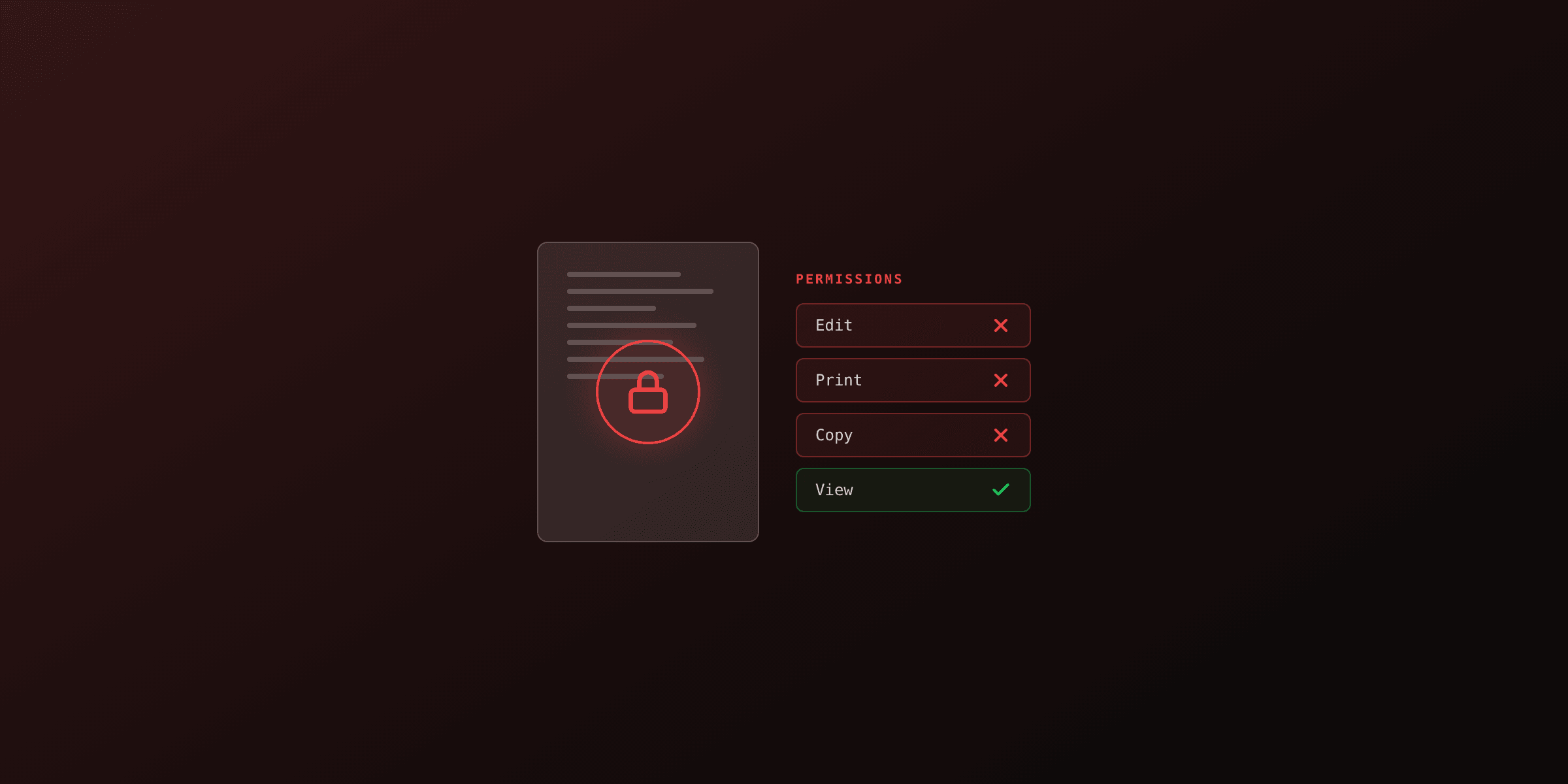
A watermark cannot technically prevent someone from copying a PDF. It can, however, make copying expensive: expensive to remove without trace, expensive to share without getting caught, and expensive to defend in court. That is the actual purpose of a security watermark. It shifts the threat model from "stop the leak" (impossible) to "make the leaker identifiable" (very possible, with the right design).
This guide covers watermarks as an intellectual property protection tool, not as decoration. Per-recipient personalization, tile patterns that resist cropping, the legal angle that makes watermarks evidence in court, and a comparison with DRM and password protection.
What can a watermark actually protect against?
A watermark protects against three things and fails at one. It deters casual copying by making the document obviously branded. It identifies the source if a leak happens. It creates legal standing if you need to prove the file came from your system. It does not stop a determined attacker from removing it given enough time and the right tools.
The threat model matters. If your concern is "a customer accidentally forwarded a draft contract to the wrong person," a CONFIDENTIAL stamp solves it. If your concern is "an analyst leaked our pre-release earnings report to a hedge fund," you need a per-recipient watermark, a tile pattern, and a legal notice on page one. The two are not the same problem.
| Threat | Watermark effective? | Better tool |
|---|---|---|
| Accidental forwarding | Yes (deterrent) | Same |
| Insider leak (named recipient) | Yes (forensic trace) | Same plus access logs |
| Screen capture and re-share | Partial (watermark visible in screenshot) | Same |
| Mass copy by anyone with the file | No | DRM, encrypted access portal |
| OCR scraping of text content | No | Render text as images |
| Editing the document content | No | Password-protect, signed PDF |
Watermarking is a compliance and forensics tool, not access control. Combine it with password protection if you need both.
What is a per-recipient watermark and why is it the strongest deterrent?
A per-recipient watermark embeds the recipient's identity directly in the document: name, email, employee ID, a server-generated tracking token, plus a timestamp. When the file is shared outside its intended audience, the watermark identifies the exact person who shared it. This is sometimes called a forensic watermark or a personalized watermark.
The deterrent effect is dramatic. A generic CONFIDENTIAL stamp can be ignored because nobody is named. A document with Sarah Chen | sarah@acme.com | 2026-04-28 14:32 UTC | acme-9f3a2c tiled across every page is psychologically much harder to forward, because the leaker knows their name is on every copy.
import { PDFDocument, StandardFonts, degrees, rgb } from "pdf-lib";
import { readFileSync, writeFileSync } from "fs";

interface Recipient {
  id: string;
  name: string;
  email: string;
}

async function watermarkForRecipient(
  inputPath: string,
  outputPath: string,
  recipient: Recipient,
) {
  const doc = await PDFDocument.load(readFileSync(inputPath));
  const font = await doc.embedFont(StandardFonts.HelveticaBold);

  const timestamp = new Date().toISOString().replace("T", " ").slice(0, 19);
  const watermarkText = `${recipient.name} | ${recipient.email} | ${timestamp} UTC | ${recipient.id}`;

  for (const page of doc.getPages()) {
    const { width, height } = page.getSize();
    const fontSize = 10;
    const spacingX = 280;
    const spacingY = 120;

    for (let y = -50; y < height + 50; y += spacingY) {
      for (let x = -100; x < width + 100; x += spacingX) {
        page.drawText(watermarkText, {
          x,
          y,
          size: fontSize,
          font,
          color: rgb(0.5, 0.5, 0.5),
          opacity: 0.12,
          rotate: degrees(-30),
        });
      }
    }
  }

  writeFileSync(outputPath, await doc.save());
}

const recipients: Recipient[] = [
  { id: "rcpt_8a2f", name: "Sarah Chen", email: "sarah@acme.com" },
  { id: "rcpt_3b71", name: "Mark Patel", email: "mark@globex.com" },
  { id: "rcpt_e509", name: "Lina Roche", email: "lina@initech.com" },
];

for (const recipient of recipients) {
  await watermarkForRecipient(
    "board-report-q1.pdf",
    `out/board-report-${recipient.id}.pdf`,
    recipient,
  );
}
One source PDF, one personalized output per recipient. The key detail is the tile pattern: the watermark repeats across the entire page surface so cropping out a single instance leaves twenty more behind. A determined attacker can still strip them with dedicated tools, but they will have to destroy enough of the underlying content that the remaining pages look obviously tampered.
Generate the watermark text on the server, never let the client supply it. If a client-side script writes the recipient name into the watermark, an attacker can intercept the request and strip the name before download. Server-rendered watermarks are the only kind that survive a hostile client.
Why are tile patterns harder to remove than centered watermarks?
A single centered watermark has one weak point: the page margin. Cropping the page or covering the center with a white box removes the watermark entirely without disturbing the readable content. A tiled pattern has no weak point. Every region of the page contains at least one watermark, so removing all of them requires touching every region of the page, which destroys the content.
| Pattern | Removal cost | User experience cost | Best for |
|---|---|---|---|
| Single center, large | 30 seconds with crop tool | None (one mark, ignorable) | Light branding |
| Single corner, small | 10 seconds with crop tool | None | Branding only |
| Diagonal single, full width | 2-5 minutes with eraser tool | Very minor | Internal review docs |
| Tiled diagonal, dense | 30-60 minutes with manual cleanup | Slight (visible in margins) | Sensitive financials |
| Tiled grid, very dense | Hours, content damage likely | Moderate (visible behind text) | Pre-release IP, M&A docs |
The tradeoff is reading experience versus removal cost. A dense tile at 12% opacity is noticeable but readable; a sparse single watermark is invisible but trivially removable. Pick based on how sensitive the content is. For most security-grade use cases, a 30-degree tilted tile with 280px horizontal and 120px vertical spacing at 10-12% opacity gives the best balance.
How do you generate per-recipient watermarked PDFs at scale via API?
Run the watermark inside an HTML template using CSS, then call the PDF4.dev API once per recipient with the recipient details as Handlebars variables. The render server compiles the template, embeds the watermark with the recipient's identity baked in, and returns one PDF per call. No client-side processing, no manual loop over a folder of files.
The template structure puts the watermark in a fixed-position layer that repeats across every page via CSS positioning, then includes the recipient's data in each tile.
<!DOCTYPE html>
<html>
<head>
  <style>
    body {
      font-family: 'Helvetica Neue', Arial, sans-serif;
      font-size: 14px;
      position: relative;
    }
    .watermark-layer {
      position: fixed;
      top: 0;
      left: 0;
      width: 100%;
      height: 100%;
      pointer-events: none;
      z-index: 1000;
      overflow: hidden;
    }
    .watermark-tile {
      position: absolute;
      font-size: 10px;
      font-weight: bold;
      color: rgba(80, 80, 80, 0.12);
      transform: rotate(-30deg);
      white-space: nowrap;
    }
    .content { position: relative; z-index: 1; }
  </style>
</head>
<body>
  <div class="watermark-layer">
    {{#each watermark_tiles}}
      <div class="watermark-tile" style="top: {{this.top}}; left: {{this.left}};">
        {{../recipient.name}} | {{../recipient.email}} | {{../timestamp}} | {{../recipient.id}}
      </div>
    {{/each}}
  </div>

  <div class="content">
    <h1>Q1 2026 board report</h1>
    <p>Strictly confidential. Distribution to {{recipient.name}} only.</p>
    {{!-- ... actual report content ... --}}
  </div>
</body>
</html>
The watermark_tiles array is computed once on the server, then reused across every render. Each entry is just a top and left position. Handlebars expands the tile loop, the recipient data is interpolated into each tile, and the result is a fully personalized document.
const watermarkTiles = [];
for (let y = 0; y <= 100; y += 12) {
  for (let x = -10; x <= 100; x += 25) {
    watermarkTiles.push({ top: `${y}vh`, left: `${x}vw` });
  }
}

const recipients = [
  { id: "rcpt_8a2f", name: "Sarah Chen", email: "sarah@acme.com" },
  { id: "rcpt_3b71", name: "Mark Patel", email: "mark@globex.com" },
];

for (const recipient of recipients) {
  const response = await fetch("https://pdf4.dev/api/v1/render", {
    method: "POST",
    headers: {
      Authorization: `Bearer ${process.env.PDF4_API_KEY}`,
      "Content-Type": "application/json",
    },
    body: JSON.stringify({
      template_id: "board-report-watermarked",
      data: {
        recipient,
        timestamp: new Date().toISOString().slice(0, 19) + " UTC",
        watermark_tiles: watermarkTiles,
      },
      delivery: "url",
    }),
  });

  const { url } = await response.json();
  console.log(`Watermarked PDF for ${recipient.name}: ${url}`);
}
delivery: "url" returns a signed URL valid for 24 hours instead of a base64 payload. For board reports and other large documents, this avoids inflating the response body. Email the link directly, or store it in your distribution system.
Do PDF watermarks have legal weight in court?
Yes, in jurisdictions that recognize copyright management information (CMI). In the United States, 17 U.S.C. Section 1202 makes it a federal civil offense to intentionally remove or alter copyright management information from a work, including watermarks that identify the copyright owner or terms of use. Civil penalties range from $2,500 to $25,000 per violation. Section 1204 adds criminal penalties of up to $500,000 and 5 years imprisonment for first-offense commercial violations.
This means a per-recipient watermark plus a brief terms-of-use notice on page one creates a clean evidentiary chain. If the document leaks, the watermark proves who received it; the leak proves they distributed it; the terms of use prove they knew they were not allowed to. Courts have consistently treated visible watermarks as valid CMI under DMCA, including in cases where the watermark was the primary form of attribution.
For the legal protection to apply, the watermark should include at minimum:
- Identification of the copyright owner (your company name)
- A notice that the document is confidential or restricted
- The recipient's identity (for forensic trace)
- A timestamp (for evidence dating)
A bare CONFIDENTIAL stamp has weaker legal standing than a personalized watermark because it does not unambiguously identify a copyright owner. The personalized version closes that gap.
The legal protection only applies if the recipient is informed in advance that the document is restricted. Slap a Confidential. Do not redistribute. Recipient: {{recipient.name}} notice on page one of the report itself, not just in an email body that may not survive forwarding. Courts look for evidence the recipient knew the rules.
How does watermarking compare to DRM and password protection?
Three different tools, three different threat models. The comparison matters because they are not interchangeable: picking the wrong one wastes effort and produces a false sense of security.
| Feature | Watermark | Password protection | DRM |
|---|---|---|---|
| Prevents opening | No | Yes | Yes |
| Prevents copying text | No | Partial (permissions password) | Yes |
| Prevents printing | No | Yes (permissions password) | Yes |
| Identifies source after leak | Yes | No | Yes (with logging) |
| Survives screen capture | Yes (visible in screenshot) | No | Partial (some DRM blocks capture) |
| Works in any PDF viewer | Yes | Yes | No (DRM-aware viewer required) |
| Removable by recipient | Yes (with effort) | No (without password) | No |
| User experience cost | Low | Low | High |
| Legal evidence value | High (with personalization) | Low | Medium |
| Cost to deploy | Low | Low | High |
Watermark is the right answer when the document needs to be readable and the threat is identification, not access control. Use it for shared reports, paid research, sales materials, and any document where the recipient legitimately needs to read it but should be deterred from reshare.
Password protection is the right answer when only specific people should be able to open the file at all. Use it for contracts, financial filings, HR records. It can be combined with a permissions password to also block printing and copying within the document itself. See the password protection guide for the cryptographic details.
DRM is the right answer when you need both access control and post-distribution control: revoking access after the fact, blocking screen captures, requiring online check-in. The cost is high. DRM-protected PDFs only work in compatible viewers, break offline use, and break user trust. Reserve it for the highest-stakes content where regulatory or contractual obligations leave no choice.
For most security-grade use cases, watermark plus password protection is the right combination. The password keeps casual recipients out, and the watermark identifies the source if the password is shared. See how to prevent PDF editing for the second half of that combination.
What are the limits of watermarking?
Honest answer: anyone with enough motivation can remove a watermark. The question is how much effort it takes, and whether the watermark survives the most common removal attempts. The defenses below cover the realistic threats. None of them defeat a state-level adversary with custom tooling.
Crop attacks. Cropping the page edges removes single-corner watermarks. Counter: tile across the full page surface so cropping destroys content.
Color-key attacks. If the watermark is a single solid color over white, an attacker can use the GIMP color-key tool to remove every pixel of that color in seconds. Counter: use a near-text gray (e.g. RGB 80,80,80 at 12% opacity) so the watermark color overlaps with anti-aliased text and cannot be cleanly extracted.
OCR-and-retype attacks. An attacker OCRs the text content, retypes it into a fresh document, and ships the new file with no watermark at all. There is no defense against this. The only mitigation is making the content valuable enough that the leaker would not bother retyping a 200-page report.
Print-and-rescan attacks. Print the watermarked PDF, rescan the printed pages, and the rescanned PDF has the watermark baked into the image without the metadata trace. Counter: include the recipient's name and a timestamp in the visible watermark text itself, so the rescan still shows the identifying information.
Image-region replacement. An attacker uses Photoshop to replace each watermarked region with a clean background pulled from another page. Counter: vary the watermark text per tile (e.g. include the page number and position) so no two tiles have the same content to copy from.
The realistic threat is not a state actor, it is a contractor leaking a board report to a journalist or a competitor. For that threat, a tiled per-recipient watermark plus a terms-of-use notice is enough to (a) deter the leak (b) trace the source if it happens (c) provide legal evidence in court. Anything more is overkill until the threat model changes.
Quick reference
| Use case | Watermark style | Opacity | Pattern | Per-recipient? |
|---|---|---|---|---|
| Internal draft | DRAFT, single center | 15% | Center | No |
| Shared proposal | Company name, diagonal | 12% | Diagonal single | No |
| Paid research report | Recipient name + email | 12% | Tiled diagonal | Yes |
| Board report | Name + email + ID + timestamp | 10% | Dense tile | Yes |
| M&A deal room doc | Name + IP + session ID + timestamp | 10% | Dense tile | Yes |
| Public sample | SAMPLE, single center | 25% | Center | No |
FAQ
Can a watermark actually prevent someone from copying a PDF?
No. A watermark cannot technically prevent copying. It deters copying by making the source identifiable, and it creates legal evidence if the file is leaked. For technical access control, combine it with password protection or DRM.
What is a per-recipient watermark and why does it work?
A per-recipient watermark embeds the recipient's name, email, or a unique ID directly in the document. If the file leaks, you can trace it back to the exact person who shared it. This deters insider leaks far better than a generic CONFIDENTIAL stamp because the leaker knows their name is on every copy.
Are tiled diagonal watermarks better than a single centered one?
Yes for security. A single watermark can be cropped out by trimming the page edges. A tiled diagonal pattern covers the entire page, so removing it requires destroying the content underneath.
Do PDF watermarks have any legal weight?
Yes. In the US, watermarks qualify as copyright management information under 17 U.S.C. Section 1202. Removing one from a copyrighted document is a federal civil offense with penalties of $2,500-$25,000 per violation, and can be criminal in commercial cases.
How is watermarking different from DRM?
DRM controls access (who can open the file). Watermarking creates attribution (who is responsible if the file is shared). DRM is stronger but breaks user experience and only works in compatible viewers. Watermarks work everywhere but cannot block access.
Should I watermark every confidential document I send?
For high-value documents (M&A materials, board reports, pre-release financials, paid research), yes. For routine internal docs, the friction of generating one PDF per recipient outweighs the benefit. Use the sensitivity of the content as the trigger.
Can I add a watermark via an API?
Yes. Use the PDF4.dev API to render a Handlebars template with a CSS watermark layer that pulls the recipient name and timestamp from template variables. One template, one API call per recipient.
What opacity should I use for a security watermark?
Between 10% and 15% for tiled patterns at small font sizes (8-12px). Below 8% the watermark disappears entirely; above 20% it interferes with reading the content underneath. The smaller the font, the higher the opacity can go without becoming intrusive.
Try the watermark tool
For a one-off file, add a watermark in the browserTry it free: drag and drop, type the text, download. For automated per-recipient watermarking, the PDF4.dev API renders a Handlebars template with a CSS watermark layer that interpolates recipient details from template variables. One template, one API call per recipient, and a forensic trace embedded in every copy.
Free tools mentioned:
Frequently asked questions
- Can a watermark actually prevent someone from copying a PDF?
- No. A watermark cannot technically prevent copying. It deters copying by making the source identifiable, and it creates legal evidence if the file is leaked. For technical access control, combine it with password protection or DRM.
- What is a per-recipient watermark and why does it work?
- A per-recipient watermark embeds the recipient's name, email, or a unique ID directly in the document. If the file leaks, you can trace it back to the exact person who shared it. This deters insider leaks far better than a generic CONFIDENTIAL stamp.
- Are tiled diagonal watermarks better than a single centered one?
- Yes for security. A single watermark can be cropped out by trimming the page edges. A tiled diagonal pattern covers the entire page, so removing it requires destroying the content underneath.
- Do PDF watermarks have any legal weight?
- Yes. In the US, watermarks qualify as copyright management information under 17 U.S.C. Section 1202. Removing one from a copyrighted document is a federal civil offense with penalties of $2,500-$25,000 per violation, and can be criminal in commercial cases.
- How is watermarking different from DRM?
- DRM controls access (who can open the file). Watermarking creates attribution (who is responsible if the file is shared). DRM is stronger but breaks user experience and only works in compatible viewers. Watermarks work everywhere but cannot block access.
- Should I watermark every confidential document I send?
- For high-value documents (M&A materials, board reports, pre-release financials, paid research), yes. For routine internal docs, the friction of generating one PDF per recipient outweighs the benefit. Use the sensitivity of the content as the trigger.
- Can I add a watermark via an API?
- Yes. Use the PDF4.dev API to render a Handlebars template with a CSS watermark layer that pulls the recipient name and timestamp from template variables. One template, one API call per recipient.
Start generating PDFs
Build PDF templates with a visual editor. Render them via API from any language in ~300ms.