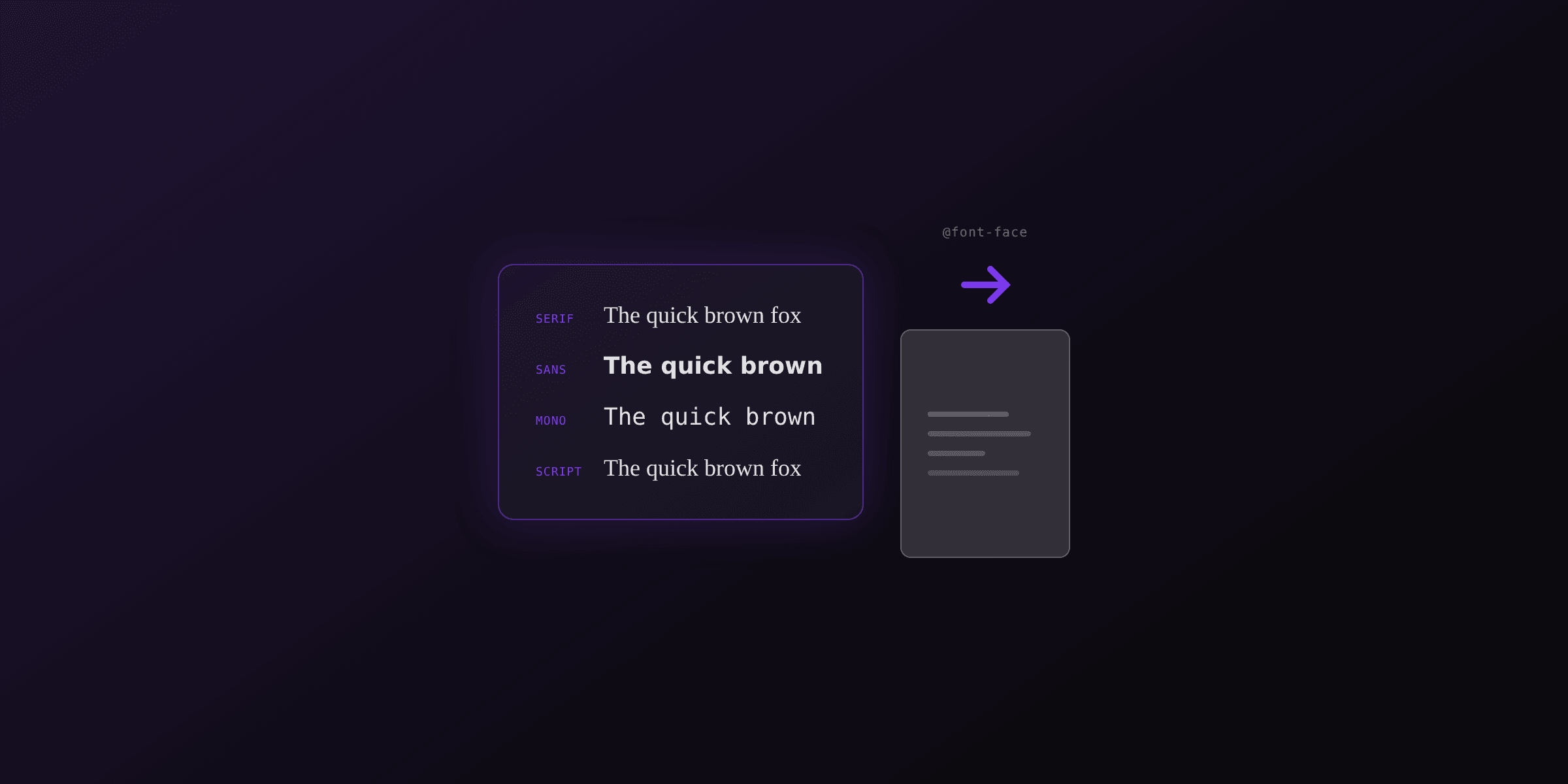
Font embedding stores the font's glyph outlines inside the PDF so it looks the same everywhere. Subsetting embeds only the glyphs the document uses. Get either wrong and you ship a PDF that either weighs 16 MB or renders in the wrong typeface on someone else's screen. This guide explains both mechanisms, why fonts go missing, and how to check what a PDF actually carries.
What is font embedding in a PDF?
Font embedding is storing the actual font program, the file of glyph outlines and metrics, inside the PDF itself. An embedded PDF renders identically on any device because it does not depend on the reader having the font installed. A PDF without an embedded font asks the viewer to find a local match, and substitutes a different font when it cannot.
The difference shows up the moment a file leaves the machine that made it. A PDF that uses a locally installed font but does not embed it looks perfect on the author's laptop and wrong on a phone, a print shop's RIP, or a colleague's PC. The viewer picks a substitute with different letter widths, so spacing shifts and line breaks move.
Embedding trades file size for fidelity. The font data lives in the document, which adds weight but removes every rendering dependency. For anything you send to other people, print, or archive, embedding is the safe default. The only fonts you can skip are the ones every viewer is guaranteed to have.
What are the standard 14 fonts every PDF viewer has?
The standard 14 fonts (also called the base 14) are the typefaces the PDF specification requires every conforming reader to provide, so they are never embedded by default. They are four styles each of Helvetica, Times, and Courier (regular, bold, italic, bold-italic), plus Symbol and ZapfDingbats. That is 12 plus 2, for 14 total.
A PDF built only from the standard 14 stays tiny because no font data ships with it. The catch is that the viewer supplies its own version of each face. Most readers substitute metric-compatible clones (Arial for Helvetica, for example) rather than the real Adobe fonts, so the rendering is close but not pixel-identical to the author's screen.
The standard 14 come from the original PostScript and PDF font model, documented in the PDF specification (ISO 32000). They cover Latin text and two symbol sets. Any accented character outside the base encoding, any non-Latin script, and any brand typeface falls outside the 14 and must be embedded.
What is font subsetting in a PDF?
Font subsetting embeds only the glyphs the document actually uses, instead of the whole font. A typeface can hold thousands of glyphs; a one-page invoice might use 70 of them. Subsetting stores just those 70 outlines plus a small character map, which is why it is the largest font-related file-size saving in most PDFs.
You can spot a subset font by its name. Subsetting renames the font with a six-letter uppercase tag and a plus sign, like ABCDEF+Inter. The tag makes each subset unique so a viewer never merges two different partial copies of the same font (say, one page that used only digits and another that used only capitals) into one broken font.
Subsetting removes editing flexibility on purpose. Because only the used glyphs are present, a downstream editor cannot type a character the original document never contained without re-embedding the font. That is an acceptable trade for delivery and print, which is why HTML-to-PDF and print pipelines subset by default.
How much file size does subsetting save?
Subsetting typically saves the most on large multi-glyph fonts, where the reduction can be from megabytes to kilobytes. The saving scales with how few of a font's glyphs a document uses, so a short document in a huge CJK font benefits the most and a glyph-heavy document in a small Latin font benefits the least.
| Font type | Full font size (typical) | Subset in a short document | Reduction |
|---|---|---|---|
| Latin text font (e.g. Inter, Roboto) | 50 to 400 KB | 3 to 30 KB | roughly 85 to 95% |
| Icon font (e.g. Font Awesome) | 75 to 200 KB | 2 to 10 KB per few icons | roughly 90 to 98% |
| CJK font (Chinese, Japanese, Korean) | 5 to 16 MB | 10 to 200 KB | roughly 97 to 99% |
| Variable font with many axes | 200 KB to 1 MB | 10 to 60 KB (single instance) | roughly 90 to 95% |
Sizes vary by font, character coverage, and generator. Treat the ranges as typical, not guaranteed. A document that uses most of a font's glyphs saves far less.
Subsetting is not the same as compression. It reduces the amount of font data before the PDF's own stream compression runs, so the two stack. If font weight still dominates a file after subsetting, the text or images are usually the real problem. The free compress PDF toolTry it free shows where the bytes actually sit.
Why are fonts missing or wrong in my PDF?
Fonts go wrong when the PDF references a font it does not embed and the viewer has no matching font to substitute. The result is a substitute face with different metrics, so letters overlap, spacing changes, and line breaks move. Four causes account for almost every case.
- The generator never had the font file. A server rendering process without the typeface installed silently falls back to a default. This is the classic "works on my machine" PDF bug on Linux containers that ship no fonts.
- A web font loaded too late. In HTML-to-PDF, Chromium snapshots the page for
page.pdf(). If an@font-facefile has not finished downloading, the text is laid out and embedded in the fallback font instead. - The tool referenced instead of embedded. Some older converters reference system fonts by name to keep files small, which breaks the moment the file moves to a machine without that font.
- The font forbids embedding. A few commercial fonts set permission bits that block embedding, so a well-behaved tool leaves them out.
The fix depends on the cause: install the font in the render environment, wait for document.fonts.ready before the snapshot, or switch to a tool that embeds by default. The dedicated guide on adding custom fonts to a PDF walks through the HTML-to-PDF timing traps in detail.
How do I check which fonts are embedded in a PDF?
Run pdffonts file.pdf from the Poppler utilities. It prints one row per font with an emb column (yes if embedded) and a sub column (yes if subset). This is the fastest way to confirm a PDF is self-contained before you send it.
# macOS: brew install poppler
# Debian/Ubuntu: apt-get install poppler-utils
pdffonts invoice.pdf

# name                     type         emb sub uni
# ------------------------ ------------ --- --- ---
# ABCDEF+Inter-Regular     CID TrueType yes yes yes
# GHIJKL+Inter-Bold        CID TrueType yes yes yes
# Helvetica                Type 1       no  no  no
In the pdffonts output above, Helvetica shows emb no, which is expected: it is one of the standard 14 and the viewer supplies it. The two Inter faces show emb yes and sub yes, with the six-letter subset tag, so those travel with the file.
Embedded, subset, or referenced: which should I use?
Use full embedding for editable and form documents, subsetting for delivery and print, and referenced (non-embedded) only for the standard 14 in files that never leave a controlled environment. The choice is a trade between file size, portability, and downstream editability.
| Strategy | What is stored | File size | Portable | Editable later | Best for |
|---|---|---|---|---|---|
| Full embedding | Complete font program | Largest | Yes | Yes, any glyph | Fillable forms, files that will be re-edited |
| Subsetting | Only used glyphs | Small | Yes | Only used glyphs | Invoices, reports, print, HTML-to-PDF output |
| Referenced (not embedded) | Font name only | Smallest | No | Depends on viewer fonts | Standard 14 in controlled internal use |
For archival, the choice is made for you. PDF/A conformance (ISO 19005) requires every font, including the standard 14, to be fully embedded so the document renders identically decades later. A PDF/A validator rejects any referenced font. The PDF/A compliance guide covers the full rule set.
How does Chromium embed fonts in HTML to PDF?
When Playwright or Puppeteer calls page.pdf(), Chromium embeds and subsets every font it used to lay out the page, provided the font loaded before the snapshot. There is no separate embedding step: the browser's print pipeline handles it, and it subsets by default, so HTML-to-PDF output is self-contained and reasonably small out of the box.
The one failure mode is timing. Chromium lays out the page at the instant you request the PDF, so a web font that has not finished downloading is not used and not embedded. The reliable pattern is to wait for the font set to settle before rendering.
import { chromium } from "playwright";

const browser = await chromium.launch();
const page = await browser.newPage();
await page.setContent(html, { waitUntil: "networkidle" });

// Wait for all @font-face files to finish loading before the snapshot.
await page.evaluate(() => document.fonts.ready);

const pdf = await page.pdf({ format: "A4" });
await browser.close();
There is a second, quieter trap on servers: the font must exist in the render environment. A Linux container with no fonts installed falls back for anything not delivered as a web font, even if your CSS is correct. Either install the font in the image or serve it with @font-face so Chromium fetches it. The CSS print styles guide covers the surrounding print-media rules.
If you would rather not manage font installation, load timing, and subsetting yourself, the PDF4.dev API runs the same Playwright pipeline through a warm browser pool with fonts already available, embedding and subsetting automatically. You send HTML, you get a self-contained PDF, and a render finishes in around 300 ms instead of the 1 to 2 second cold start of a fresh serverless function.
What are CID fonts and why do CJK PDFs need them?
A CID font (character identifier font) is a composite font format PDF uses for large glyph sets, such as Chinese, Japanese, and Korean, where a single byte cannot address every character. CID fonts map multi-byte codes to glyphs through a CMap, which is why any PDF with CJK, and most PDFs with more than 256 distinct glyphs, uses one.
CID fonts are where subsetting matters most. A full CJK font holds tens of thousands of glyphs and runs 5 to 16 MB; a document that uses a few hundred characters subsets to a fraction of that. In pdffonts output, these appear as CID TrueType or CID Type0C, and Chromium produces them automatically for CJK web fonts.
The practical rule for CJK PDFs: always confirm the font is both embedded and subset. A non-embedded CJK font that renders on your machine because the OS has the font will show empty boxes on a machine that does not, and a non-subset one can push a two-page document past 15 MB for no reason.
FAQ
What is font embedding in a PDF?
Font embedding stores the actual font program inside the PDF so the document renders identically anywhere, even without the font installed. A non-embedded PDF depends on the viewer having a matching font and substitutes a different one when it does not, which shifts spacing and line breaks.
What is font subsetting in a PDF?
Subsetting embeds only the glyphs the document uses instead of the whole font. It stores the used outlines plus a character map and renames the font with a six-letter tag like ABCDEF+Inter so viewers keep separate subsets distinct. It is the largest font-related file-size saving in most PDFs.
How do I check whether fonts are embedded in a PDF?
Run pdffonts file.pdf from Poppler and read the emb column (embedded) and sub column (subset). In Adobe Acrobat, open File then Properties then the Fonts tab, where each font is marked Embedded, Embedded Subset, or unlabeled if only referenced.
Why are some fonts not embedded in my PDF?
The standard 14 fonts are never embedded by default because every viewer must provide them. Custom fonts go missing when the render environment lacks the font file, when a web font loaded after the snapshot, when the tool references instead of embeds, or when the font's license forbids embedding.
Does subsetting reduce PDF file size?
Yes, often by 85 to 99% on large fonts. A full CJK font of 5 to 16 MB subsets to a few hundred kilobytes or less; a 50 to 400 KB Latin font subsets to a few KB. Subsetting runs before stream compression, so the two savings stack.
What are the standard 14 fonts in PDF?
Four styles each of Helvetica, Times, and Courier, plus Symbol and ZapfDingbats. Every conforming PDF viewer must render them without embedding, so files using only these stay small but rely on the viewer's substitute fonts.
Do I need to embed all fonts for PDF/A?
Yes. PDF/A (ISO 19005) requires every font, including the standard 14, to be fully embedded. A PDF/A validator fails any file with a referenced, non-embedded font.
How does Chromium embed fonts when generating a PDF from HTML?
When page.pdf() runs, Chromium embeds and subsets every font it used, as long as the font loaded before the snapshot. Waiting for document.fonts.ready ensures @font-face fonts are embedded; fonts that never finished loading fall back and are left out.
Getting fonts right without the plumbing
Font problems in generated PDFs come down to two questions: is the font present when the page is rendered, and does the generator embed and subset it. Confirm both with pdffonts before you ship, embed everything for anything you archive, and let subsetting handle file size.
If you are generating PDFs from HTML and want embedding, subsetting, and web-font timing handled for you, try the free HTML to PDF converterTry it free or send the same HTML to the PDF4.dev API. Both run the full Playwright pipeline with fonts available server-side, so the output is self-contained without any font wrangling on your end.
Free tools mentioned:
Frequently asked questions
- What is font embedding in a PDF?
- Font embedding stores the actual font program (the glyph outlines) inside the PDF file, so the document renders identically on any device even if the font is not installed. A PDF without embedded fonts relies on the viewer having a matching font, and substitutes a different one when it does not, which changes spacing and line breaks.
- What is font subsetting in a PDF?
- Font subsetting embeds only the glyphs the document actually uses, instead of the entire font. If a report uses 60 characters of a 3,000-glyph font, subsetting stores just those 60 outlines. Subset fonts get a six-letter tag prefix like ABCDEF+Arial so viewers do not merge two different subsets of the same font.
- How do I check whether fonts are embedded in a PDF?
- Run pdffonts file.pdf from the Poppler utilities. The emb column shows yes or no for embedded, and the sub column shows yes when the font is subset. In Adobe Acrobat, open File then Properties then Fonts; embedded fonts are marked Embedded or Embedded Subset.
- Why are some fonts not embedded in my PDF?
- The standard 14 fonts (Helvetica, Times, Courier, Symbol, ZapfDingbats and their styles) are never embedded by default because every PDF viewer is required to provide them. Custom fonts go missing when the generator could not access the font file, when a web font failed to load before the snapshot, or when the tool deliberately references instead of embeds to save space.
- Does subsetting reduce PDF file size?
- Yes, often dramatically. A full CJK font can be 5 to 16 MB; a subset of the few hundred characters used in a document is usually a few kilobytes. For Latin text a full font is typically 50 to 400 KB and a subset is a few KB. Subsetting is the single largest font-related saving in most PDFs.
- What are the standard 14 fonts in PDF?
- The standard 14 (also called the base 14) are four styles each of Helvetica, Times, and Courier, plus Symbol and ZapfDingbats. The PDF specification requires every conforming viewer to render these without embedding, so PDFs that use only them stay small but depend on the viewer's substitute fonts.
- Do I need to embed all fonts for PDF/A?
- Yes. PDF/A archival conformance (ISO 19005) requires every font, including the standard 14, to be fully embedded so the document renders identically decades later without relying on installed fonts. A PDF/A validator fails any file with a referenced, non-embedded font.
- Can I embed a font but not subset it?
- Yes. Full embedding stores the complete font program, which lets a downstream tool edit the PDF and type characters the original document did not use. Subsetting removes that flexibility to save space. Most HTML-to-PDF and print pipelines subset by default; some form and editing workflows embed fully on purpose.
- Does embedding a font create licensing obligations?
- It can. Some commercial fonts allow embedding only for preview or print, some require a specific license tier, and a few forbid embedding entirely. The font file carries embedding permission bits, and well-behaved tools honor them. Check the font license before embedding a paid typeface in documents you distribute.
- How does Chromium embed fonts when generating a PDF from HTML?
- When Playwright or Puppeteer calls page.pdf(), Chromium embeds and subsets every font it used to lay out the page, as long as the font loaded before the snapshot. Web fonts declared with @font-face are embedded once document.fonts.ready resolves; fonts that never finished downloading fall back and are not embedded.
Start generating PDFs
Build PDF templates with a visual editor. Render them via API from any language in ~300ms.