PDF encryption looks like one feature on the outside (you set a password, the file opens with that password), but underneath it is a 30-year layered history of algorithms, key sizes, and breakages. The same PDF specification supports a 1994 cipher with a 40-bit key that any laptop can crack in minutes, and a 2017 cipher with a 256-bit key that is computationally infeasible to attack directly. This article walks through every PDF encryption level, how each one works at a high level, what is broken, and what you should actually use in 2026.
What is PDF encryption?
PDF encryption is a built-in feature of the PDF specification that scrambles the file's content so it can only be read with the correct password (or certificate). The cipher is applied to streams (text, images, fonts) and strings inside the file. The catalog (the high-level structure) stays readable so viewers can find the encryption dictionary and prompt for a password.
The encryption key is derived from the password, not stored in the file. This means an attacker who has the file can run an offline brute-force attack: try password candidates one by one, derive the key for each, and check if it decrypts a known portion of the file. The strength of PDF encryption depends on two things: the cipher (RC4 or AES) and the key derivation function that turns a password into a key.
What encryption versions does PDF support?
PDF supports five encryption versions, called handler revisions in the spec, accumulated since 1994. Each new version added a stronger algorithm without removing the old ones, which is why a modern PDF library has to implement all five for backward compatibility. The table below summarizes every version with its real-world security level.
| PDF version | Year | Algorithm | Key size | Key derivation | Status | Crack time (8-char password) |
|---|---|---|---|---|---|---|
| PDF 1.1 | 1994 | RC4 | 40 bits | MD5, weak | Broken | Seconds (key, not password) |
| PDF 1.3 | 2000 | RC4 | 40 bits | MD5, weak | Broken | Seconds |
| PDF 1.4 | 2001 | RC4 | 128 bits | MD5, weak | Weak | Hours to days |
| PDF 1.5 | 2003 | RC4 | 128 bits | MD5, weak | Weak | Hours to days |
| PDF 1.6 | 2005 | AES | 128 bits | MD5-based | Marginal | Days to weeks |
| PDF 1.7 | 2008 (ExtLevel 3) | AES | 256 bits | Single SHA-256 | Broken | Days |
| PDF 2.0 | 2017 (ISO 32000-2) | AES | 256 bits | SHA-256 with salt and 64 rounds | Strong | Centuries |
The two important facts in this table: any RC4-based encryption is obsolete, and not all "AES-256" is the same. The 2008 PDF 1.7 ExtLevel 3 implementation used AES-256 but a weak password hashing step, which let attackers brute-force passwords on a GPU. The 2017 PDF 2.0 implementation fixed the hashing and is the version you want today.
How does RC4-40 (PDF 1.1, 1994) work?
PDF 1.1 introduced encryption with RC4, a stream cipher Ron Rivest designed at RSA Security in 1987. The PDF spec used a 40-bit key, which was the maximum US export-grade cryptography allowed at the time. The key was derived from the password using an MD5-based function with a few rounds.
A 40-bit key has 2^40 possible values, about 1.1 trillion. That sounds large, but a single modern CPU can test the entire keyspace in a few hours. A GPU does it in minutes. The attack is even easier in practice because the key derivation is deterministic and fast: an attacker does not need to guess the password at all. They can just enumerate all 2^40 keys directly and try each one against the encrypted streams.
RC4-40 was broken from day one in any meaningful sense. It was sufficient against casual snooping in 1994 when the file would travel on a CD-ROM, but anyone with a determined intent and an afternoon could break it. The PDF spec still defines it for backward compatibility, but no current viewer should let you create new files with it.
How does RC4-128 (PDF 1.4, 2001) work?
PDF 1.4 lifted the key size to 128 bits when US export controls relaxed in 2000. Same RC4 cipher, same MD5-based key derivation, longer key. A 128-bit key is far beyond direct brute force: 2^128 is roughly 3.4 x 10^38, more than the number of atoms in a small mountain.
This sounds strong, but RC4 itself has cryptographic weaknesses. Researchers found statistical biases in the early RC4 keystream starting in 2001. By 2013 these biases were practical enough that TLS deprecated RC4 entirely in RFC 7465. RC4 should not be used in any new system.
For PDF specifically, the bigger problem is the password. The MD5-based key derivation is fast, so an attacker brute-forces the password (which is short and human-chosen) rather than the key (which is long and random). A 6-character lowercase password against RC4-128 PDF takes a few hours on a consumer GPU. An 8-character mixed-case password takes a few weeks. The cipher's key length is irrelevant when the password is the bottleneck.
How does AES-128 (PDF 1.6, 2005) work?
PDF 1.6 introduced AES, the Advanced Encryption Standard standardized by NIST in 2001 as the replacement for the aging DES. PDF uses AES in CBC mode with a 128-bit key. AES has been the de facto global standard for symmetric encryption for over two decades and has no known practical attacks against the cipher itself.
The PDF 1.6 AES-128 implementation kept the same MD5-based password derivation as RC4-128. So while the cipher is much stronger, the password-to-key step is unchanged, and offline brute force against the password is still the dominant attack. AES-128 in PDF 1.6 is meaningfully stronger than RC4-128 against known-plaintext and statistical attacks, but the brute-force resistance against weak passwords is similar.
Files created by Acrobat 7-9 with the "high encryption" option typically use this version. They are still readable by every modern viewer and reasonably safe with strong passwords, but PDF 2.0 AES-256 is the better target for new documents.
How does AES-256 in PDF 1.7 ExtLevel 3 (Acrobat 9, 2008) work?
In 2008, Adobe added an extension to PDF 1.7 (called Extension Level 3) that introduced AES-256. The cipher was correct: AES with a 256-bit key in CBC mode. The mistake was the key derivation function: it used a single SHA-256 hash of the password. One hash, no salt, no iteration count.
This made the password-to-key step extremely fast, which is exactly what an attacker wants. Researchers at the password-cracking software vendor Elcomsoft showed in 2009 that they could test tens of millions of password candidates per second on a single GPU, making PDF 1.7 ExtLevel 3 actually weaker against password attacks than the older AES-128 in PDF 1.6.
Acrobat 9 was widely deployed and many "AES-256" PDFs in circulation use this broken version. Modern tools like qpdf can detect and warn about it. If you have an Acrobat 9 encrypted file and the password is weak, treat it as effectively unprotected.
Not all "AES-256 PDF encryption" is equal. The 2008 Acrobat 9 implementation (PDF 1.7 ExtLevel 3) is broken because of weak password hashing, even though the cipher itself is fine. Always check whether your tool produces PDF 2.0 (the 2017 fix) and not Acrobat 9 compatible files. qpdf 8.4+ defaults to PDF 2.0 when you use AES-256.
How does AES-256 in PDF 2.0 (2017) work?
PDF 2.0, published as ISO 32000-2:2020 (with the encryption fix originating in PDF 1.7 ExtLevel 8 in 2017), fixed the key derivation properly. The new password hashing algorithm uses SHA-256 with a per-file random salt, then runs the hash repeatedly in a loop whose length depends on the password and intermediate state. The loop is designed to be slow on GPUs, which makes the cost of each guess much higher.
The result is that a brute-force attacker cannot run billions of password candidates per second anymore. Modern GPUs manage in the low thousands to low millions per second against PDF 2.0 AES-256, depending on hardware. A 12-character random password from a 95-character alphabet (uppercase, lowercase, digits, symbols) yields 95^12 ≈ 5.4 x 10^23 candidates, which is centuries of compute even with a cluster of GPUs.
PDF 2.0 AES-256 is the encryption you want today. Every tool listed below can produce it. Just verify that you are not accidentally falling back to the Acrobat 9 mode.
Which tools produce which encryption?
The PDF tooling ecosystem spans multiple decades and many languages. The table below lists what each common tool produces by default and what versions it supports. Always check your tool's documentation for the exact flag.
| Tool | Default encryption | Supports AES-256 (PDF 2.0)? |
|---|---|---|
| Adobe Acrobat (current) | AES-256 PDF 2.0 | Yes |
| qpdf 8.4+ | AES-256 PDF 2.0 | Yes (--encrypt user owner 256) |
| qpdf 7.x | AES-128 | No |
| pdftk-java | AES-128 | Limited |
| pdf-lib (npm) | None built in | Via plugin |
| @pdfsmaller/pdf-encrypt-lite | RC4-128 | No (lightweight only) |
| Apple Preview (Save) | AES-128 | No (older Preview) |
| LibreOffice export | AES-256 PDF 2.0 | Yes |
| Microsoft Word "Save as PDF" | AES-128 (older) | Depends on version |
| iText 7 | AES-256 PDF 2.0 | Yes |
| PyPDF2 / pypdf | AES-256 PDF 2.0 | Yes (recent versions) |
For new files where security matters, use a tool that produces PDF 2.0 AES-256 and verify the result. qpdf --show-encryption file.pdf prints the algorithm and key length so you can confirm.
Why a strong cipher does not save a weak password
The single biggest mistake people make with PDF encryption is treating the algorithm name as if it were the security level. AES-256 sounds invincible. It is, against direct attacks on the cipher. But the file is decrypted with a key derived from the password, and any attacker with the file can guess passwords offline at high speed.
A practical estimate: a modern GPU running hashcat against PDF 2.0 AES-256 can test roughly 1-5 million password candidates per second per GPU. That sounds like a lot, but the keyspace of a human password is much smaller than the cipher's key length suggests. Some examples for an attacker with a single high-end GPU:
- 6 lowercase letters (26^6 ≈ 300 million): under 5 minutes
- 8 lowercase letters (26^8 ≈ 200 billion): about 2 days
- 8 mixed case + digits (62^8 ≈ 220 trillion): about 5 years
- 12 mixed case + digits + symbols (95^12 ≈ 5 x 10^23): centuries
- A common-word phrase (10000^4 ≈ 10^16): hours to weeks (dictionary attacks)
The takeaway: passwords that look strong to humans are often weak to a wordlist. A 14-character random password from a password manager is the actual standard. Anything shorter or anything based on a dictionary word is the realistic attack surface, regardless of which AES variant the file uses.
What about permissions-only "locks"?
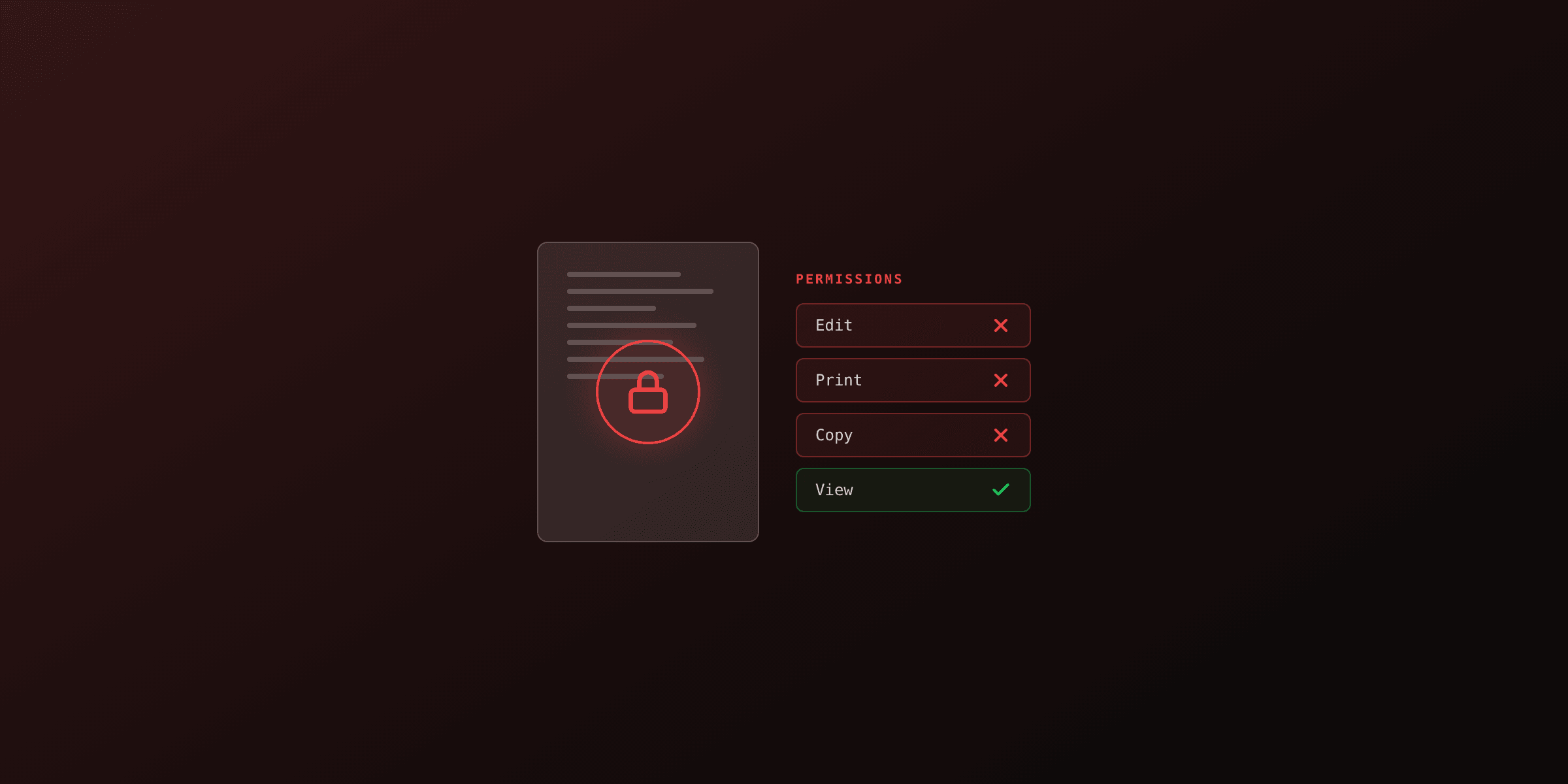
PDF supports a second mode where the file is encrypted with a key the viewer already knows, and access is controlled by permission flags inside the document: no-print, no-copy, no-edit, no-fill-forms. The viewer is asked politely to honor these flags. There is no password to open the file.
This is not real security. Any tool that ignores the flags can extract content from the file. qpdf --decrypt removes the protection in milliseconds. Most PDF libraries treat permission flags as advisory and do not enforce them. The qpdf documentation is explicit: permissions-only protection is not encryption in any meaningful sense.
If you have content that genuinely needs to be protected from copying or printing, the only real option is a server-side viewer (a DRM system or a controlled web viewer) that never delivers the raw PDF to the client. File-level PDF permissions are a polite request, not a lock.
What should you actually use in 2026?
For new files where security matters, use PDF 2.0 AES-256 with a 14+ character random password from a password manager. This is the strongest combination the PDF specification supports and resists every known attack at a level that is computationally infeasible for any realistic adversary.
Concretely:
- Tool: qpdf 8.4+, current Adobe Acrobat, or LibreOffice
- Version: PDF 2.0 (verify with
qpdf --show-encryption) - Algorithm: AES-256
- Password: 14+ characters, random, from a password manager
- Sharing the password: out of band (different channel from the file itself), never in the same email
For low-stakes documents where a casual barrier is enough (a draft shared with a colleague), even AES-128 is fine. For high-stakes documents (financial, legal, medical), PDF 2.0 AES-256 with a strong password is the floor, and you should also consider whether file-level encryption is the right tool at all. A file shared by email is a file that exists on every server it touches and every backup of those servers. Real high-stakes data should live in an access-controlled system, not a password-protected PDF in someone's inbox.
FAQ
What encryption does PDF use today?
Modern PDFs use AES-256 in CBC mode with a SHA-256 password hash, standardized in PDF 2.0 (ISO 32000-2:2020). Older files may still use AES-128 (PDF 1.6, 2005) or RC4-128 (PDF 1.4, 2001). The very old RC4-40 (PDF 1.1, 1994) is broken and should not be used.
Is AES-256 PDF encryption safe?
The encryption itself is safe: AES-256 has no known practical attacks. The weak link is the password. A 12-character password with mixed case, digits, and symbols resists offline brute force on consumer hardware. Short or dictionary passwords can be cracked in hours regardless of algorithm.
What is the difference between RC4 and AES in PDF?
RC4 is a stream cipher designed in 1987 by Ron Rivest. AES is a block cipher standardized by NIST in 2001. RC4 has known biases that make it cryptographically broken (TLS deprecated it in 2015). AES has no known practical attacks. PDF supports both for legacy compatibility, but modern documents should always use AES.
Can a PDF password be cracked?
Yes, by guessing it. The encryption keys are derived from the password, so an attacker can run an offline brute-force attack on the file. Modern GPUs can test billions of password candidates per second against weak key derivation functions. The PDF 2.0 SHA-256-based key derivation is slow enough to make this expensive but not impossible for short passwords.
What are PDF permissions and are they real encryption?
PDF permissions (no-print, no-copy, no-edit) are flags in the encrypted document that tell viewers what to allow. They are enforced only by cooperating viewers. Any tool that ignores the flags can extract content. Permissions are not real security and should not be used to protect sensitive data.
Which tools support AES-256 PDF encryption?
Adobe Acrobat (since version X), qpdf (since 8.4), pdftk-java, pdf-lib via plugins, Apple Preview, Microsoft Word's "Save as PDF" with protection, and most modern PDF libraries. The Wikipedia PDF article tracks viewer support across versions.
Why was AES-256 in PDF 1.7 ExtLevel 3 broken?
The 2008 ExtLevel 3 implementation used a weak key derivation function: a single SHA-256 hash of the password. This let attackers test billions of passwords per second on a GPU. PDF 2.0 (2017) replaced it with a slow hash that includes a salt and many rounds, making brute force orders of magnitude slower per guess.
How long would it take to crack an 8-character PDF password?
Against PDF 2.0 AES-256 with the slow hash, an 8-character random password from a 95-character alphabet would take centuries on a single modern GPU. Against the broken PDF 1.7 ExtLevel 3 (also called Acrobat 9), the same password could be brute-forced in a few days. Against RC4-40, any password can be skipped entirely (the 40-bit key is the bottleneck).
Try it yourself
Need to encrypt a PDF in your browser without uploading it to a server, or remove a known password from one you own? Both run free, client-side.
Protect a PDF with a passwordTry it freeFree tools mentioned:
Frequently asked questions
- What encryption does PDF use today?
- Modern PDFs use AES-256 in CBC mode with a SHA-256 password hash, standardized in PDF 2.0 (ISO 32000-2:2020). Older files may still use AES-128 (PDF 1.6, 2005) or RC4-128 (PDF 1.4, 2001). The very old RC4-40 (PDF 1.1, 1994) is broken and should not be used.
- Is AES-256 PDF encryption safe?
- The encryption itself is safe: AES-256 has no known practical attacks. The weak link is the password. A 12-character password with mixed case, digits, and symbols resists offline brute force on consumer hardware. Short or dictionary passwords can be cracked in hours regardless of algorithm.
- What is the difference between RC4 and AES in PDF?
- RC4 is a stream cipher designed in 1987 by Ron Rivest. AES is a block cipher standardized by NIST in 2001. RC4 has known biases that make it cryptographically broken (TLS deprecated it in 2015). AES has no known practical attacks. PDF supports both for legacy compatibility, but modern documents should always use AES.
- Can a PDF password be cracked?
- Yes, by guessing it. The encryption keys are derived from the password, so an attacker can run an offline brute-force attack on the file. Modern GPUs can test billions of password candidates per second against weak key derivation functions. The PDF 2.0 SHA-256-based key derivation is slow enough to make this expensive but not impossible for short passwords.
- What are PDF permissions and are they real encryption?
- PDF permissions (no-print, no-copy, no-edit) are flags in the encrypted document that tell viewers what to allow. They are enforced only by cooperating viewers. Any tool that ignores the flags can extract content. Permissions are not real security and should not be used to protect sensitive data.
- Which tools support AES-256 PDF encryption?
- Adobe Acrobat (since version X), qpdf (since 8.4), pdftk-java, pdf-lib via plugins, Apple Preview, Microsoft Word's "Save as PDF" with protection, and most modern PDF libraries. The Wikipedia PDF article tracks viewer support across versions.
- Why was AES-256 in PDF 1.7 ExtLevel 3 broken?
- The 2008 ExtLevel 3 implementation used a weak key derivation function: a single SHA-256 hash of the password. This let attackers test billions of passwords per second on a GPU. PDF 2.0 (2017) replaced it with a slow hash that includes a salt and many rounds, making brute force orders of magnitude slower per guess.
- How long would it take to crack an 8-character PDF password?
- Against PDF 2.0 AES-256 with the slow hash, an 8-character random password from a 95-character alphabet would take centuries on a single modern GPU. Against the broken PDF 1.7 ExtLevel 3 (also called Acrobat 9), the same password could be brute-forced in a few days. Against RC4-40, any password can be skipped entirely (the 40-bit key is the bottleneck).
Start generating PDFs
Build PDF templates with a visual editor. Render them via API from any language in ~300ms.