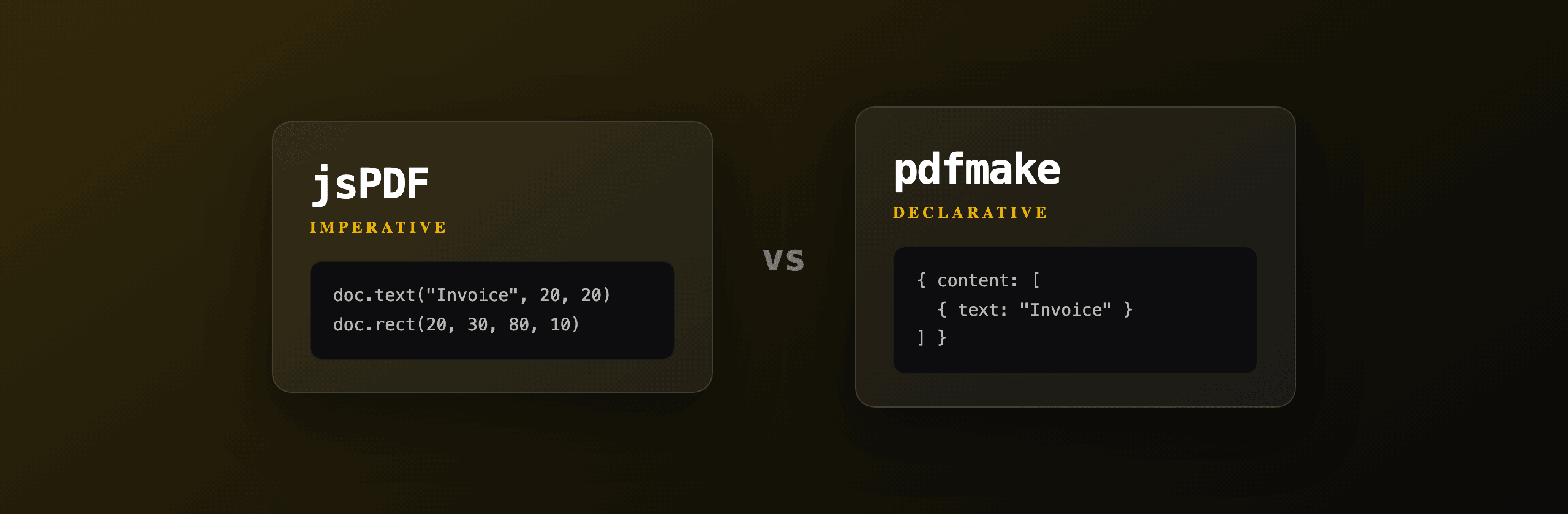
Both jsPDF and pdfmake generate PDFs in the browser without a server, but they take opposite approaches. jsPDF is imperative: you place text and shapes at pixel coordinates by calling methods. pdfmake is declarative: you describe the whole document as a JSON object and it handles flow and page breaks. For a quick canvas-style export, pick jsPDF. For structured, data-driven documents like invoices and reports, pick pdfmake. Neither parses HTML and CSS, so if your design lives in HTML you want a Chromium renderer instead.
jsPDF vs pdfmake at a glance
The fastest way to choose is to map each library against the criteria that actually decide a project: API style, table support, fonts, bundle size and page flow. The table below summarizes where each one lands.
| Criterion | jsPDF | pdfmake |
|---|---|---|
| API style | Imperative (doc.text, doc.rect) | Declarative (docDefinition JSON) |
| Built on | Own writer | pdfkit |
| Tables | Plugin (jspdf-autotable) | Built in (table content type) |
| Automatic page breaks | Manual addPage() (auto for autotable) | Automatic |
| Fonts setup | base64 + addFileToVFS + addFont | pdfMake.vfs + pdfMake.fonts |
| Default font included | Helvetica (standard 14) | Roboto (bundled, ~1 MB) |
| Core bundle (minified) | ~150 KB | over 1 MB with fonts |
| HTML input | html() via html2canvas (raster) | None |
| Runs in Node.js | Yes (DOM needed for html()) | Yes |
| Learning curve | Low for simple, high for layout | Moderate, JSON-driven |
| License | MIT | MIT |
Both are MIT-licensed and run fully in the browser, so files never leave the user's machine. That is the shared selling point of client-side generation versus a server render.
How does jsPDF generate a PDF?
jsPDF builds a PDF by drawing primitives at coordinates you supply. You create a document, then call methods like doc.text(x, y, string), doc.rect(), doc.line() and doc.setFontSize(). The unit defaults to millimeters on an A4 page, and the origin (0, 0) is the top-left corner. There is no layout engine: you own every position.
Use jsPDF when you place a handful of elements and want exact control: a certificate, a badge, a labeled receipt, or a chart exported from a <canvas>. It is the smaller dependency and the closest thing to a 2D drawing API for PDF.
import { jsPDF } from "jspdf"

const doc = new jsPDF({ unit: "mm", format: "a4" })

doc.setFontSize(22)
doc.text("Certificate of completion", 105, 40, { align: "center" })

doc.setDrawColor(124, 58, 237) // purple border
doc.setLineWidth(0.8)
doc.rect(15, 15, 180, 267)

doc.setFontSize(12)
doc.text("Awarded to Jane Doe on 2026-07-06", 105, 60, { align: "center" })

doc.save("certificate.pdf")
The manual page-break loop shows the core tradeoff: jsPDF never flows content for you. You track the y cursor and call doc.addPage() yourself. That is fine for a fixed layout and tedious for anything that grows with data.
How do you add tables in jsPDF?
jsPDF has no native table support. You add the official jspdf-autotable plugin, which draws tables with automatic column widths, cell wrapping, page breaks and repeated header rows. Without it you would draw every cell border and position every value by hand.
Install both packages, then call autoTable(doc, { head, body }). The plugin returns the final y position through doc.lastAutoTable.finalY, so you can place content after the table.
import { jsPDF } from "jspdf"
import autoTable from "jspdf-autotable"

const doc = new jsPDF()

doc.setFontSize(18)
doc.text("Invoice INV-001", 14, 20)

autoTable(doc, {
  startY: 30,
  head: [["Item", "Qty", "Unit price", "Total"]],
  body: [
    ["Design work", "10", "$80", "$800"],
    ["Hosting", "12", "$25", "$300"],
    ["Support", "1", "$150", "$150"],
  ],
  foot: [["", "", "Total", "$1,250"]],
  theme: "grid",
  headStyles: { fillColor: [124, 58, 237] },
})

const endY = doc.lastAutoTable.finalY
doc.setFontSize(10)
doc.text("Thank you for your business.", 14, endY + 12)

doc.save("invoice.pdf")
jspdf-autotable is the reason most teams stay on jsPDF for data tables. It adds roughly 40 KB and handles the page-break math that jsPDF core leaves to you.
How does pdfmake generate a PDF?
pdfmake generates a PDF from a single JavaScript object called the docDefinition. You describe content as an array of paragraphs, columns, tables and lists, define reusable styles, and call pdfMake.createPdf(docDefinition).download(). pdfmake measures everything and inserts page breaks automatically, including repeating table headers.
Use pdfmake when the document is structured and grows with data: invoices, statements, multi-page reports, packing lists. You think in terms of content blocks, not coordinates, so adding ten more rows never breaks the layout.
import pdfMake from "pdfmake/build/pdfmake"
import pdfFonts from "pdfmake/build/vfs_fonts"

pdfMake.vfs = pdfFonts.pdfMake.vfs // load bundled Roboto

const docDefinition = {
  content: [
    { text: "Invoice INV-001", style: "header" },
    { text: "Issued 2026-07-06", margin: [0, 0, 0, 12] },
    {
      table: {
        headerRows: 1,
        widths: ["*", "auto", "auto", "auto"],
        body: [
          ["Item", "Qty", "Unit price", "Total"],
          ["Design work", "10", "$80", "$800"],
          ["Hosting", "12", "$25", "$300"],
          ["Support", "1", "$150", "$150"],
        ],
      },
      layout: "lightHorizontalLines",
    },
    { text: "Total: $1,250", style: "total", margin: [0, 12, 0, 0] },
  ],
  styles: {
    header: { fontSize: 18, bold: true, margin: [0, 0, 0, 8] },
    total: { fontSize: 13, bold: true, alignment: "right" },
  },
}

pdfMake.createPdf(docDefinition).download("invoice.pdf")
Compare this to the jsPDF invoice above: the same result, but headerRows: 1 makes the header repeat across pages and you never touch a y coordinate. The cost is the docDefinition mental model and a larger bundle, because pdfmake is built on pdfkit and ships the Roboto font by default.
Which has better table support?
pdfmake has the stronger built-in table support; jsPDF matches it only after you add jspdf-autotable. pdfmake's table content type handles column widths (*, auto, fixed numbers), headerRows that repeat on every page, cell colSpan and rowSpan, and per-table layout for borders and fills, all without a plugin.
With jsPDF, jspdf-autotable covers the same ground (column styles, themes, repeated headers, page breaks) but it is a separate dependency you install and import. If tables are the core of your document, both reach feature parity; pdfmake just gets there with one package instead of two.
| Table feature | jsPDF (autotable) | pdfmake (core) |
|---|---|---|
| Auto column width | Yes | Yes (* / auto) |
| Repeat header rows | Yes | Yes (headerRows) |
| Cell spanning | Limited | colSpan / rowSpan |
| Custom borders/fills | Per-cell styles | layout object |
| Extra dependency | Yes (plugin) | No |
How do you set up custom fonts?
Both libraries embed fonts through a virtual file system, but the steps differ. jsPDF needs the font as a base64 string registered with addFileToVFS() and addFont(). pdfmake registers font files in pdfMake.vfs and maps a family in pdfMake.fonts, and it ships with Roboto already wired up.
The default fonts matter for size. jsPDF defaults to the 14 standard PDF fonts (Helvetica, Times, Courier) that are not embedded, so a basic jsPDF document stays tiny. pdfmake bundles Roboto as base64, which is most of why its package weighs over 1 MB before gzip.
import { jsPDF } from "jspdf"

const doc = new jsPDF()
// myFontBase64 is the .ttf encoded as base64
doc.addFileToVFS("Inter-Regular.ttf", myFontBase64)
doc.addFont("Inter-Regular.ttf", "Inter", "normal")
doc.setFont("Inter")
doc.text("Rendered with Inter", 15, 20)
Non-Latin scripts (Arabic, Chinese, Japanese, Hindi) need an embedded font that contains the glyphs in both libraries. The standard jsPDF fonts only cover Latin, so a missing glyph renders as a blank box. Embed a full Unicode font when you support those languages.
Which has the smaller bundle size?
jsPDF wins on bundle size. The jsPDF core is roughly 150 KB minified and stays small because the standard PDF fonts are not embedded. Adding jspdf-autotable adds about 40 KB. pdfmake ships over 1 MB minified before gzip, because it bundles pdfkit and the Roboto font files as base64.
For a bundle-sensitive web app, especially one that lazy-loads the PDF feature, jsPDF keeps the initial payload smaller. With either library, import the PDF code only when the user triggers an export so it never sits in the critical path.
| Package | Approx. minified size |
|---|---|
| jsPDF core | ~150 KB |
| jsPDF + autotable | ~190 KB |
| pdfmake (with Roboto vfs) | over 1 MB |
Numbers are approximate and vary by version and build tooling. Gzip reduces all of them substantially, but the relative ordering holds: jsPDF is the lighter dependency.
Can either one convert HTML and CSS to PDF?
No, not faithfully. jsPDF has an html() method, but it uses html2canvas to rasterize the DOM into an image and embed that image, so the text becomes a bitmap that is not selectable, searchable or crisp when zoomed. pdfmake has no HTML input at all: you must rebuild the document as a docDefinition.
This is the shared ceiling of client-side libraries: neither contains a real CSS layout engine. Flexbox, grid, floats, @media print, web fonts and complex tables that already look right in your browser do not carry over. If your source of truth is HTML and CSS, you are reimplementing the design by hand in JavaScript.
When the design must match the browser exactly, render with headless Chromium, which does run the full CSS engine. You can do that yourself with Playwright, try our free HTML to PDFTry it free tool, or call a hosted API so you do not maintain a browser in production.
How does PDF4.dev fit in?
PDF4.dev is the option that skips client-side rendering entirely: you POST HTML (or a saved template id plus data) and get a PDF back, rendered server-side by headless Chromium with full CSS support. There is no docDefinition to build, no coordinate math, no html2canvas raster, and no Chromium binary to install or keep warm.
Use it when your invoice, report or contract is already designed in HTML and CSS and you want the PDF to match the browser pixel for pixel, with selectable text and embedded fonts. It is one POST request from any language.
curl -X POST https://pdf4.dev/api/v1/render \
  -H "Authorization: Bearer p4_live_xxx" \
  -H "Content-Type: application/json" \
  -d '{
    "html": "<h1>Invoice INV-001</h1><p>Total: $1,250</p>",
    "data": {},
    "delivery": "url"
  }'
With delivery: "url" the response is a JSON object containing a signed link to the PDF, which is the recommended path for large files instead of streaming bytes back. Handlebars {{variables}} in the HTML or template are filled from the data object server-side.
Which option should you choose?
Choose by what your document is and where the design lives. Use jsPDF for small client-side exports where you place a few elements: certificates, labels, a <canvas> chart, a one-page receipt. Use pdfmake for structured, data-driven documents built from JSON: multi-page invoices, statements and reports where automatic page breaks and repeating table headers save real work. Use PDF4.dev when the source is HTML and CSS and you need the PDF to match the browser exactly without maintaining a renderer.
| Scenario | Best fit |
|---|---|
| One-page certificate or label, tiny bundle | jsPDF |
| Chart or canvas exported to PDF in the browser | jsPDF |
| Data-driven invoice or multi-page report, all client-side | pdfmake |
| Tables with repeating headers, no extra plugin | pdfmake |
| Design already built in HTML and CSS, must match the browser | PDF4.dev |
| High-volume server rendering without a browser dependency | PDF4.dev |
A common pattern is to combine them: pdfmake or jsPDF for quick in-browser exports, and PDF4.dev for the polished, brand-accurate documents you email to customers. Keep reading: pdf-lib vs jsPDF vs PDFKit widens the field to manipulation libraries, the HTML to PDF guide covers the Chromium route in depth, and the best PDF generation APIs of 2026 compares hosted options side by side.
Free tools mentioned:
Frequently asked questions
- What is the difference between jsPDF and pdfmake?
- jsPDF is imperative: you call methods like doc.text() and doc.rect() to place content at exact coordinates. pdfmake is declarative: you describe the document as a JSON object (the docDefinition) and pdfmake handles flow, page breaks and table layout. jsPDF gives finer control, pdfmake gives less manual work for multi-page documents.
- Does jsPDF support tables?
- Not natively. jsPDF needs the jspdf-autotable plugin to draw tables with automatic column sizing, page breaks and repeated headers. pdfmake has tables built into its core through the table content type, with no extra plugin.
- Which is smaller, jsPDF or pdfmake?
- jsPDF is smaller. The jsPDF core is roughly 150 KB minified, growing when you add jspdf-autotable. pdfmake ships larger because it bundles pdfkit plus the default Roboto font files, often over 1 MB before gzip. For bundle-sensitive apps jsPDF wins on size.
- Can jsPDF or pdfmake convert HTML and CSS to PDF?
- Not faithfully. jsPDF has an html() method that uses html2canvas to rasterize the DOM into an image, so text becomes a bitmap and is no longer selectable. pdfmake has no HTML input at all. For pixel-accurate HTML and CSS layout you need a Chromium renderer such as Playwright or a hosted API like PDF4.dev.
- How do you add a custom font to pdfmake?
- Register the font files in the pdfmake virtual file system (pdfMake.vfs) and map a family name in pdfMake.fonts, then reference that family in your style. pdfmake ships with Roboto preconfigured. jsPDF requires converting the font to a base64 string and calling doc.addFileToVFS() plus doc.addFont().
- Does pdfmake handle page breaks automatically?
- Yes. pdfmake measures content and breaks pages on its own, and tables can repeat header rows across pages. jsPDF does not flow content: you track the y position yourself and call doc.addPage() when you run out of space, unless you use jspdf-autotable which adds page breaks for tables.
- Can jsPDF and pdfmake run on a Node.js server?
- Yes, both run in Node.js as well as the browser. pdfmake exposes a server build, and jsPDF works headless without a DOM for its vector API (the html() method needs a DOM). For high-volume server rendering of designed documents, a hosted API like PDF4.dev avoids shipping a PDF engine in your app.
- Should I use jsPDF, pdfmake, or an HTML to PDF API?
- Use jsPDF for small client-side exports and certificates where you place a few elements. Use pdfmake for structured multi-page documents like invoices and reports built from data. Use an HTML to PDF API like PDF4.dev when the design is HTML and CSS and you want it to match the browser exactly without maintaining a renderer.
Start generating PDFs
Build PDF templates with a visual editor. Render them via API from any language in ~300ms.