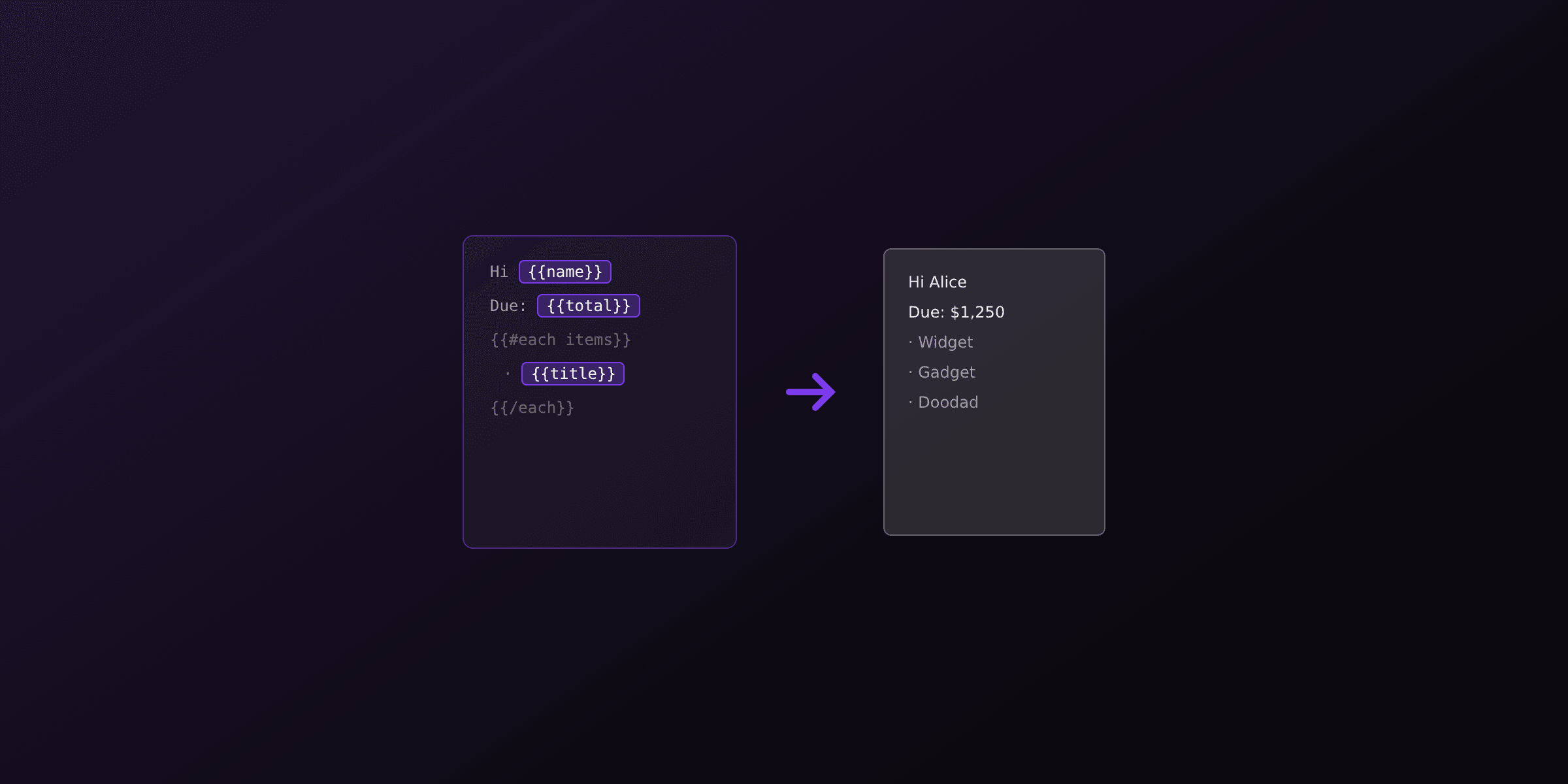
Generate a PDF from JSON by keeping data and design apart: your JSON holds the values, an HTML template with {{placeholders}} holds the layout, and a renderer binds them together. The most maintainable path for documents like invoices, reports, and receipts is a template engine (Handlebars) plus a browser engine (Chromium), because the layout reflows when a list grows or text wraps. The fastest path with zero infrastructure is to POST the JSON to a hosted API like PDF4.dev and get back a PDF.
This guide shows the template-based pattern end to end: binding a JSON object, iterating arrays into a table, computing totals, and reading nested objects. It also contrasts the template approach with coordinate-based drawing libraries, where you map every field to an x/y position by hand.
Template-based vs draw-based: which approach fits JSON?
The core decision is whether your layout is described by a template or drawn by code. Template-based rendering binds JSON to HTML and lets the engine handle reflow. Draw-based rendering positions each piece of text at explicit coordinates, which you maintain manually.
| Approach | How JSON maps | Layout reflow | Best for | Example tools |
|---|---|---|---|---|
| HTML template + browser engine | Bind fields to {{placeholders}}, loop arrays | Automatic (CSS) | Invoices, reports, anything with variable-length lists | Handlebars + Playwright/Chromium, PDF4.dev (hosted) |
| Hosted template API | POST { template_id, data } | Automatic (CSS) | Teams that want no browser to run or scale | PDF4.dev |
| Drawing library (coordinates) | Map each field to x/y by hand | Manual | Fixed-position labels, badges, simple one-pagers | pdfkit, jsPDF |
| Server-side reporting library | Bind data to a report definition | Engine-specific | Pixel-perfect print reports in one runtime | ReportLab (Python), JasperReports (Java) |
If your JSON contains arrays whose length you do not control (line items, transactions, table rows), pick a template-based approach. Reflow is the single biggest source of bugs in coordinate-based PDFs.
The rest of this article focuses on the template-based pattern because it covers the widest range of JSON-driven documents with the least brittle code.
What does the JSON-to-PDF data flow look like?
The flow has three stages: data, template, render. Your JSON is the data. An HTML file with Handlebars placeholders is the template. A renderer compiles the template against the data to produce final HTML, then prints that HTML to a PDF. Each stage is independent, so you can swap the renderer without touching the JSON.
Here is a realistic invoice JSON object. It has scalar fields, a nested customer object, and an items array. This is the shape most document APIs expect.
{
  "invoice_number": "INV-2026-0042",
  "issue_date": "2026-07-24",
  "currency": "EUR",
  "customer": {
    "name": "Globex SA",
    "email": "ap@globex.example",
    "address": {
      "line1": "12 rue de Rivoli",
      "city": "Paris",
      "postal_code": "75001"
    }
  },
  "items": [
    { "description": "API plan, July", "qty": 1, "unit_price": 49.0 },
    { "description": "Overage, 1200 renders", "qty": 1200, "unit_price": 0.01 },
    { "description": "Support add-on", "qty": 1, "unit_price": 19.0 }
  ],
  "tax_rate": 0.2
}
Notice what is NOT in the JSON yet: the subtotal, tax amount, and total. You can compute those in code before rendering (recommended for money) or with a math helper in the template. The next sections build the template that consumes this object.
How do you bind a JSON object to an HTML template?
Bind scalar fields by placing {{field_name}} where the value should appear in the HTML. The template engine replaces each placeholder with the matching value from your JSON at render time. For nested objects, use dot notation: {{customer.name}} reads customer.name from the JSON without any flattening step.
This template fragment binds the top-level invoice fields and the nested customer address. Handlebars resolves {{customer.address.city}} directly against the nested object.
<header class="invoice-head">
  <h1>Invoice {{invoice_number}}</h1>
  <p>Issued {{issue_date}}</p>
</header>

<section class="bill-to">
  <h2>Bill to</h2>
  <p>{{customer.name}}</p>
  <p>{{customer.email}}</p>
  <p>
    {{customer.address.line1}}<br />
    {{customer.address.postal_code}} {{customer.address.city}}
  </p>
</section>
Handlebars escapes HTML in {{value}} by default, which protects you from broken layout when a JSON field contains characters like an ampersand. Use triple braces {{{value}}} only when the JSON value is trusted HTML you want rendered as markup.
If a placeholder has no matching key in the JSON, Handlebars renders an empty string rather than throwing. That is convenient, but it means a typo in a field name fails silently, so keep the template and the JSON shape in sync.
How do you turn a JSON array into a PDF table?
Loop over the array with the {{#each}} block helper and emit one table row per element. Inside the block, this refers to the current array element, so {{description}} reads the current item's description. The browser engine then paginates the HTML table and repeats the header row on each page.
This template renders the items array into a table body. The @index variable gives a zero-based row number if you want line numbers.
<table class="line-items">
  <thead>
    <tr>
      <th>#</th>
      <th>Description</th>
      <th>Qty</th>
      <th>Unit price</th>
      <th>Amount</th>
    </tr>
  </thead>
  <tbody>
    {{#each items}}
    <tr>
      <td>{{add @index 1}}</td>
      <td>{{description}}</td>
      <td>{{qty}}</td>
      <td>{{formatCurrency unit_price ../currency}}</td>
      <td>{{formatCurrency (multiply qty unit_price) ../currency}}</td>
    </tr>
    {{/each}}
  </tbody>
</table>
Two details matter here. First, ../currency climbs one level out of the loop to read the top-level currency field, because inside {{#each}} the context is the item, not the root object. Second, multiply and add are helper functions: Handlebars has no built-in math, so you register them yourself or use an engine that ships them. PDF4.dev registers formatCurrency, formatNumber, formatDate, and a math helper globally, so these work without setup on the hosted side.
How do you compute totals like subtotal, tax, and grand total?
Compute money totals in code before rendering, then add them to the JSON you pass to the template. Currency rounding is error-prone inside templates, so doing the arithmetic in your own language gives you control over decimal places and rounding mode. Add the computed fields to the same object the template consumes.
This Node.js snippet derives the totals from the items array and merges them back into the data object. It rounds to two decimals using integer cents to avoid floating-point drift.
function withTotals(invoice: {
  items: { qty: number; unit_price: number }[];
  tax_rate: number;
}) {
  const subtotalCents = invoice.items.reduce(
    (sum, it) => sum + Math.round(it.qty * it.unit_price * 100),
    0,
  );
  const taxCents = Math.round(subtotalCents * invoice.tax_rate);
  const totalCents = subtotalCents + taxCents;

  return {
    ...invoice,
    subtotal: subtotalCents / 100,
    tax_amount: taxCents / 100,
    total: totalCents / 100,
  };
}
Now the template can render {{subtotal}}, {{tax_amount}}, and {{total}} directly. The totals block uses a conditional so a zero-tax invoice hides the tax row entirely:
<tfoot>
  <tr><td>Subtotal</td><td>{{formatCurrency subtotal currency}}</td></tr>
  {{#if tax_amount}}
  <tr><td>Tax</td><td>{{formatCurrency tax_amount currency}}</td></tr>
  {{/if}}
  <tr class="grand"><td>Total</td><td>{{formatCurrency total currency}}</td></tr>
</tfoot>
The {{#if tax_amount}} block renders its content only when tax_amount is truthy, so a tax-exempt invoice (tax_amount of 0) skips the row without any branching in your code.
How do you render the bound HTML to a PDF locally?
Render locally by compiling the template with Handlebars, then printing the resulting HTML with a browser engine through Playwright. Playwright drives headless Chromium, and page.pdf() produces the file. You install one browser binary once with npx playwright install chromium.
This script ties the pieces together: read JSON, add totals, compile the template, print to PDF.
import { readFileSync } from "node:fs";
import Handlebars from "handlebars";
import { chromium } from "playwright";

// helpers the template uses
Handlebars.registerHelper("add", (a, b) => a + b);
Handlebars.registerHelper("multiply", (a, b) => a * b);
Handlebars.registerHelper("formatCurrency", (v, currency) =>
  new Intl.NumberFormat("en-US", { style: "currency", currency }).format(v),
);

const invoice = withTotals(JSON.parse(readFileSync("invoice.json", "utf8")));
const template = Handlebars.compile(readFileSync("invoice.html", "utf8"));
const html = template(invoice);

const browser = await chromium.launch();
const page = await browser.newPage();
await page.setContent(html, { waitUntil: "load" });
await page.pdf({
  path: "invoice.pdf",
  format: "A4",
  printBackground: true,
  margin: { top: "20mm", bottom: "20mm", left: "15mm", right: "15mm" },
});
await browser.close();
A headless Chromium process holds real memory (roughly 100 to 200 MB per instance). Launch one browser and reuse it across renders rather than launching per request. On serverless platforms, the cold start of a Chromium binary adds latency, which is the main reason teams move to a hosted renderer.
Want a quick manual check before wiring code? Paste your compiled HTML into the free Html To PdfTry it free tool to confirm the layout prints correctly, then automate.
How do you generate the PDF from JSON with a hosted API?
Send the JSON to PDF4.dev with a template_id and the API binds it to a stored template and returns a PDF, so you run no browser yourself. The keys in your data object map straight to the template's {{variables}}, including arrays and nested objects. You store the HTML template once in the dashboard, then every render is a single JSON POST.
The minimal request needs an API key and a JSON body. Set delivery to url to get back a link instead of a binary payload, which is friendlier for large invoices and for queue workers.
curl -X POST https://pdf4.dev/api/v1/render \
  -H "Authorization: Bearer p4_live_xxx" \
  -H "Content-Type: application/json" \
  -d '{
    "template_id": "invoice",
    "delivery": "url",
    "data": {
      "invoice_number": "INV-2026-0042",
      "currency": "EUR",
      "customer": { "name": "Globex SA" },
      "items": [
        { "description": "API plan, July", "qty": 1, "unit_price": 49.0 }
      ],
      "subtotal": 49.0,
      "tax_amount": 9.8,
      "total": 58.8
    }
  }'
Because the request body is JSON and the template owns the layout, your application code never builds HTML. You can also skip stored templates and send raw html inline when the markup is dynamic. The minimal body for inline HTML is { "html": "<h1>Hello</h1>", "data": {}, "delivery": "url" }.
Why are drawing libraries harder for JSON data?
Drawing libraries make you place each value at explicit coordinates, so a longer string or an extra array element breaks the layout you hardcoded. With pdfkit or jsPDF you call something like doc.text(value, x, y) for every field, and you compute the next y yourself. There is no CSS reflow, so a description that wraps to two lines overlaps the row below unless you measure text height and adjust every following coordinate.
This jsPDF example shows the manual coordinate math for the same items array. Compare the bookkeeping with the four-line {{#each}} loop above.
import { jsPDF } from "jspdf";

const doc = new jsPDF();
let y = 40;
doc.text(`Invoice ${invoice.invoice_number}`, 14, 20);

for (const item of invoice.items) {
  doc.text(item.description, 14, y);
  doc.text(String(item.qty), 120, y);
  doc.text(item.unit_price.toFixed(2), 160, y);
  y += 8; // you own pagination: when y passes the page height, addPage()
  if (y > 270) {
    doc.addPage();
    y = 20;
  }
}
doc.save("invoice.pdf");
This works for fixed, predictable content like a shipping label or a badge. It becomes brittle the moment the JSON drives variable-length lists, multi-line text, or conditional sections, which is exactly what most data-to-document use cases involve.
Which option should you choose?
Match the approach to how much your JSON varies and how much infrastructure you want to run. The summary below maps common scenarios to a recommendation.
| Your situation | Recommended approach |
|---|---|
| Invoices, reports, statements with variable line items | HTML + Handlebars template rendered by a browser engine |
| You want zero browser to install, scale, or patch | Hosted API: PDF4.dev with { template_id, data } |
| Spiky or serverless workload where Chromium cold start hurts | Hosted API so cold starts are not your problem |
| Fixed-position labels, badges, single-page tickets | Drawing library (pdfkit, jsPDF) |
| Pixel-perfect print reports inside one Python or Java app | Reporting library (ReportLab, JasperReports) |
| High HTML/CSS fidelity, complex tables, web-styled output | Browser engine, self-hosted or via PDF4.dev |
For most JSON-to-PDF work the template-based pattern wins because the JSON shape and the template stay decoupled: change a price, add a line item, or restyle the invoice without touching the other side. Run it yourself with Handlebars and Playwright when you want full control, or POST the JSON to PDF4.dev when you would rather not manage a browser pool. Either way, keep the data in JSON, the design in a template, and let the renderer join them.
To go deeper on the template language itself, see the Handlebars templates for PDF guide. For the rendering layer in Node.js, read generate a PDF from HTML in Node.js. For an end-to-end invoice walkthrough, see how to generate PDF invoices programmatically.
Free tools mentioned:
Frequently asked questions
- What is the best way to generate a PDF from JSON data?
- Bind your JSON to an HTML template with placeholders, then render that HTML to PDF with a browser engine like Chromium. The template owns the layout, the JSON owns the values, and the renderer joins them. This keeps design and data separate so you can change one without touching the other.
- Can I convert a JSON array into a PDF table?
- Yes. Loop over the array in your template with a block helper such as Handlebars `{{#each items}}` and emit one HTML table row per element. The renderer turns the resulting HTML table into a paginated PDF table, repeating the header row across pages when you use a browser engine.
- How do I compute totals like subtotal and tax from JSON?
- Compute the totals in your code before rendering and add them to the JSON object you pass to the template, or use a math helper inside the template. Computing in code is more reliable for currency rounding because you control the arithmetic and the number of decimal places.
- Do I need a browser to turn JSON into a PDF?
- Not on your own machine if you use a hosted API. PDF4.dev runs headless Chromium server-side, so you POST JSON plus a template id and receive a PDF URL. If you self-host, you install a browser engine like Chromium through Playwright or Puppeteer.
- Should I use a drawing library like jsPDF or pdfkit for JSON to PDF?
- Drawing libraries make you map each JSON field to x and y coordinates by hand, which breaks when text wraps or a list grows. For structured documents driven by JSON, an HTML template plus a browser engine is more maintainable because the layout reflows automatically.
- How do I handle nested objects in JSON when building a PDF?
- Access nested values with dot notation in the template, for example `{{customer.address.city}}`. Most template engines including Handlebars resolve nested paths directly, so you do not need to flatten the JSON before rendering.
- Can I generate hundreds of PDFs from a JSON array of records?
- Yes. Iterate over the array in your code and render one PDF per record, reusing the same template. With a hosted API you send one render request per record and collect each returned URL, which avoids managing a browser pool yourself.
Start generating PDFs
Build PDF templates with a visual editor. Render them via API from any language in ~300ms.