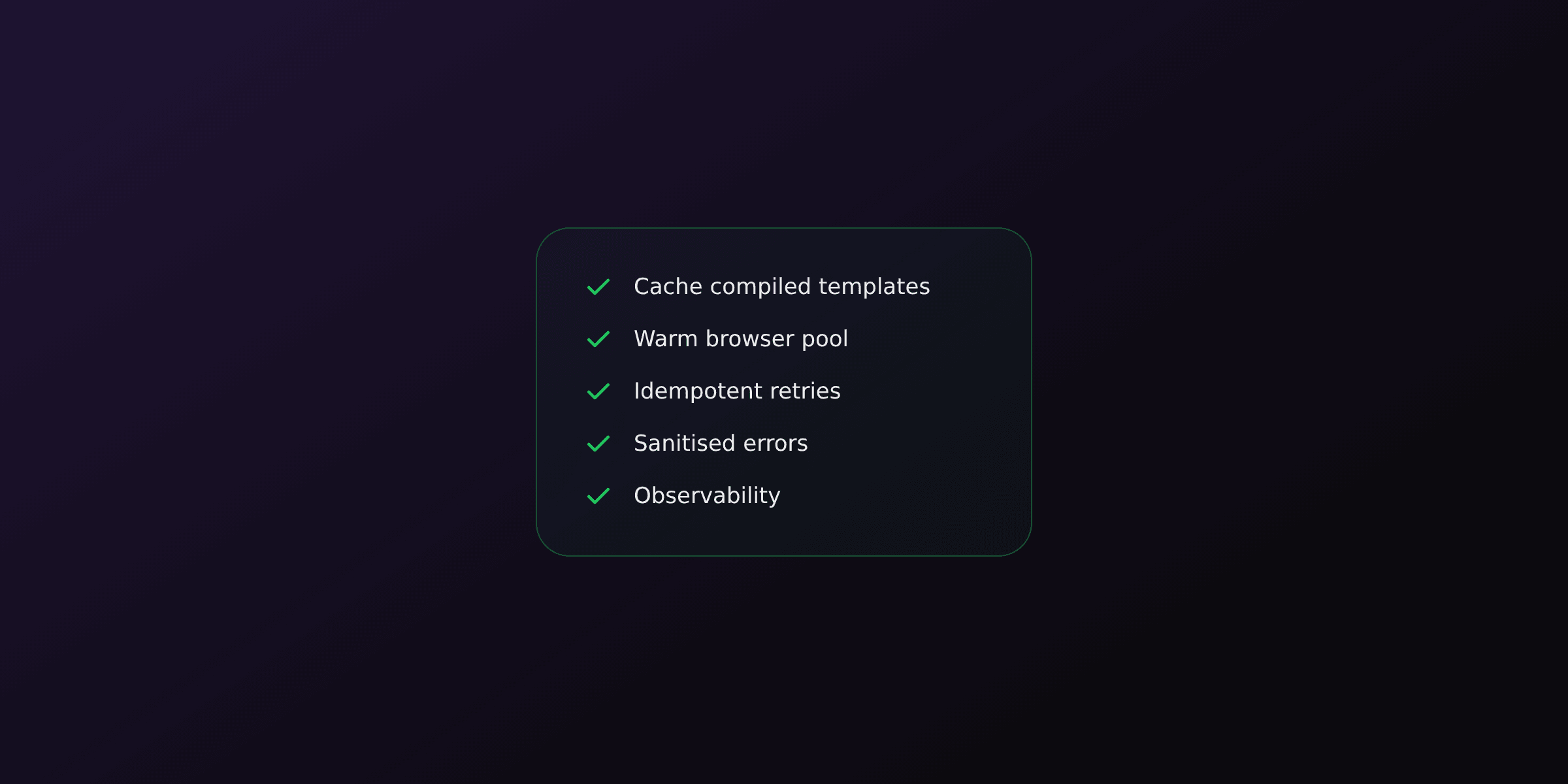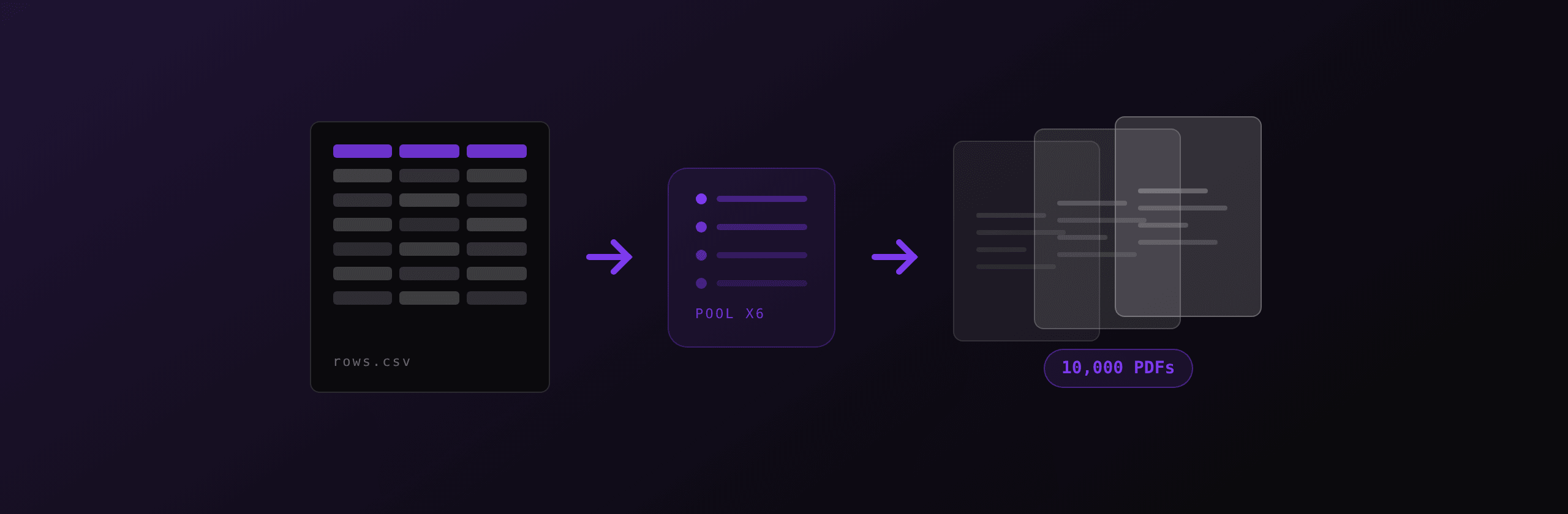
Batch PDF generation is the process of producing many PDFs from one dataset, typically one document per row of a CSV or one per record in a database query. The pattern that survives production is a warm browser instance, a concurrency-limited worker pool of 4 to 8 renders, per-row status tracking with retries, and streaming each finished file out of memory instead of collecting buffers.
The naive version, a for loop with await inside, works fine for 20 documents and falls over somewhere between 500 and 5,000. This guide covers what changes at that scale and what the numbers actually look like.
What breaks when you scale a PDF loop from 10 to 10,000?
Four things break, in a predictable order: total runtime exceeds the HTTP timeout, memory grows until the process is killed, one bad row aborts the whole batch, and the response payload becomes too large to return.
| Batch size | What breaks first | The fix |
|---|---|---|
| 10 to 100 | Nothing. A sequential loop is fine | Keep it simple |
| 100 to 1,000 | HTTP request timeout (30 to 60s) | Add concurrency, or move to a background job |
| 1,000 to 10,000 | Memory: buffered PDFs plus leaked pages | Stream to storage, close pages in finally |
| 10,000+ | Single-process throughput ceiling | Job queue plus multiple workers |
| Any size | One malformed row aborts everything | Per-row try/catch and status tracking |
Timings assume a single-page HTML invoice with local assets on a 2 vCPU container with a warm browser pool. Documents with remote images, web fonts, or multi-page tables render several times slower.
The order matters because it tells you what not to build yet. A team generating 300 monthly invoices does not need a job queue. A team generating 40,000 statements on the first of every month does.
How many PDFs should you render in parallel?
Start at 2 concurrent renders per CPU core and validate against memory, not against CPU. Rendering is CPU-bound during layout and paint, but the constraint that kills processes is resident memory per Chromium page.
Rough figures for a text-heavy single-page business document rendered through headless Chromium:
| Resource | Per concurrent render | Notes |
|---|---|---|
| Peak RSS | 30 MB to 80 MB | Rises sharply with embedded images |
| Render time | 150 ms to 300 ms | With a warm browser, local assets |
| Browser launch | 200 ms to 500 ms | Paid once per batch, not per document |
| Output size | 40 KB to 400 KB | Before compression |
On a 2 vCPU / 2 GB container that puts the practical ceiling at 4 to 6 concurrent renders, leaving headroom for the Node.js heap and the OS. Pushing to 16 does not make the batch faster; it makes the container swap and then die.
Measure with your own worst-case document before raising the limit. A one-page invoice and a 40-page catalogue with 200 product photos are not the same workload, and the catalogue can use 10 times the memory.
What does a correct batch loop look like in Node.js?
The correct shape is one browser, a fixed-size pool of concurrent tasks, a fresh page per document closed in a finally block, and immediate streaming of each result.
import { chromium, type Browser } from "playwright";
import { createWriteStream } from "node:fs";

const CONCURRENCY = 6;

async function renderOne(browser: Browser, html: string, out: string) {
  const page = await browser.newPage();
  try {
    await page.setContent(html, { waitUntil: "load" });
    const pdf = await page.pdf({ format: "A4", printBackground: true });
    await new Promise<void>((resolve, reject) => {
      const stream = createWriteStream(out);
      stream.on("error", reject);
      stream.on("finish", resolve);
      stream.end(pdf);
    });
  } finally {
    // Non-negotiable: a leaked page keeps its renderer memory alive.
    await page.close();
  }
}

export async function renderBatch(jobs: { html: string; out: string }[]) {
  const browser = await chromium.launch();
  const results: { out: string; ok: boolean; error?: string }[] = [];
  let cursor = 0;

  const worker = async () => {
    while (cursor < jobs.length) {
      const job = jobs[cursor++];
      try {
        await renderOne(browser, job.html, job.out);
        results.push({ out: job.out, ok: true });
      } catch (err) {
        results.push({ out: job.out, ok: false, error: String(err) });
      }
    }
  };

  try {
    await Promise.all(
      Array.from({ length: CONCURRENCY }, () => worker())
    );
  } finally {
    await browser.close();
  }
  return results;
}
The shared idea across all three: a bounded number of in-flight tasks pulling from a shared cursor. That is a worker pool, and it is the smallest correct primitive for batch work. Promise.all over the raw array is not, because it has no upper bound on concurrency.
Why is Promise.all over the whole array the wrong tool?
Promise.all(rows.map(render)) starts every render at the same instant. With 5,000 rows that means 5,000 simultaneous Chromium pages or 5,000 simultaneous HTTP requests, and both fail.
Self-hosted, the failure is memory: 5,000 pages at 50 MB each is 250 GB of requested RSS, so the OOM killer terminates the process within seconds. Against a hosted API, the failure is rate limiting and socket exhaustion, since Node.js will happily open thousands of sockets and then time out most of them.
The worker-pool version in the previous section is the same amount of code and has a fixed memory ceiling. There is no scenario where unbounded Promise.all is the better choice for rendering work.
When should a batch move to a background job queue?
Move to a queue when the batch cannot finish inside your HTTP timeout, which in practice means anything over roughly 60 seconds of total render work. At 6 concurrent renders and 250 ms each, that threshold lands near 1,500 documents.
The synchronous path and the queued path answer different questions:
| Synchronous request | Background job queue | |
|---|---|---|
| Best for | Under about 1,000 documents | Thousands to millions |
| Client experience | Waits, gets the archive | Gets a job ID, polls or waits for a webhook |
| Failure mode | Whole request times out | Job retries, partial results survive |
| Infrastructure | None extra | Queue (Redis, SQS) plus workers |
| Observability | Request logs | Per-job status, per-row status |
| Complexity | Low | Meaningfully higher |
The queued design is straightforward: an HTTP endpoint validates the input, writes a job record with status: "queued" and the row count, and returns 202 with the job ID. Workers pull rows, render them, update per-row status, and mark the job complete when the counter drains. The client polls a status endpoint or receives a webhook.
Do not build the queue before you need it. The synchronous path with a worker pool covers the majority of business batch workloads, and it has no moving parts to operate.
How do you handle retries without corrupting the batch?
Track status per row, never per batch, and retry only the rows that failed. A batch of 10,000 where row 4,312 has a malformed date should produce 9,999 PDFs and one clearly labelled error, not zero PDFs and a stack trace.
Three rules make this reliable:
Retry with exponential backoff, capped at 3 attempts. Transient failures such as a network blip or a briefly saturated renderer clear within a second or two. A row that fails 3 times with the same error is a data problem, and retrying it a fourth time wastes capacity.
Distinguish retryable from terminal errors. A 429 rate-limit response or a 503 should be retried. A 400 caused by a missing required variable should not, because the same input will fail identically forever.
Make each render idempotent by keying the output on a stable row identifier rather than a counter. If a worker crashes mid-batch and the job restarts, keyed outputs let you skip rows already written instead of producing duplicates.
async function withRetry<T>(fn: () => Promise<T>, attempts = 3): Promise<T> {
  let lastError: unknown;
  for (let i = 0; i < attempts; i++) {
    try {
      return await fn();
    } catch (err) {
      lastError = err;
      const status = (err as { status?: number }).status;
      if (status && status >= 400 && status < 500 && status !== 429) throw err;
      await new Promise((r) => setTimeout(r, 2 ** i * 250));
    }
  }
  throw lastError;
}
What is the right way to deliver hundreds of finished PDFs?
Match the delivery format to the batch size. A ZIP archive is right for tens or low hundreds of files, signed URLs scale to any size, and a single merged PDF is right when the documents are meant to be read or printed together.
| Delivery | Good up to | Trade-off |
|---|---|---|
| ZIP archive (streamed) | A few hundred files | Simple, one download, must stream to avoid buffering |
| Signed URLs list | Unlimited | Client fetches each file, needs object storage |
| Merged single PDF | Hundreds of pages | One file to print, individual documents are no longer separable |
| Base64 in JSON | Avoid for batches | Inflates transfer by about 33 percent, forces everything into memory |
Stream the ZIP rather than building it in memory. Writing entries into an archive stream as each PDF completes keeps peak memory at roughly one document instead of the whole batch, and the client starts downloading before the last render finishes.
If the documents belong together, merging is often what the user actually wanted. Statements for one account, chapters of one report, or a print run of labels are more useful as one file. Our merge PDF tool does this in the browser for one-off cases, and pdf-lib handles it programmatically with copyPages.
This works. Until it does not.
Everything above runs perfectly on a laptop and on a single well-sized container. The problems arrive later, and they are operational rather than algorithmic.
Chromium in Docker adds roughly 300 MB to the image and pulls in a list of system libraries that change between base image versions. Batch jobs are exactly when memory limits get hit, so the container that survived months of single renders starts getting OOM-killed on the first of the month. Concurrency has to be retuned every time the document template gains an image-heavy section. Browser crashes mid-batch need a supervisor that restarts the instance and resumes the remaining rows. Serverless runtimes cap execution at 15 minutes on AWS Lambda, which forces a fan-out design anyway.
None of that is hard. It is just infrastructure that someone has to own, and it tends to page that person at month end.
Calling a hosted render endpoint moves the browser pool, the memory tuning, and the crash recovery to someone else's on-call rotation. The batch code stays exactly the same shape, a worker pool over rows, but each task is an HTTP call instead of a Chromium page. The delivery: "url" option matters here: it returns a signed link rather than a base64 blob, so a 5,000-document batch never materialises in your process memory.
PDF4.dev renders HTML to PDF through one API call, with the same Chromium engine and no browser to operate. Get your API key and run your first batch in a few minutes.
For one-off batches from a spreadsheet, the dashboard has a batch generator that takes a CSV, maps columns to template variables, and returns a ZIP, with per-row retry for failures. Same pipeline, no code.
Batch generation checklist
Before running a batch job in production, confirm each of these:
- One browser instance for the whole batch, one page per document, closed in a
finallyblock - Fixed concurrency, tuned against your heaviest document, not against CPU count alone
- Each finished PDF streamed to disk, storage, or a ZIP stream, never accumulated in an array
- Per-row status tracking, with retries capped at 3 attempts and exponential backoff
- Terminal errors (
400-class) not retried - Output keyed on a stable row ID so a restart skips completed work
- Assets inlined or cached locally, since remote fonts and images dominate render time
- A per-row report returned to the caller, listing which inputs failed and why
Related reading: PDF generation best practices covers caching, timeouts, and monitoring for the single-render path, and how we render PDFs in under 300ms walks through the warm-pool pipeline these numbers come from. For the invoice-specific case, see how to generate PDF invoices programmatically.
Free tools mentioned:
Frequently asked questions
- How many PDFs can I generate in parallel?
- A practical starting point is 2 concurrent renders per CPU core, capped by available memory. Each headless Chromium page holds roughly 30 MB to 80 MB of RSS while rendering a typical business document, so a 2 vCPU / 2 GB container comfortably handles 4 concurrent renders and starts swapping around 12. Measure your own documents before raising the limit, because a page with large embedded images can use several times more memory than a text-only invoice.
- Should I open one browser per PDF or reuse one browser?
- Reuse one browser instance and open a fresh page per PDF. Launching Chromium costs roughly 200 ms to 500 ms of startup, while creating a new page in a warm browser costs a few milliseconds. Always close the page in a finally block, otherwise leaked pages accumulate and memory grows until the process is killed.
- What is the fastest way to generate PDFs from a CSV file?
- Parse the CSV into rows, map each row to your template variables, then feed the rows through a concurrency-limited worker pool that renders one PDF per row. Do not use Promise.all over the whole array, because it starts every render at once. A pool of 4 to 8 workers with a queue in front is both faster and far more stable than unbounded parallelism.
- Why does my batch job run out of memory after a few hundred PDFs?
- The two usual causes are unclosed browser pages and buffering every finished PDF in an array. A page that is never closed keeps its renderer memory alive, and holding 1,000 PDF buffers of 200 KB each pins 200 MB in the heap. Close every page in a finally block and stream each PDF to disk or object storage as soon as it is produced.
- How do I handle failures in a batch of 10,000 PDFs?
- Treat every row as an independent unit of work with its own status. Record success or failure per row, retry only the failed rows with exponential backoff, and cap retries at 3 attempts. A single malformed row should never abort the batch. Return a per-row report at the end so the caller knows exactly which inputs need fixing.
- Is it better to generate PDFs synchronously or with a job queue?
- Generate synchronously when the batch finishes inside your HTTP timeout, which usually means under 30 to 60 seconds of total work. Use a job queue when the batch is larger. The queue returns a job ID immediately, runs the work in a background worker, and the client polls a status endpoint or receives a webhook when the archive is ready.
- How long does it take to generate 1,000 PDFs?
- With a warm browser pool, a single-page HTML invoice renders in roughly 150 ms to 300 ms. At 6 concurrent renders that is about 25 to 50 seconds of wall-clock time for 1,000 documents, plus I/O. Documents that load remote fonts, images, or web fonts over the network can take several times longer, so cache assets locally or inline them as data URIs.
- How should I deliver a large batch of PDFs to the user?
- For up to a few hundred small files, streaming a ZIP archive is the simplest option. Above that, write each PDF to object storage and return a list of signed URLs, or merge related documents into a single PDF. Avoid returning base64 payloads for a batch, because base64 inflates the transfer by about 33 percent and forces the whole set into memory.
- Can I run batch PDF generation on serverless functions?
- You can, but the constraints are tight. AWS Lambda caps execution at 15 minutes and gives you an ephemeral filesystem, and cold starts add Chromium launch time to the first invocation. The workable pattern is one PDF per invocation with a queue fanning out the rows, rather than one invocation that loops over the whole batch.
- Does batch PDF generation need a different API than single generation?
- No. A batch is a loop with a concurrency limit around the same single-PDF call. What changes is everything around the call, meaning the queue, the retry policy, the per-row status tracking, and the delivery format. Keep the render call itself identical so single and batch paths do not diverge.
Start generating PDFs
Build PDF templates with a visual editor. Render them via API from any language in ~300ms.